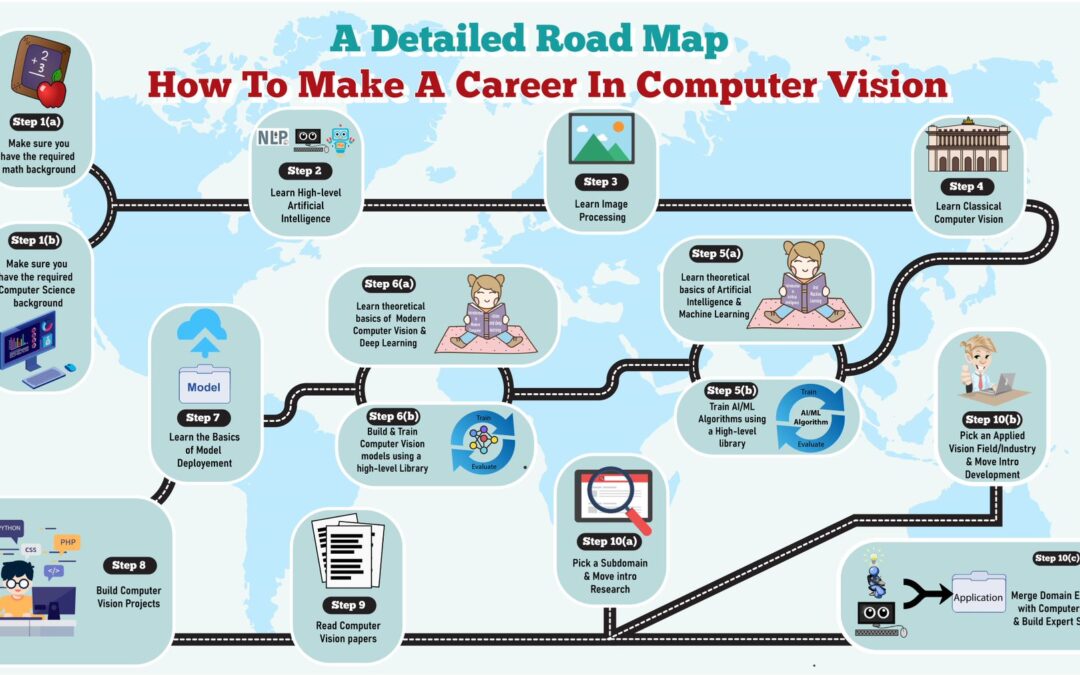
I have released a free 10-day email course on making a career in computer vision, you can join the course here.
Who am I?
Alright before I start this post, you might be wondering who am I to teach you, or what merit do I have to give advice regarding career options in AI. So here’s a quick intro of me:
I’m Taha Anwar. An Applied Computer Vision scientist, besides runningBleed AI, I’ve also worked for the official OpenCV.org team and led teams to develop high-end technical content for their premium courses.
I’ve also published a number of technical tutorials (blog posts, videos) applications at Bleed AIand at LearnOpenCV, given talks at prominent universities and international events on computer vision. Also published a useful computer vision python module at PyPI. This year I’ve also started a youtube channel to reach more people.
Why Create this Course?
So I’ve been working in this field for a number of years and during my time I’ve taught and helped a lot of people from University Grads to engineers and researchers. So I created this course in order to help people interested in computer vision reach their desired outcomes, whether it’s landing a job, becoming a researcher, building projects as a hobby, or whatever it might be, this course will help you get that and it’ll show you an ideal path from start to finish to master the computer vision career roadmap.
It doesn’t matter what your background level is, the course is designed to cover an audience of all experience levels.
Here’s what you’ll learn inside this FREE course each day.
Day 1 | The Ideal Learning Technique: On the first day, you will learn about the best approach from the two main approaches ( Top-Down, and Bottom-Up ) to learn and master computer vision easily and efficiently.
Day 2 | Building the Required Background: On the second day, I’ll show you exactly how you can build the Mathematical & Computer Science background for computer vision and share some short high-quality, and really easy to go through free courses to help you learn the prerequisites.
Day 3 | Learning High-Level Artificial Intelligence: From day 3, the exciting stuff will start as you will dive into learning AI. I will share some high-level resources about a broad overview of the field and will tell you why it is important before getting involved in specifics.
Day 4 | Learning Image Processing and Classical Computer Vision: On the fourth day, I will share some personally evaluated high-quality resources on Image Processing, and Classical Computer Vision and will explain why these techniques should be learned first before jumping into Deep learning.
Day 5 | Learning the Theory behind AI/ML & Start Building Models: On the fifth day, finally, It will be time to go deeper and learn the theoretical foundations behind AI/ML algorithms and also start training algorithms using a high-level library to kill the dryness. I will share the right resources to help you get through.
Day 6 | Learning Deep Learning Theory & Start Building DL Models: On the sixth day, we will step up the game and get into deep learning with a solid plan on how and what to learn.
Day 7 | Learning Model Deployment & Start Building Computer Vision Projects: On the seventh day, we will move towards productionizing models and I’ll also discuss how to start working on your own computer vision projects to build up your portfolio.
Day 8 | Learning to Read Computer Vision Papers: On the eighth day, I will share the best tips, suggestions, and practices to get comfortable with reading the papers and will also discuss its significance over other resources.
Day 9 | Picking a Path; Research, Development, or Domain Expertise: On the ninth day, I’ll show you the final step you need in your journey in order to implement your knowledge, move forward in career and start making money.
Day 10 | FINAL Lesson, the Journey ENDS with Bonus Tips: On the last day, I will guide you further and provide you with some bonus tips to keep in mind. I will also share a few final learning resources.
Here’s a video summarizing the entire Course.
Hire Us
Let our team of expert engineers and managers build your next big project using Bleeding Edge AI Tools & Technologies
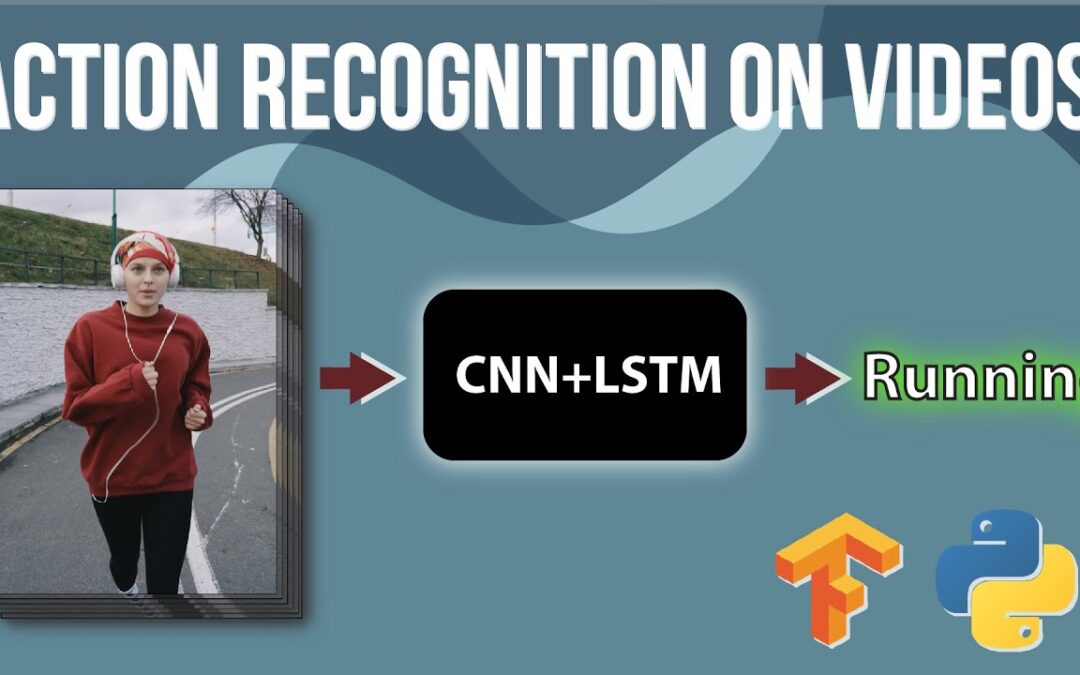
Convolutional Neural Networks (CNN) are great for image data and Long-Short Term Memory (LSTM) networks are great when working with sequence data but when you combine both of them, you get the best of both worlds and you solve difficult computer vision problems like video classification.
In this tutorial, we’ll learn to implement human action recognition on videos using a Convolutional Neural Network combined with a Long-Short Term Memory Network. We’ll actually be using two different architectures and approaches in TensorFlow to do this. In the end, we’ll take the best-performing model and perform predictions with it on youtube videos.
Before I start with the code, let me cover some theories on video classification and different approaches that are available for it.
Image Classification
You may already be familiar with an image classification problem, where, you simply pass an image to the classifier (either a trained Deep Neural Network (CNN or an MLP) or a classical classifier) and get the class predictions out of it.
But what if you have a video? What will happen then?
Before we talk about how to go about dealing with videos, let’s just discuss what videos are exactly.
But First What Exactly Videos are?
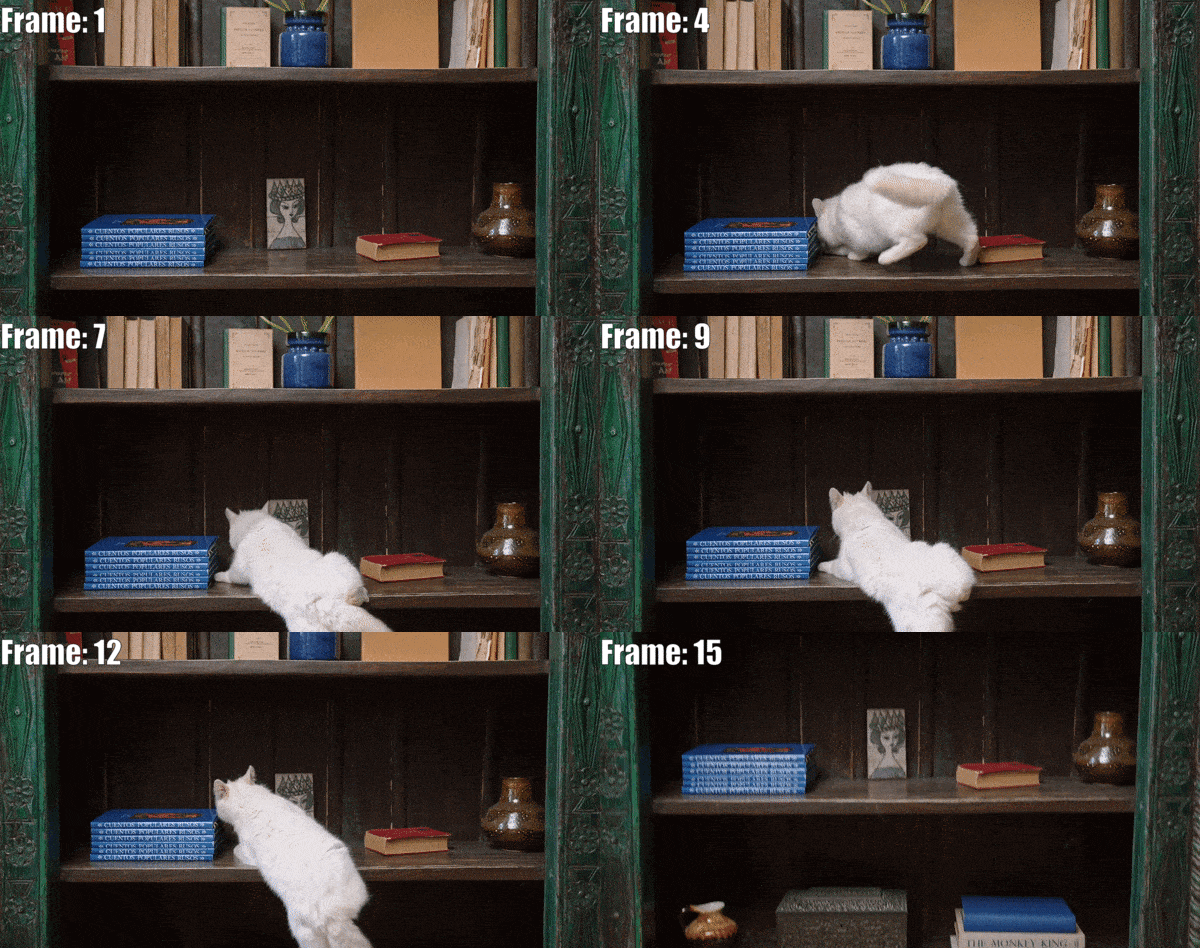
Well, so it’s no secret that a video is just a sequence of multiple still images (aka. frames) that are updated really fast creating the appearance of a motion. Consider the video (converted into .gif format) below of a cat jumping on a bookshelf, it is just a combination of 15 different still images that are being updated one after the other.
Now that we understand what videos are, let’s take a look at a number of approaches that we can use to do video classification.
Approach 1: Single-Frame Classification
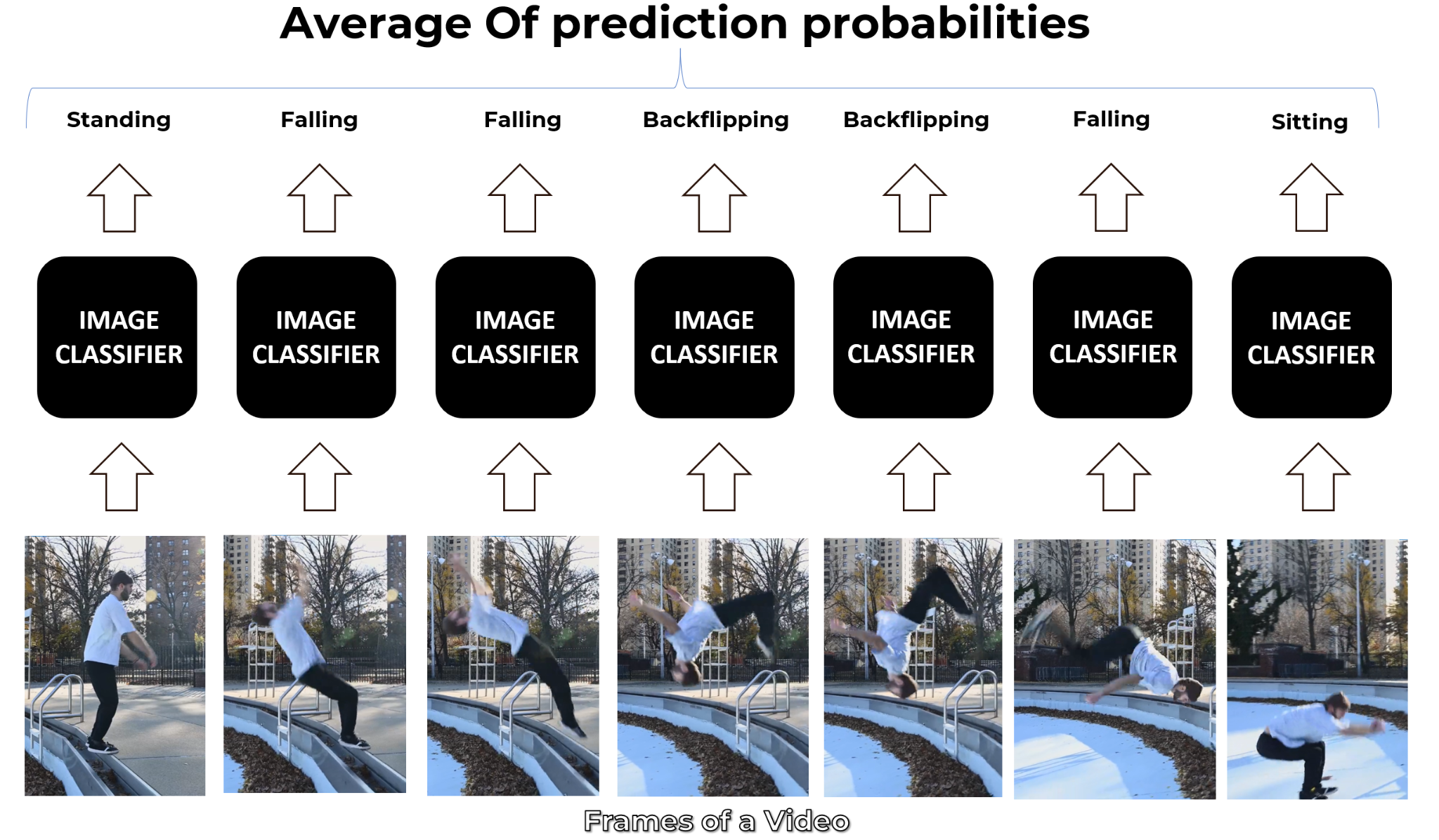
The simplest and most basic way of classifying actions in a video can be using an image classifier on each frame of the video and classify action in each frame independently. So if we implement this approach for a video of a person doing a backflip, we will get the following results.
The classifier predicts Falling in some frames instead of Backflipping because this approach ignores the temporal relation of the frames sequence. And even if a person looks at those frames independently he may think that the person is Falling.
Now a simple way to get a final prediction for the video is to consider the most frequent one which can work in simple scenarios but is Falling in our case and is not correct. So another way to go about this is to take an average of the probabilities of predictions and get a more robust final prediction.
You should also check another Video Classification and Human Activity Recognition tutorial I had published a while back, in which I had discussed a number of other approaches too and implemented this one using a single-frame CNN with moving averages and it had worked fine for a relatively simpler problem.
But as mentioned before, this approach is not effective, because it does not take into account the temporal aspect of the data.
Approach 2: Late Fusion
Another slightly different approach is late fusion, in which after performing predictions on each frame independently, the classification results are passed to a fusion layer that merges all the information and makes the prediction. This approach also leverages the temporal information of the data.
This approach does give decent results but is still not powerful enough. Now before moving to the next approach let’s discuss what Convolutional Neural Networks are. So that you get an idea of what that black box named image classifier was, that I was using in the images.
Convolutional Neural Network (CNN)
A Convolutional Neural Network (CNN or ConvNet) is a type of deep neural network that is specifically designed to work with image data and excels when it comes to analyzing the images and making predictions on them.
It works with kernels (called filters) that go over the image and generates feature maps (that represent whether a certain feature is present at a location in the image or not) and initially it generates few feature maps and as we go deeper in the network the number of feature maps is increased and the size of maps is decreased using pooling operations without losing critical information.
Each layer of a ConvNet learns features of increasing complexity which means, for example, the first layer may learn to detect edges and corners, while the last layer may learn to recognize humans in different postures.
Now let’s get back to discussing other approaches for video classification.
Approach 3: Early Fusion
Another approach of video classification is early fusion, in which all the information is merged at the beginning of the network, unlike late fusion which merges the information in the end. This is a powerful approach but still has its own limitations.
Approach 4: Using 3D CNN’s (aka. Slow Fusion)
Another option is to use a 3D Convolutional Network, where the temporal and spatial information are merged slowly throughout the whole network that is why it’s called Slow Fusion. But a disadvantage of this approach is that it is computationally really expensive so it is pretty slow.
Approach 5: Using Pose Detection and LSTM
Another method is to use a pose detection network on the video to get the landmark coordinates of the person for each frame in the video. And then feed the landmarks to an LSTM Network to predict the activity of the person.
There are already a lot of efficient pose detectors out there that can be used for this approach. But a disadvantage of using this approach is that you discard all the information other than the landmarks, like the environment information can be very useful, for example for playing football action category the stadium and uniform info can help the model a lot in predicting the action accurately.
Before going to the approach that we will implement in this tutorial, let’s briefly discuss what are Long Short Term Memory (LSTM) networks, as we will be using them in the approach.
Long Short Term Memory (LSTM)
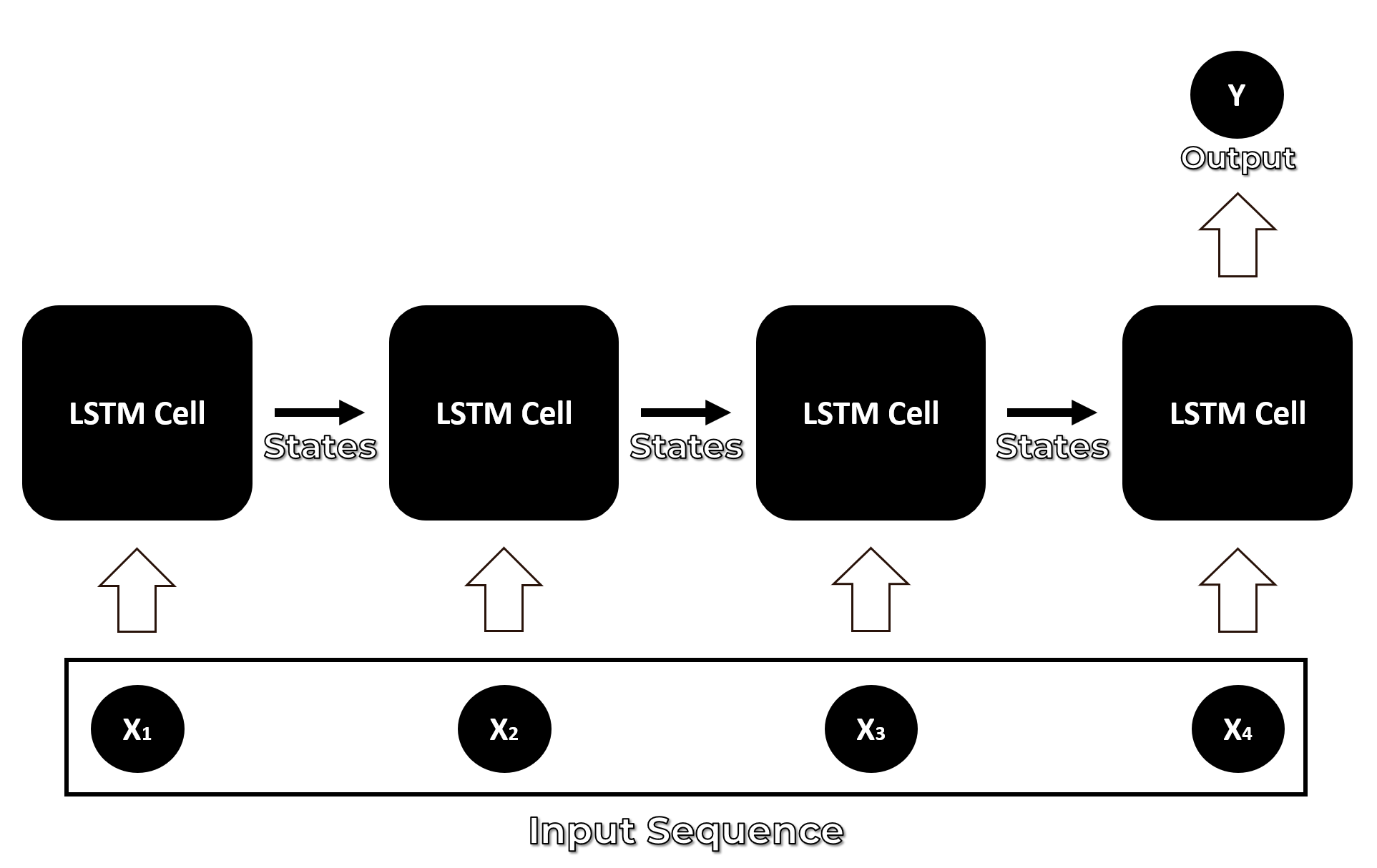
An LSTM network is specifically designed to work with a data sequence as it takes into consideration all of the previous inputs while generating an output. LSTMs are actually a type of neural network called Recurrent Neural Network, but RNNs are not known to be effective for dealing with the Long term dependencies in the input sequence because of a problem called the Vanishing gradient problem.
LSTMs were developed to overcome the vanishing gradient and so an LSTM cell can remember context for long input sequences.
Many-to-one LSTM network
This makes an LSTM more capable of solving problems involving sequential data such as time series prediction, speech recognition, language translation, or music composition. But for now, we will only explore the role of LSTMs in developing better action recognition models.
Now let’s move on towards the approach we will implement in this tutorial to build an Action Recognizer. We will use a Convolution Neural Network (CNN) + Long Short Term Memory (LSTM) Network to perform Action Recognition while utilizing the Spatial-temporal aspect of the videos.
Approach 6: CNN + LSTM
We will be using a CNN to extract spatial features at a given time step in the input sequence (video) and then an LSTM to identify temporal relations between frames.
The two architectures that we will be using to use CNN along with LSTM are:
ConvLSTM
LRCN
Both of these approaches can be used using TensorFlow. This tutorial also has a video version as well, that you can go and watch for a more detailed overview of the code.
Alright, so without further ado, let’s get started.
Import the Libraries
We will start by installing and importing the required libraries.
# Install the required libraries.
!pip install pafy youtube-dl moviepy
# Import the required libraries.
import os
import cv2
import pafy
import math
import random
import numpy as np
import datetime as dt
import tensorflow as tf
from collections import deque
import matplotlib.pyplot as plt

from moviepy.editor import *
%matplotlib inline

from sklearn.model_selection import train_test_split

from tensorflow.keras.layers import *
from tensorflow.keras.models import Sequential
from tensorflow.keras.utils import to_categorical
from tensorflow.keras.callbacks import EarlyStopping
from tensorflow.keras.utils import plot_model
And will set Numpy, Python, and Tensorflow seeds to get consistent results on every execution.
Step 1: Download and Visualize the Data with its Labels
In the first step, we will download and visualize the data along with labels to get an idea about what we will be dealing with. We will be using the UCF50 – Action Recognition Dataset, consisting of realistic videos taken from youtube which differentiates this data set from most of the other available action recognition data sets as they are not realistic and are staged by actors. The Dataset contains:
50 Action Categories
25 Groups of Videos per Action Category
133 Average Videos per Action Category
199 Average Number of Frames per Video
320 Average Frames Width per Video
240 Average Frames Height per Video
26 Average Frames Per Seconds per Video
Let’s download and extract the dataset.
# Discard the output of this cell.
%%capture

# Downlaod the UCF50 Dataset
!wget --no-check-certificate https://www.crcv.ucf.edu/data/UCF50.rar

#Extract the Dataset
!unrar x UCF50.rar
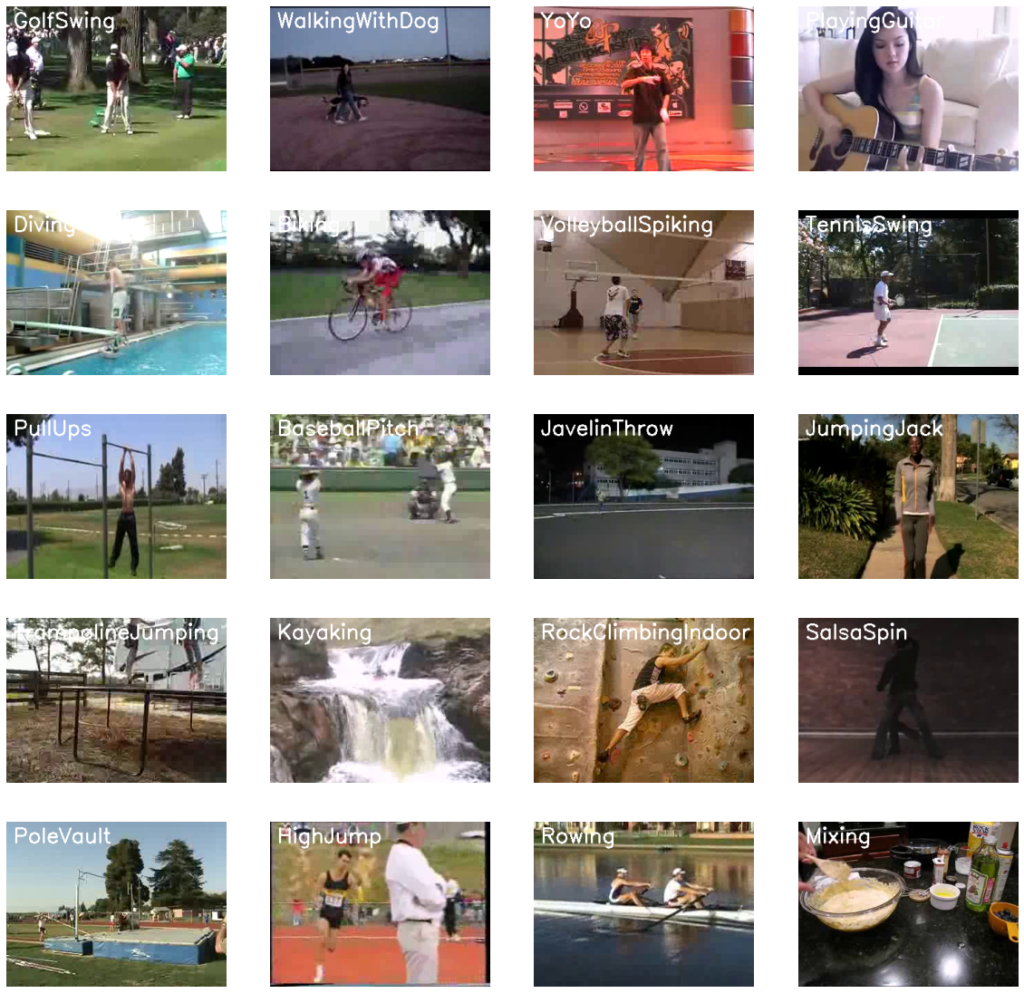
For visualization, we will pick 20 random categories from the dataset and a random video from each selected category and will visualize the first frame of the selected videos with their associated labels written. This way we’ll be able to visualize a subset ( 20 random videos ) of the dataset.CodeText
# Create a Matplotlib figure and specify the size of the figure.
plt.figure(figsize = (20, 20))

# Get the names of all classes/categories in UCF50.
all_classes_names = os.listdir('UCF50')

# Generate a list of 20 random values. The values will be between 0-50,
# where 50 is the total number of class in the dataset.
random_range = random.sample(range(len(all_classes_names)), 20)

# Iterating through all the generated random values.
for counter, random_index in enumerate(random_range, 1):

    # Retrieve a Class Name using the Random Index.
    selected_class_Name = all_classes_names[random_index]

    # Retrieve the list of all the video files present in the randomly selected Class Directory.
    video_files_names_list = os.listdir(f'UCF50/{selected_class_Name}')

    # Randomly select a video file from the list retrieved from the randomly selected Class Directory.
    selected_video_file_name = random.choice(video_files_names_list)

    # Initialize a VideoCapture object to read from the video File.
    video_reader = cv2.VideoCapture(f'UCF50/{selected_class_Name}/{selected_video_file_name}')

    # Read the first frame of the video file.
    _, bgr_frame = video_reader.read()

    # Release the VideoCapture object.
    video_reader.release()

    # Convert the frame from BGR into RGB format.
    rgb_frame = cv2.cvtColor(bgr_frame, cv2.COLOR_BGR2RGB)

    # Write the class name on the video frame.
    cv2.putText(rgb_frame, selected_class_Name, (10, 30), cv2.FONT_HERSHEY_SIMPLEX, 1, (255, 255, 255), 2)

    # Display the frame.
    plt.subplot(5, 4, counter);plt.imshow(rgb_frame);plt.axis('off')
Step 2: Preprocess the Dataset
Next, we will perform some preprocessing on the dataset. First, we will read the video files from the dataset and resize the frames of the videos to a fixed width and height, to reduce the computations and normalized the data to range [0-1] by dividing the pixel values with 255, which makes convergence faster while training the network.
But first, let’s initialize some constants.
# Specify the height and width to which each video frame will be resized in our dataset.
IMAGE_HEIGHT , IMAGE_WIDTH = 64, 64

# Specify the number of frames of a video that will be fed to the model as one sequence.
SEQUENCE_LENGTH = 20

# Specify the directory containing the UCF50 dataset.
DATASET_DIR = "UCF50"

# Specify the list containing the names of the classes used for training. Feel free to choose any set of classes.
CLASSES_LIST = ["WalkingWithDog", "TaiChi", "Swing", "HorseRace"]
Note:The IMAGE_HEIGHT, IMAGE_WIDTH and SEQUENCE_LENGTH constants can be increased for better results, although increasing the sequence length is only effective to a certain point, and increasing the values will result in the process being more computationally expensive.
Create a Function to Extract, Resize & Normalize Frames
We will create a function frames_extraction() that will create a list containing the resized and normalized frames of a video whose path is passed to it as an argument. The function will read the video file frame by frame, although not all frames are added to the list as we will only need an evenly distributed sequence length of frames.
def frames_extraction(video_path):
    '''
    This function will extract the required frames from a video after resizing and normalizing them.
    Args:
        video_path: The path of the video in the disk, whose frames are to be extracted.
    Returns:
        frames_list: A list containing the resized and normalized frames of the video.
    '''

    # Declare a list to store video frames.
    frames_list = []

    # Read the Video File using the VideoCapture object.
    video_reader = cv2.VideoCapture(video_path)

    # Get the total number of frames in the video.
    video_frames_count = int(video_reader.get(cv2.CAP_PROP_FRAME_COUNT))

    # Calculate the the interval after which frames will be added to the list.
    skip_frames_window = max(int(video_frames_count/SEQUENCE_LENGTH), 1)

    # Iterate through the Video Frames.
    for frame_counter in range(SEQUENCE_LENGTH):

        # Set the current frame position of the video.
        video_reader.set(cv2.CAP_PROP_POS_FRAMES, frame_counter * skip_frames_window)

        # Reading the frame from the video.
        success, frame = video_reader.read()

        # Check if Video frame is not successfully read then break the loop
        if not success:
            break

        # Resize the Frame to fixed height and width.
        resized_frame = cv2.resize(frame, (IMAGE_HEIGHT, IMAGE_WIDTH))

        # Normalize the resized frame by dividing it with 255 so that each pixel value then lies between 0 and 1
        normalized_frame = resized_frame / 255

        # Append the normalized frame into the frames list
        frames_list.append(normalized_frame)

    # Release the VideoCapture object.
    video_reader.release()

    # Return the frames list.
    return frames_list
Create a Function for Dataset Creation
Now we will create a function create_dataset() that will iterate through all the classes specified in the CLASSES_LIST constant and will call the function frame_extraction() on every video file of the selected classes and return the frames (features), class index ( labels), and video file path (video_files_paths).
def create_dataset():
    '''
    This function will extract the data of the selected classes and create the required dataset.
    Returns:
        features:          A list containing the extracted frames of the videos.
        labels:            A list containing the indexes of the classes associated with the videos.
        video_files_paths: A list containing the paths of the videos in the disk.
    '''

    # Declared Empty Lists to store the features, labels and video file path values.
    features = []
    labels = []
    video_files_paths = []

    # Iterating through all the classes mentioned in the classes list
    for class_index, class_name in enumerate(CLASSES_LIST):

        # Display the name of the class whose data is being extracted.
        print(f'Extracting Data of Class: {class_name}')

        # Get the list of video files present in the specific class name directory.
        files_list = os.listdir(os.path.join(DATASET_DIR, class_name))

        # Iterate through all the files present in the files list.
        for file_name in files_list:

            # Get the complete video path.
            video_file_path = os.path.join(DATASET_DIR, class_name, file_name)

            # Extract the frames of the video file.
            frames = frames_extraction(video_file_path)

            # Check if the extracted frames are equal to the SEQUENCE_LENGTH specified above.
            # So ignore the vides having frames less than the SEQUENCE_LENGTH.
            if len(frames) == SEQUENCE_LENGTH:

                # Append the data to their repective lists.
                features.append(frames)
                labels.append(class_index)
                video_files_paths.append(video_file_path)

    # Converting the list to numpy arrays
    features = np.asarray(features)
    labels = np.array(labels)

    # Return the frames, class index, and video file path.
    return features, labels, video_files_paths
Now we will utilize the function create_dataset() created above to extract the data of the selected classes and create the required dataset.
# Create the dataset.
features, labels, video_files_paths = create_dataset()
Extracting Data of Class: WalkingWithDog
Extracting Data of Class: TaiChi
Extracting Data of Class: Swing
Extracting Data of Class: HorseRace
Now we will convert labels (class indexes) into one-hot encoded vectors.
# Using Keras's to_categorical method to convert labels into one-hot-encoded vectors
one_hot_encoded_labels = to_categorical(labels)
Step 3: Split the Data into Train and Test Set
As of now, we have the required features (a NumPy array containing all the extracted frames of the videos) and one_hot_encoded_labels (also a Numpy array containing all class labels in one hot encoded format). So now, we will split our data to create training and testing sets. We will also shuffle the dataset before the split to avoid any bias and get splits representing the overall distribution of the data.
# Split the Data into Train ( 75% ) and Test Set ( 25% ).
features_train, features_test, labels_train, labels_test = train_test_split(features, one_hot_encoded_labels, test_size = 0.25, shuffle = True, random_state = seed_constant)
Step 4: Implement the ConvLSTM Approach
In this step, we will implement the first approach by using a combination of ConvLSTM cells. A ConvLSTM cell is a variant of an LSTM network that contains convolutions operations in the network. it is an LSTM with convolution embedded in the architecture, which makes it capable of identifying spatial features of the data while keeping into account the temporal relation.
For video classification, this approach effectively captures the spatial relation in the individual frames and the temporal relation across the different frames. As a result of this convolution structure, the ConvLSTM is capable of taking in 3-dimensional input (width, height, num_of_channels) whereas a simple LSTM only takes in 1-dimensional input hence an LSTM is incompatible for modeling Spatio-temporal data on its own.
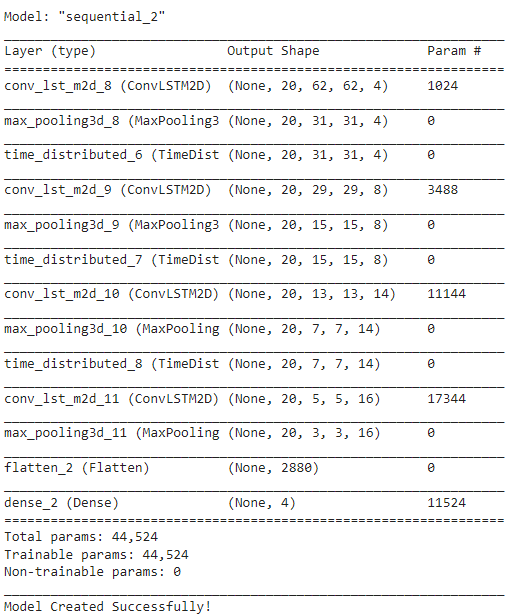
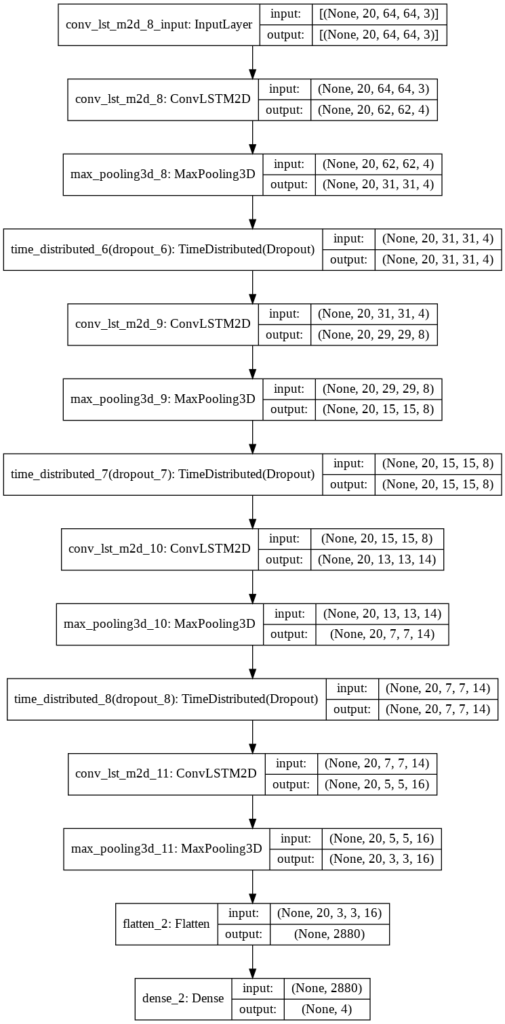
To construct the model, we will use Keras ConvLSTM2D recurrent layers. The ConvLSTM2D layer also takes in the number of filters and kernel size required for applying the convolutional operations. The output of the layers is flattened in the end and is fed to the Dense layer with softmax activation which outputs the probability of each action category.
We will also use MaxPooling3D layers to reduce the dimensions of the frames and avoid unnecessary computations and Dropout layers to prevent overfitting the model on the data. The architecture is a simple one and has a small number of trainable parameters. This is because we are only dealing with a small subset of the dataset which does not require a large-scale model.
def create_convlstm_model():
    '''
    This function will construct the required convlstm model.
    Returns:
        model: It is the required constructed convlstm model.
    '''

    # We will use a Sequential model for model construction
    model = Sequential()

    # Define the Model Architecture.
    ########################################################################################################################

    model.add(ConvLSTM2D(filters = 4, kernel_size = (3, 3), activation = 'tanh',data_format = "channels_last",
                         recurrent_dropout=0.2, return_sequences=True, input_shape = (SEQUENCE_LENGTH,
                                                                                      IMAGE_HEIGHT, IMAGE_WIDTH, 3)))

    model.add(MaxPooling3D(pool_size=(1, 2, 2), padding='same', data_format='channels_last'))
    model.add(TimeDistributed(Dropout(0.2)))

    model.add(ConvLSTM2D(filters = 8, kernel_size = (3, 3), activation = 'tanh', data_format = "channels_last",
                         recurrent_dropout=0.2, return_sequences=True))

    model.add(MaxPooling3D(pool_size=(1, 2, 2), padding='same', data_format='channels_last'))
    model.add(TimeDistributed(Dropout(0.2)))

    model.add(ConvLSTM2D(filters = 14, kernel_size = (3, 3), activation = 'tanh', data_format = "channels_last",
                         recurrent_dropout=0.2, return_sequences=True))

    model.add(MaxPooling3D(pool_size=(1, 2, 2), padding='same', data_format='channels_last'))
    model.add(TimeDistributed(Dropout(0.2)))

    model.add(ConvLSTM2D(filters = 16, kernel_size = (3, 3), activation = 'tanh', data_format = "channels_last",
                         recurrent_dropout=0.2, return_sequences=True))

    model.add(MaxPooling3D(pool_size=(1, 2, 2), padding='same', data_format='channels_last'))
    #model.add(TimeDistributed(Dropout(0.2)))

    model.add(Flatten())

    model.add(Dense(len(CLASSES_LIST), activation = "softmax"))

    ########################################################################################################################

    # Display the models summary.
    model.summary()

    # Return the constructed convlstm model.
    return model
Now we will utilize the function create_convlstm_model() created above, to construct the required convlstm model.
# Construct the required convlstm model.
convlstm_model = create_convlstm_model()

# Display the success message.
print("Model Created Successfully!")
Check Model’s Structure:
Now we will use the plot_model() function, to check the structure of the constructed model, this is helpful while constructing a complex network and making that the network is created correctly.
# Plot the structure of the contructed model.
plot_model(convlstm_model, to_file = 'convlstm_model_structure_plot.png', show_shapes = True, show_layer_names = True)
Step 4.2: Compile & Train the Model
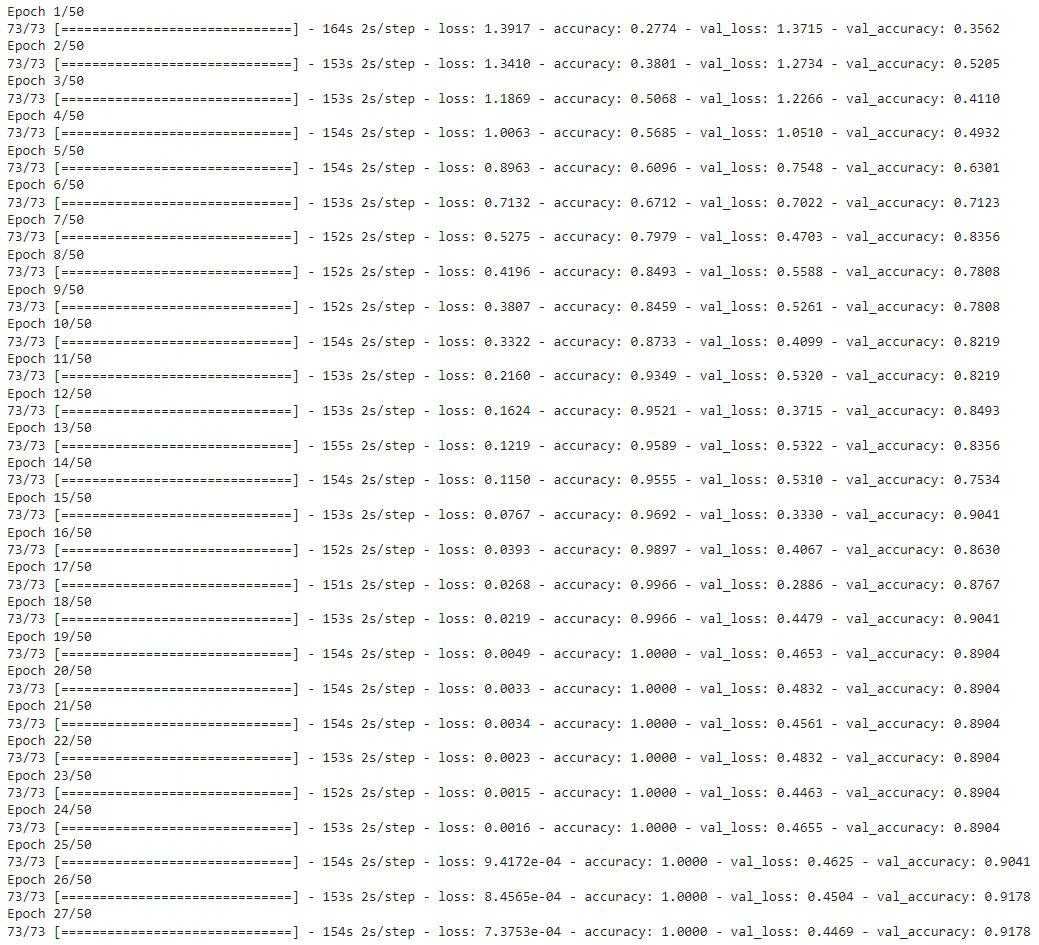
Next, we will add an early stopping callback to prevent overfitting and start the training after compiling the model.
# Create an Instance of Early Stopping Callback
early_stopping_callback = EarlyStopping(monitor = 'val_loss', patience = 10, mode = 'min', restore_best_weights = True)

# Compile the model and specify loss function, optimizer and metrics values to the model
convlstm_model.compile(loss = 'categorical_crossentropy', optimizer = 'Adam', metrics = ["accuracy"])

# Start training the model.
convlstm_model_training_history = convlstm_model.fit(x = features_train, y = labels_train, epochs = 50, batch_size = 4,shuffle = True, validation_split = 0.2, callbacks = [early_stopping_callback])
Evaluate the Trained Model
After training, we will evaluate the model on the test set.
# Evaluate the trained model.
model_evaluation_history = convlstm_model.evaluate(features_test, labels_test)
Now we will save the model to avoid training it from scratch every time we need the model.
# Get the loss and accuracy from model_evaluation_history.
model_evaluation_loss, model_evaluation_accuracy = model_evaluation_history

# Define the string date format.
# Get the current Date and Time in a DateTime Object.
# Convert the DateTime object to string according to the style mentioned in date_time_format string.
date_time_format = '%Y_%m_%d__%H_%M_%S'
current_date_time_dt = dt.datetime.now()
current_date_time_string = dt.datetime.strftime(current_date_time_dt, date_time_format)

# Define a useful name for our model to make it easy for us while navigating through multiple saved models.
model_file_name = f'convlstm_model___Date_Time_{current_date_time_string}___Loss_{model_evaluation_loss}___Accuracy_{model_evaluation_accuracy}.h5'

# Save your Model.
convlstm_model.save(model_file_name)
Step 4.3: Plot Model’s Loss & Accuracy Curves
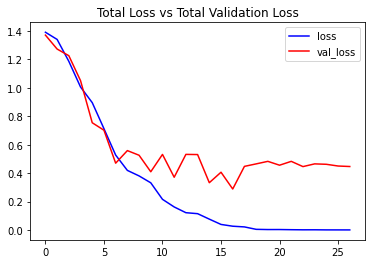
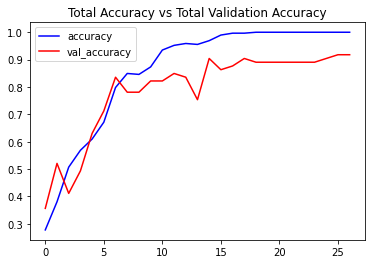
Now we will create a function plot_metric() to visualize the training and validation metrics. We already have separate metrics from our training and validation steps so now we just have to visualize them.
def plot_metric(model_training_history, metric_name_1, metric_name_2, plot_name):
    '''
    This function will plot the metrics passed to it in a graph.
    Args:
        model_training_history: A history object containing a record of training and validation
                                loss values and metrics values at successive epochs
        metric_name_1:          The name of the first metric that needs to be plotted in the graph.
        metric_name_2:          The name of the second metric that needs to be plotted in the graph.
        plot_name:              The title of the graph.
    '''

    # Get metric values using metric names as identifiers.
    metric_value_1 = model_training_history.history[metric_name_1]
    metric_value_2 = model_training_history.history[metric_name_2]

    # Construct a range object which will be used as x-axis (horizontal plane) of the graph.
    epochs = range(len(metric_value_1))

    # Plot the Graph.
    plt.plot(epochs, metric_value_1, 'blue', label = metric_name_1)
    plt.plot(epochs, metric_value_2, 'red', label = metric_name_2)

    # Add title to the plot.
    plt.title(str(plot_name))

    # Add legend to the plot.
    plt.legend()
Now we will utilize the function plot_metric() created above, to visualize and understand the metrics.
# Visualize the training and validation loss metrices.
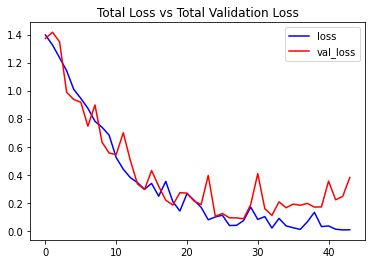
plot_metric(convlstm_model_training_history, 'loss', 'val_loss', 'Total Loss vs Total Validation Loss')
# Visualize the training and validation accuracy metrices.
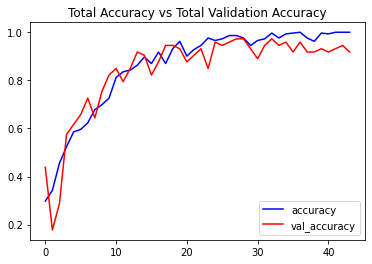
plot_metric(convlstm_model_training_history, 'accuracy', 'val_accuracy', 'Total Accuracy vs Total Validation Accuracy')
Step 5: Implement the LRCN Approach
In this step, we will implement the LRCN Approach by combining Convolution and LSTM layers in a single model. Another similar approach can be to use a CNN model and LSTM model trained separately. The CNN model can be used to extract spatial features from the frames in the video, and for this purpose, a pre-trained model can be used, that can be fine-tuned for the problem. And the LSTM model can then use the features extracted by CNN, to predict the action being performed in the video.
But here, we will implement another approach known as the Long-term Recurrent Convolutional Network (LRCN), which combines CNN and LSTM layers in a single model. The Convolutional layers are used for spatial feature extraction from the frames, and the extracted spatial features are fed to LSTM layer(s) at each time-steps for temporal sequence modeling. This way the network learns spatiotemporal features directly in an end-to-end training, resulting in a robust model.
You can read the paper Long-term Recurrent Convolutional Networks for Visual Recognition and Description by Jeff Donahue (CVPR 2015), to learn more about this architecture. We will also use TimeDistributed wrapper layer, which allows applying the same layer to every frame of the video independently. So it makes a layer (around which it is wrapped) capable of taking input of shape (no_of_frames, width, height, num_of_channels) if originally the layer’s input shape was (width, height, num_of_channels) which is very beneficial as it allows to input the whole video into the model in a single shot.
Step 5.1: Construct the Model
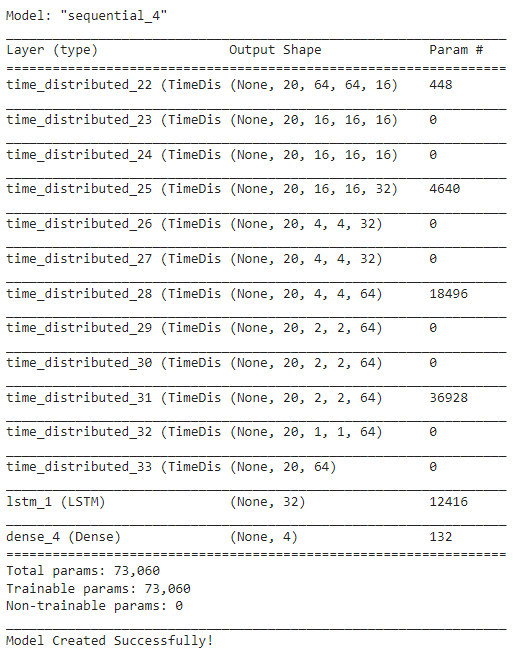
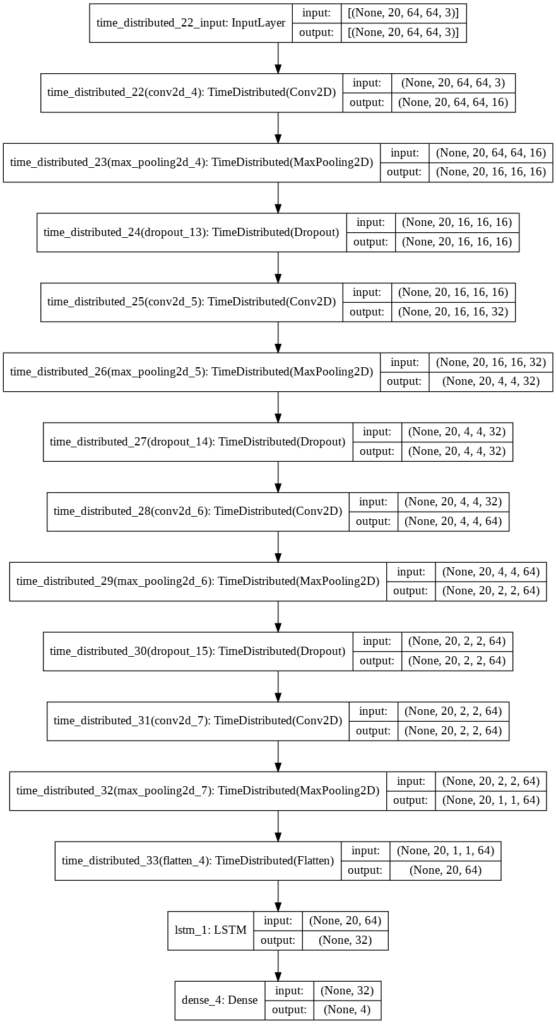
To implement our LRCN architecture, we will use time-distributed Conv2D layers which will be followed by MaxPooling2D and Dropout layers. The feature extracted from the Conv2D layers will be then flattened using the Flatten layer and will be fed to a LSTM layer. The Dense layer with softmax activation will then use the output from the LSTM layer to predict the action being performed.
def create_LRCN_model():
    '''
    This function will construct the required LRCN model.
    Returns:
        model: It is the required constructed LRCN model.
    '''

    # We will use a Sequential model for model construction.
    model = Sequential()

    # Define the Model Architecture.
    ########################################################################################################################

    model.add(TimeDistributed(Conv2D(16, (3, 3), padding='same',activation = 'relu'),
                              input_shape = (SEQUENCE_LENGTH, IMAGE_HEIGHT, IMAGE_WIDTH, 3)))

    model.add(TimeDistributed(MaxPooling2D((4, 4))))
    model.add(TimeDistributed(Dropout(0.25)))

    model.add(TimeDistributed(Conv2D(32, (3, 3), padding='same',activation = 'relu')))
    model.add(TimeDistributed(MaxPooling2D((4, 4))))
    model.add(TimeDistributed(Dropout(0.25)))

    model.add(TimeDistributed(Conv2D(64, (3, 3), padding='same',activation = 'relu')))
    model.add(TimeDistributed(MaxPooling2D((2, 2))))
    model.add(TimeDistributed(Dropout(0.25)))

    model.add(TimeDistributed(Conv2D(64, (3, 3), padding='same',activation = 'relu')))
    model.add(TimeDistributed(MaxPooling2D((2, 2))))
    #model.add(TimeDistributed(Dropout(0.25)))

    model.add(TimeDistributed(Flatten()))

    model.add(LSTM(32))

    model.add(Dense(len(CLASSES_LIST), activation = 'softmax'))

    ########################################################################################################################

    # Display the models summary.
    model.summary()

    # Return the constructed LRCN model.
    return model
Now we will utilize the function create_LRCN_model() created above to construct the required LRCN model.
# Construct the required LRCN model.
LRCN_model = create_LRCN_model()

# Display the success message.
print("Model Created Successfully!")
Check Model’s Structure:
Now we will use the plot_model() function to check the structure of the constructed LRCN model. As we had checked for the previous model.
# Plot the structure of the contructed LRCN model.
plot_model(LRCN_model, to_file = 'LRCN_model_structure_plot.png', show_shapes = True, show_layer_names = True)
Step 5.2: Compile & Train the Model
After checking the structure, we will compile and start training the model.
# Create an Instance of Early Stopping Callback.
early_stopping_callback = EarlyStopping(monitor = 'val_loss', patience = 15, mode = 'min', restore_best_weights = True)

# Compile the model and specify loss function, optimizer and metrics to the model.
LRCN_model.compile(loss = 'categorical_crossentropy', optimizer = 'Adam', metrics = ["accuracy"])

# Start training the model.
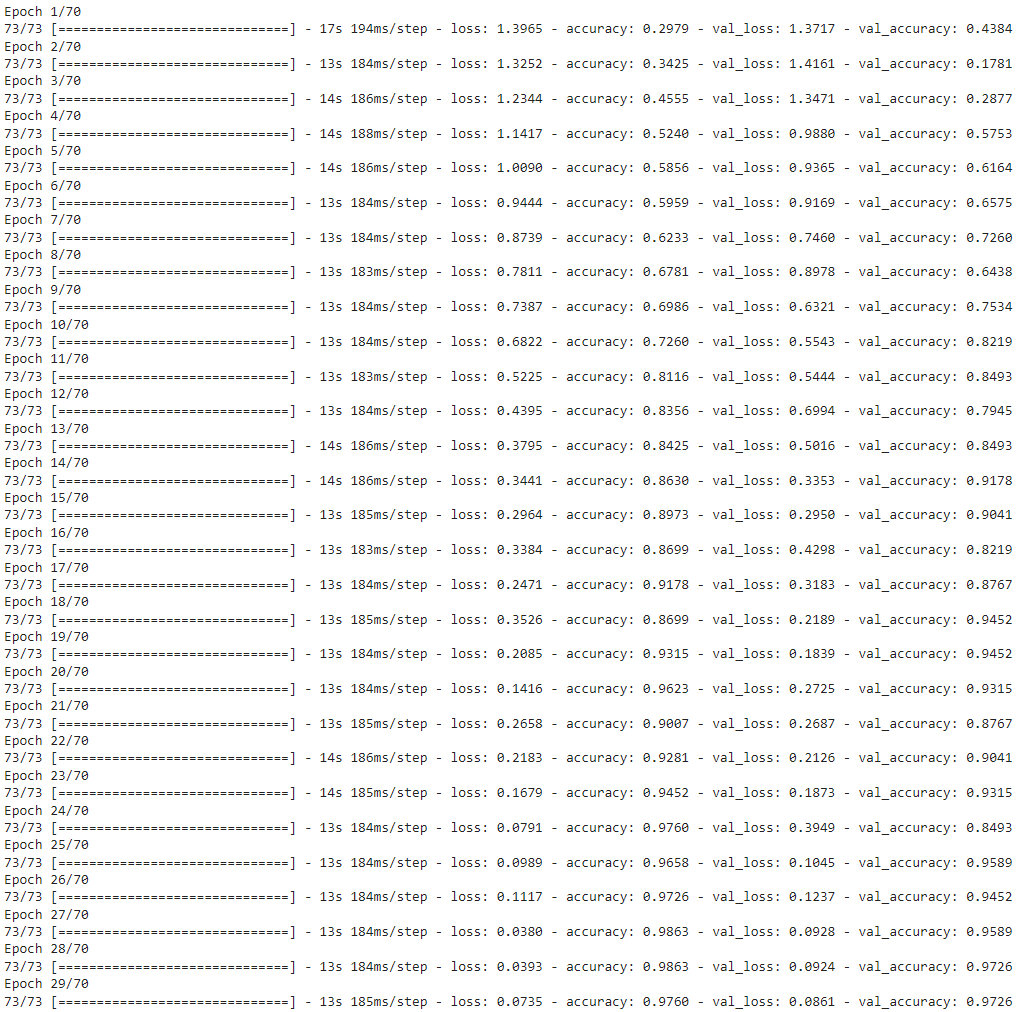
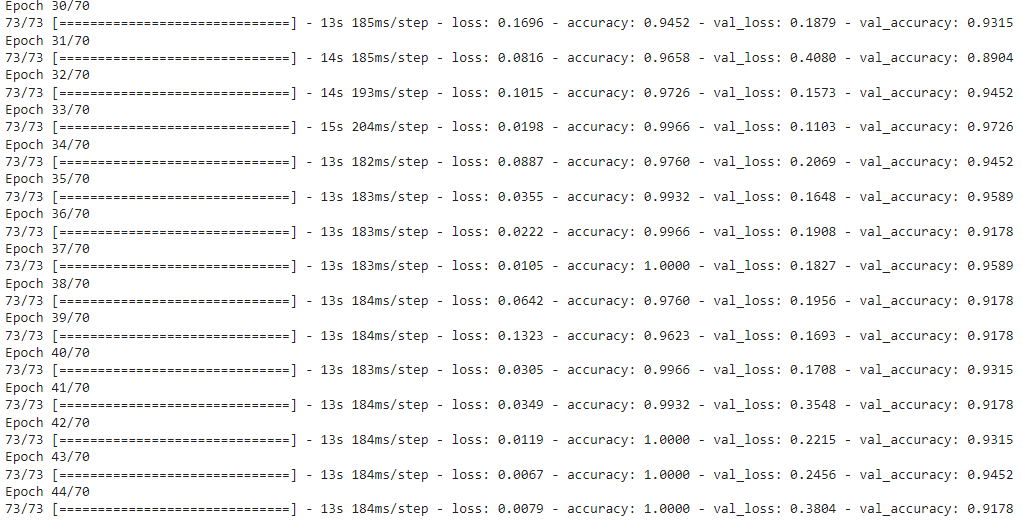
LRCN_model_training_history = LRCN_model.fit(x = features_train, y = labels_train, epochs = 70, batch_size = 4 , shuffle = True, validation_split = 0.2, callbacks = [early_stopping_callback])
Evaluating the trained Model
As done for the previous one, we will evaluate the LRCN model on the test set.
# Evaluate the trained model.
model_evaluation_history = LRCN_model.evaluate(features_test, labels_test)
After that, we will save the model for future uses using the same technique we had used for the previous model.
# Get the loss and accuracy from model_evaluation_history.
model_evaluation_loss, model_evaluation_accuracy = model_evaluation_history

# Define the string date format.
# Get the current Date and Time in a DateTime Object.
# Convert the DateTime object to string according to the style mentioned in date_time_format string.
date_time_format = '%Y_%m_%d__%H_%M_%S'
current_date_time_dt = dt.datetime.now()
current_date_time_string = dt.datetime.strftime(current_date_time_dt, date_time_format)

# Define a useful name for our model to make it easy for us while navigating through multiple saved models.
model_file_name = f'LRCN_model___Date_Time_{current_date_time_string}___Loss_{model_evaluation_loss}___Accuracy_{model_evaluation_accuracy}.h5'

# Save the Model.
LRCN_model.save(model_file_name)
Step 5.3: Plot Model’s Loss & Accuracy Curves
Now we will utilize the function plot_metric() we had created above to visualize the training and validation metrics of this model.
# Visualize the training and validation loss metrices.
plot_metric(LRCN_model_training_history, 'loss', 'val_loss', 'Total Loss vs Total Validation Loss')
# Visualize the training and validation accuracy metrices.
plot_metric(LRCN_model_training_history, 'accuracy', 'val_accuracy', 'Total Accuracy vs Total Validation Accuracy')
Step 6: Test the Best Performing Model on YouTube videos
From the results, it seems that the LRCN model performed significantly well for a small number of classes. so in this step, we will put the LRCN model to test on some youtube videos.
Create a Function to Download YouTube Videos:
We will create a function download_youtube_videos() to download the YouTube videos first using pafy library. The library only requires a URL to a video to download it along with its associated metadata like the title of the video.
def download_youtube_videos(youtube_video_url, output_directory):
     '''
    This function downloads the youtube video whose URL is passed to it as an argument.
    Args:
        youtube_video_url: URL of the video that is required to be downloaded.
        output_directory:  The directory path to which the video needs to be stored after downloading.
    Returns:
        title: The title of the downloaded youtube video.
    '''

     # Create a video object which contains useful information about the video.
     video = pafy.new(youtube_video_url)

     # Retrieve the title of the video.
     title = video.title

     # Get the best available quality object for the video.
     video_best = video.getbest()

     # Construct the output file path.
     output_file_path = f'{output_directory}/{title}.mp4'

     # Download the youtube video at the best available quality and store it to the contructed path.
     video_best.download(filepath = output_file_path, quiet = True)

     # Return the video title.
     return title
Download a Test Video:
Now we will utilize the function download_youtube_videos() created above to download a youtube video on which the LRCN model will be tested.
# Make the Output directory if it does not exist
test_videos_directory = 'test_videos'
os.makedirs(test_videos_directory, exist_ok = True)

# Download a YouTube Video.
video_title = download_youtube_videos('https://www.youtube.com/watch?v=8u0qjmHIOcE', test_videos_directory)

# Get the YouTube Video's path we just downloaded.
input_video_file_path = f'{test_videos_directory}/{video_title}.mp4'
Create a Function To Perform Action Recognition on Videos
Next, we will create a function predict_on_video() that will simply read a video frame by frame from the path passed in as an argument and will perform action recognition on video and save the results.
def predict_on_video(video_file_path, output_file_path, SEQUENCE_LENGTH):
    '''
    This function will perform action recognition on a video using the LRCN model.
    Args:
    video_file_path:  The path of the video stored in the disk on which the action recognition is to be performed.
    output_file_path: The path where the ouput video with the predicted action being performed overlayed will be stored.
    SEQUENCE_LENGTH:  The fixed number of frames of a video that can be passed to the model as one sequence.
    '''

    # Initialize the VideoCapture object to read from the video file.
    video_reader = cv2.VideoCapture(video_file_path)

    # Get the width and height of the video.
    original_video_width = int(video_reader.get(cv2.CAP_PROP_FRAME_WIDTH))
    original_video_height = int(video_reader.get(cv2.CAP_PROP_FRAME_HEIGHT))

    # Initialize the VideoWriter Object to store the output video in the disk.
    video_writer = cv2.VideoWriter(output_file_path, cv2.VideoWriter_fourcc('M', 'P', '4', 'V'),
                                   video_reader.get(cv2.CAP_PROP_FPS), (original_video_width, original_video_height))

    # Declare a queue to store video frames.
    frames_queue = deque(maxlen = SEQUENCE_LENGTH)

    # Initialize a variable to store the predicted action being performed in the video.
    predicted_class_name = ''

    # Iterate until the video is accessed successfully.
    while video_reader.isOpened():

        # Read the frame.
        ok, frame = video_reader.read()

        # Check if frame is not read properly then break the loop.
        if not ok:
            break

        # Resize the Frame to fixed Dimensions.
        resized_frame = cv2.resize(frame, (IMAGE_HEIGHT, IMAGE_WIDTH))

        # Normalize the resized frame by dividing it with 255 so that each pixel value then lies between 0 and 1.
        normalized_frame = resized_frame / 255

        # Appending the pre-processed frame into the frames list.
        frames_queue.append(normalized_frame)

        # Check if the number of frames in the queue are equal to the fixed sequence length.
        if len(frames_queue) == SEQUENCE_LENGTH:

            # Pass the normalized frames to the model and get the predicted probabilities.
            predicted_labels_probabilities = LRCN_model.predict(np.expand_dims(frames_queue, axis = 0))[0]

            # Get the index of class with highest probability.
            predicted_label = np.argmax(predicted_labels_probabilities)

            # Get the class name using the retrieved index.
            predicted_class_name = CLASSES_LIST[predicted_label]

        # Write predicted class name on top of the frame.
        cv2.putText(frame, predicted_class_name, (10, 30), cv2.FONT_HERSHEY_SIMPLEX, 1, (0, 255, 0), 2)

        # Write The frame into the disk using the VideoWriter Object.
        video_writer.write(frame)

    # Release the VideoCapture and VideoWriter objects.
    video_reader.release()
    video_writer.release()
Perform Action Recognition on the Test Video
Now we will utilize the function predict_on_video() created above to perform action recognition on the test video we had downloaded using the function download_youtube_videos() and display the output video with the predicted action overlayed on it.
# Construct the output video path.
output_video_file_path = f'{test_videos_directory}/{video_title}-Output-SeqLen{SEQUENCE_LENGTH}.mp4'

# Perform Action Recognition on the Test Video.
predict_on_video(input_video_file_path, output_video_file_path, SEQUENCE_LENGTH)

# Display the output video.
VideoFileClip(output_video_file_path, audio=False, target_resolution=(300,None)).ipython_display()
Create a Function To Perform a Single Prediction on Videos
Now let’s create a function that will perform a single prediction for the complete videos. We will extract evenly distributed N(SEQUENCE_LENGTH) frames from the entire video and pass them to the LRCN model. This approach is really useful when you are working with videos containing only one activity as it saves unnecessary computations and time in that scenario.
def predict_single_action(video_file_path, SEQUENCE_LENGTH):
    '''
    This function will perform single action recognition prediction on a video using the LRCN model.
    Args:
    video_file_path:  The path of the video stored in the disk on which the action recognition is to be performed.
    SEQUENCE_LENGTH:  The fixed number of frames of a video that can be passed to the model as one sequence.
    '''

    # Initialize the VideoCapture object to read from the video file.
    video_reader = cv2.VideoCapture(video_file_path)

    # Get the width and height of the video.
    original_video_width = int(video_reader.get(cv2.CAP_PROP_FRAME_WIDTH))
    original_video_height = int(video_reader.get(cv2.CAP_PROP_FRAME_HEIGHT))

    # Declare a list to store video frames we will extract.
    frames_list = []

    # Initialize a variable to store the predicted action being performed in the video.
    predicted_class_name = ''

    # Get the number of frames in the video.
    video_frames_count = int(video_reader.get(cv2.CAP_PROP_FRAME_COUNT))

    # Calculate the interval after which frames will be added to the list.
    skip_frames_window = max(int(video_frames_count/SEQUENCE_LENGTH),1)

    # Iterating the number of times equal to the fixed length of sequence.
    for frame_counter in range(SEQUENCE_LENGTH):

        # Set the current frame position of the video.
        video_reader.set(cv2.CAP_PROP_POS_FRAMES, frame_counter * skip_frames_window)

        # Read a frame.
        success, frame = video_reader.read()

        # Check if frame is not read properly then break the loop.
        if not success:
            break

        # Resize the Frame to fixed Dimensions.
        resized_frame = cv2.resize(frame, (IMAGE_HEIGHT, IMAGE_WIDTH))

        # Normalize the resized frame by dividing it with 255 so that each pixel value then lies between 0 and 1.
        normalized_frame = resized_frame / 255

        # Appending the pre-processed frame into the frames list
        frames_list.append(normalized_frame)

    # Passing the  pre-processed frames to the model and get the predicted probabilities.
    predicted_labels_probabilities = LRCN_model.predict(np.expand_dims(frames_list, axis = 0))[0]

    # Get the index of class with highest probability.
    predicted_label = np.argmax(predicted_labels_probabilities)

    # Get the class name using the retrieved index.
    predicted_class_name = CLASSES_LIST[predicted_label]

    # Display the predicted action along with the prediction confidence.
    print(f'Action Predicted: {predicted_class_name}\nConfidence: {predicted_labels_probabilities[predicted_label]}')

    # Release the VideoCapture object.
    video_reader.release()
Perform Single Prediction on a Test Video
Now we will utilize the function predict_single_action() created above to perform a single prediction on a complete youtube test video that we will download using the function download_youtube_videos(), we had created above.
# Download the youtube video.
video_title = download_youtube_videos('https://youtu.be/fc3w827kwyA', test_videos_directory)

# Construct tihe nput youtube video path
input_video_file_path = f'{test_videos_directory}/{video_title}.mp4'

# Perform Single Prediction on the Test Video.
predict_single_action(input_video_file_path, SEQUENCE_LENGTH)

# Display the input video.
VideoFileClip(input_video_file_path, audio=False, target_resolution=(300,None)).ipython_display()
Action Predicted: TaiChi
Confidence: 0.94
Join My Course Computer Vision For Building Cutting Edge Applications Course
The only course out there that goes beyond basic AI Applications and teaches you how to create next-level apps that utilize physics, deep learning, classical image processing, hand and body gestures. Don’t miss your chance to level up and take your career to new heights
You’ll Learn about:
Creating GUI interfaces for python AI scripts.
Creating .exe DL applications
Using a Physics library in Python & integrating it with AI
Advance Image Processing Skills
Advance Gesture Recognition with Mediapipe
Task Automation with AI & CV
Training an SVM machine Learning Model.
Creating & Cleaning an ML dataset from scratch.
Training DL models & how to use CNN’s & LSTMS.
Creating 10 Advance AI/CV Applications
& More
Whether you’re a seasoned AI professional or someone just looking to start out in AI, this is the course that will teach you, how to Architect & Build complex, real world and thrilling AI applications
In this tutorial, we discussed a number of approaches to perform video classification and learned about the importance of the temporal aspect of data to gain higher accuracy in video classification and implemented two CNN + LSTM architectures in TensorFlow to perform Human Action Recognition on videos by utilizing the temporal as well as spatial information of the data.
We also learned to perform pre-processing on videos using the OpenCV library to create an image dataset, we also looked into getting youtube videos using just their URLs with the help of the Pafy library for testing our model.
Now let’s discuss a limitation in our application that you should know about, our action recognizer cannot work on multiple people performing different activities. There should be only one person in the frame to correctly recognize the activity of that person by our action recognizer, this is because the data was in this manner, on which we had trained our model.
You can use some different dataset that has been annotated for more than one person’s activity and also provides the bounding box coordinates of the person along with the activity he is performing, to overcome this limitation.
Or a hacky way is to crop out each person and perform activity recognition separately on each person but this will be computationally very expensive.
That is all for this lesson, if you enjoyed this tutorial, let me know in the comments, you can also reach out to me personally for a 1 on 1 Coaching/consultation session in AI/computer vision regarding your project or your career.
Hire Us
Let our team of expert engineers and managers build your next big project using Bleeding Edge AI Tools & Technologies
In the previous episode of the Computer Vision For Everyone (CVFE) course, we discussed a high-level introduction to AI and its categories i.e., ANI(Artificial Narrow Intelligence), AGI(Artificial General Intelligence), ASI(Artificial Super Intelligence) in detail.
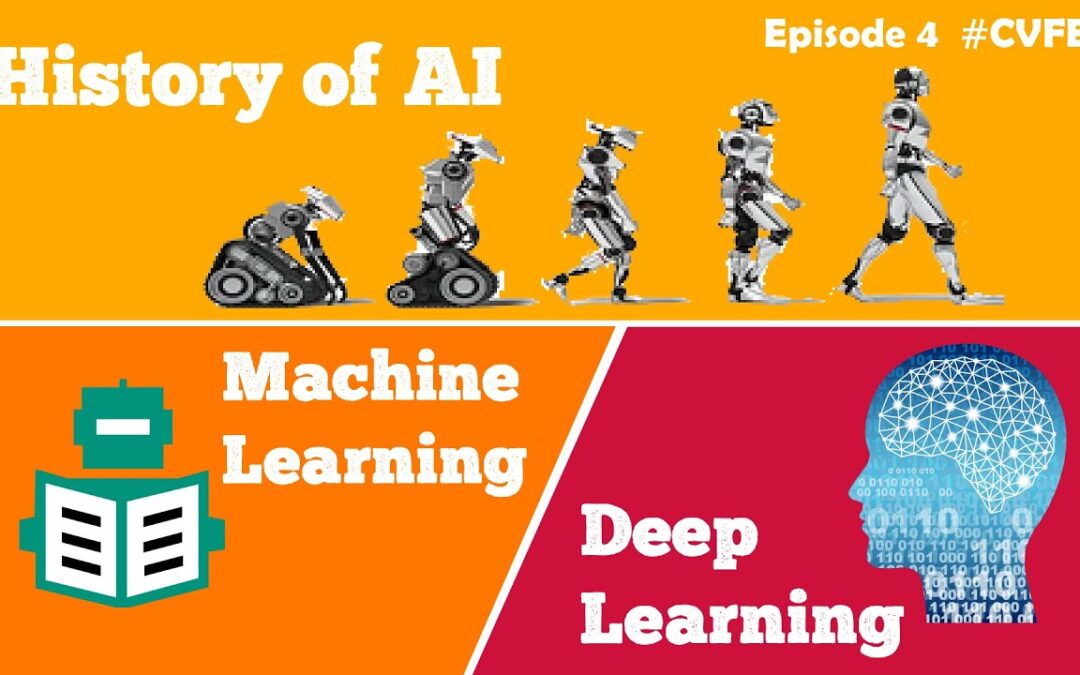
Now in this tutorial, we’ll see the evolution of AI throughout time and finally understand what popular terms like machine learning and deep learning actually mean and how they came about. Even if you already know these things, I would still advise you to stick around as this tutorial is actually packed with a lot of other exciting stuff too.
This episode of the CVFE course is the 2nd part of our 4-part series on AI. Throughout the series, my focus is on giving you a thorough understanding of the Artificial Intelligence field with 4 different tutorials, with each tutorial we dive deeper and get more technical.
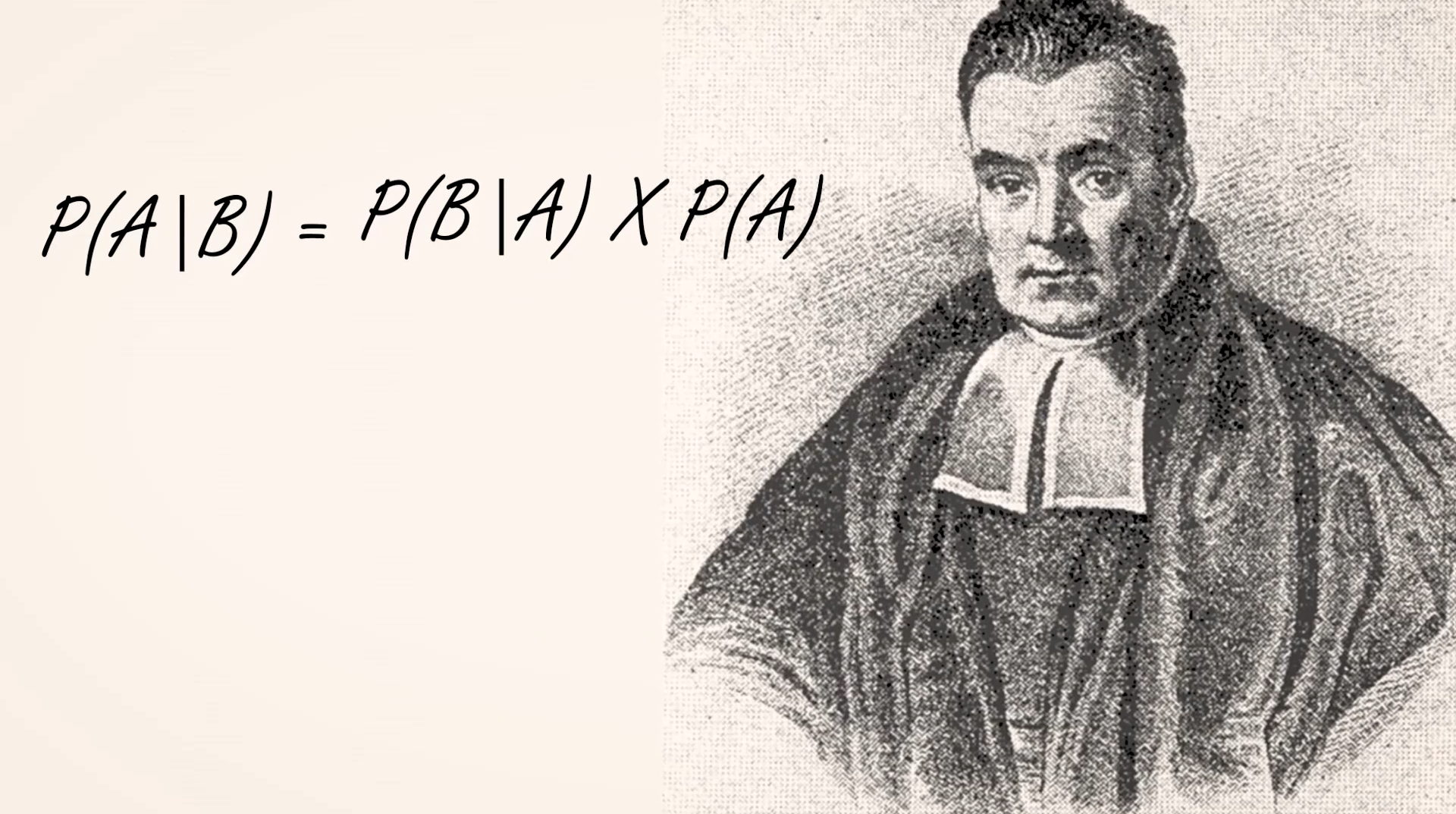
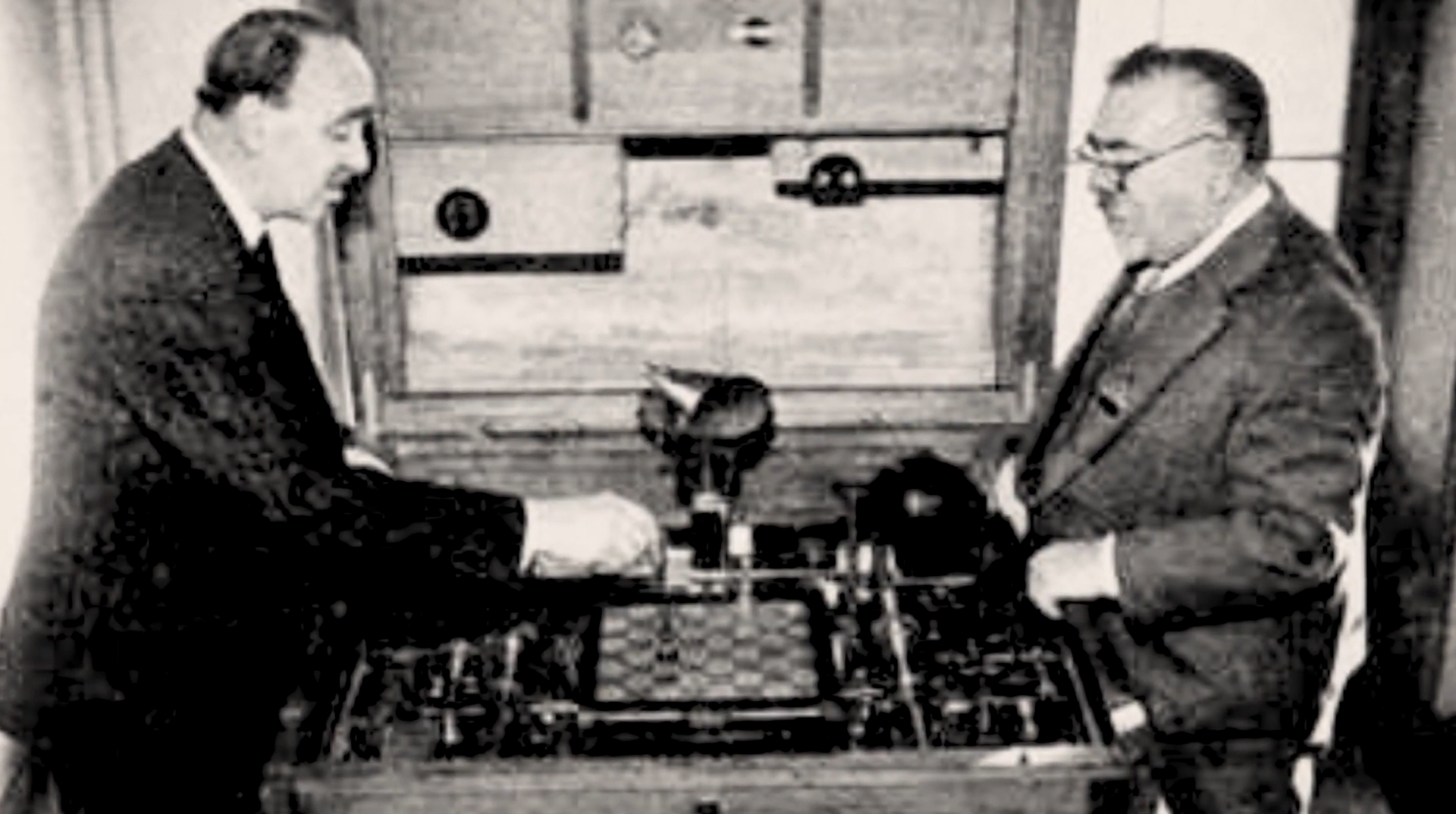
I’ll start by discussing some exciting historical details about how AI emerged and I’ll keep it simple. So up till 1949, there wasn’t much work on Intelligent machines, yes there were some key events like the creation of the Bayes theorem in 1763 or the demonstration of the first chess-playing machine by Leonardo Torres in 1914.
But the First major interest in AI developed or the first AI boom started in the 1950s. So let’s start from there. Now I can’t cover every important event in AI, but we will go over some major ones. So let’s get started.
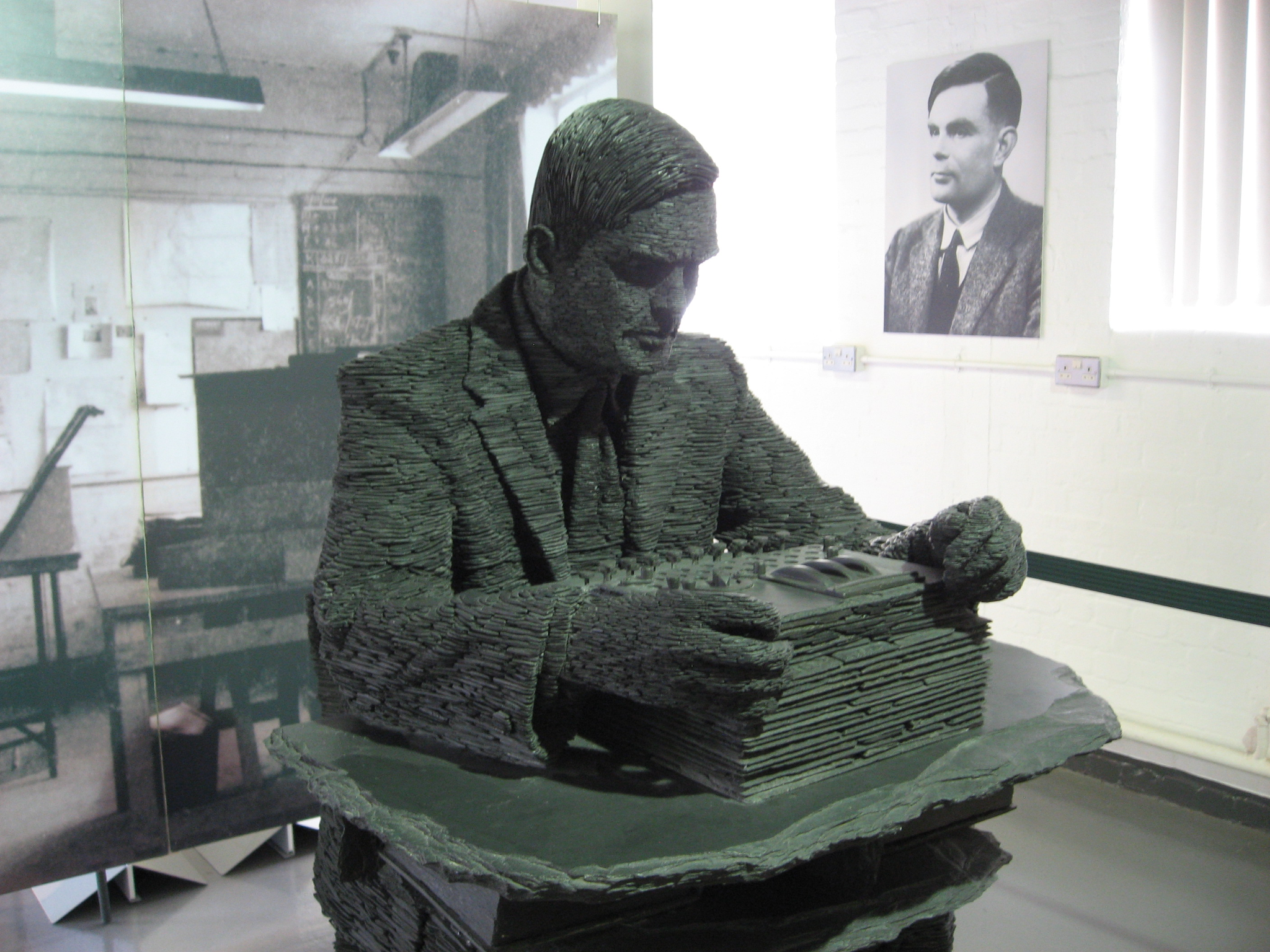
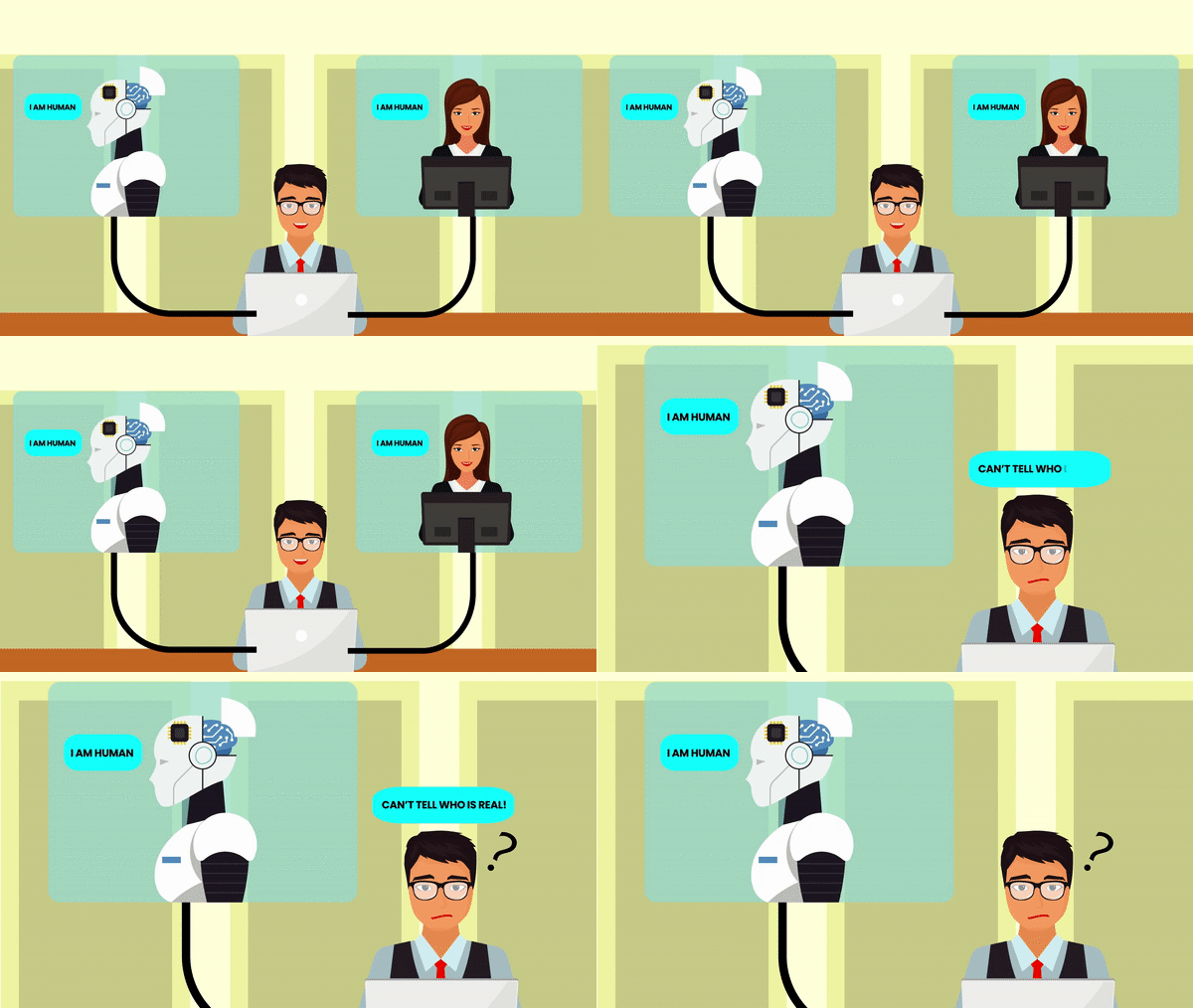
In 1950, Alan Turing published “Computing Machinery and Intelligence” in which he proposed “The Imitation Game” which was later known as the infamous “Turing Test.
This was a test that tests a machine’s ability to exhibit intelligent behavior like a human. If a human evaluator cannot differentiate between a machine and a human in a conversation then that machine is said to have passed the Turing Test.
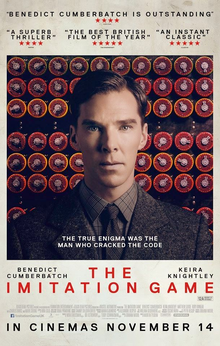
There’s also a great movie built around Alan Turing and the Turing Test named The Imitation Game which I’ll definitely recommend you to check out.
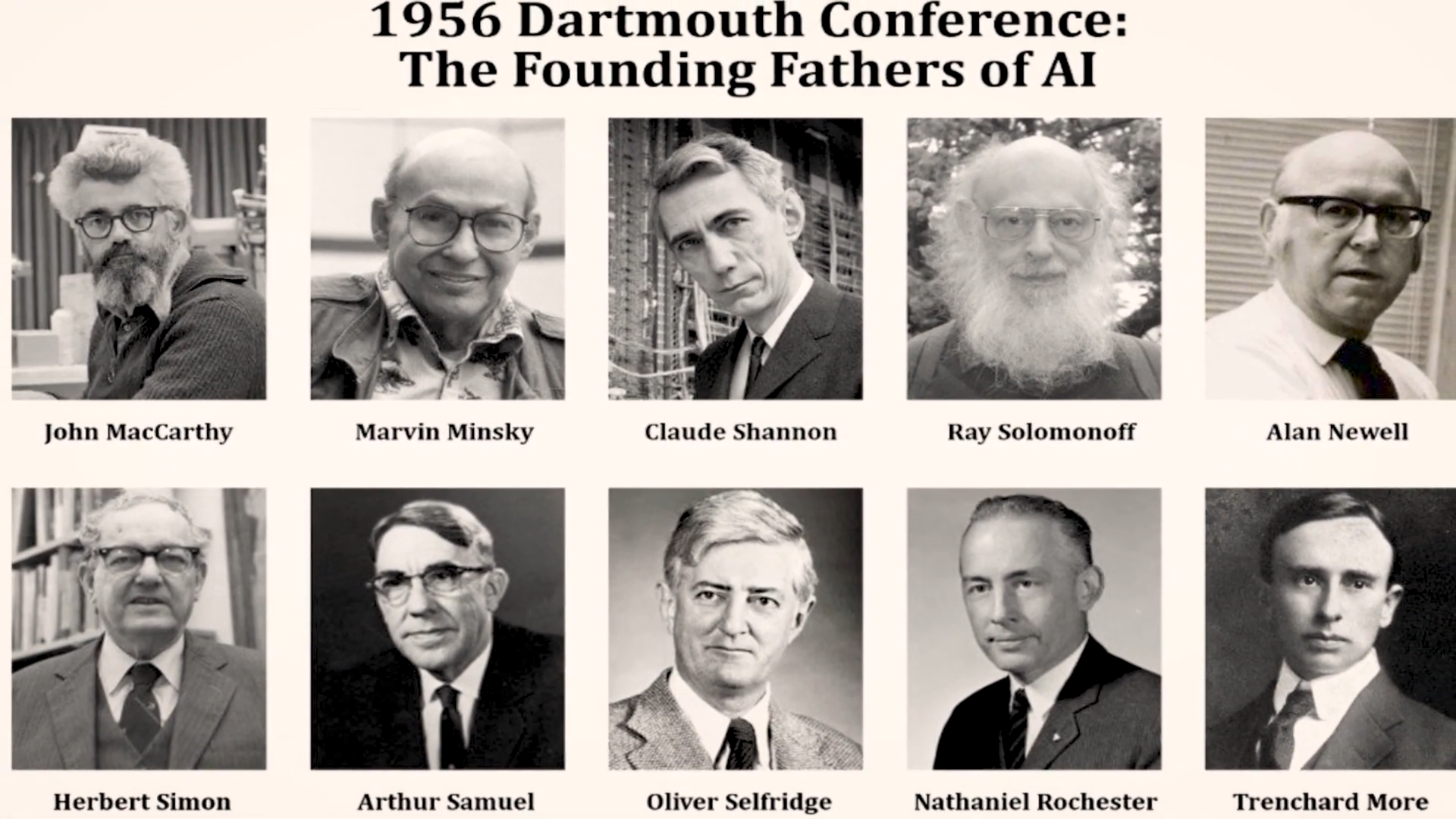
In 1955, the term “Artificial Intelligence” was coined by John McCarthy and some others, it was then further described later on in a workshop in 1956, this is generally considered as the birthdate of AI.
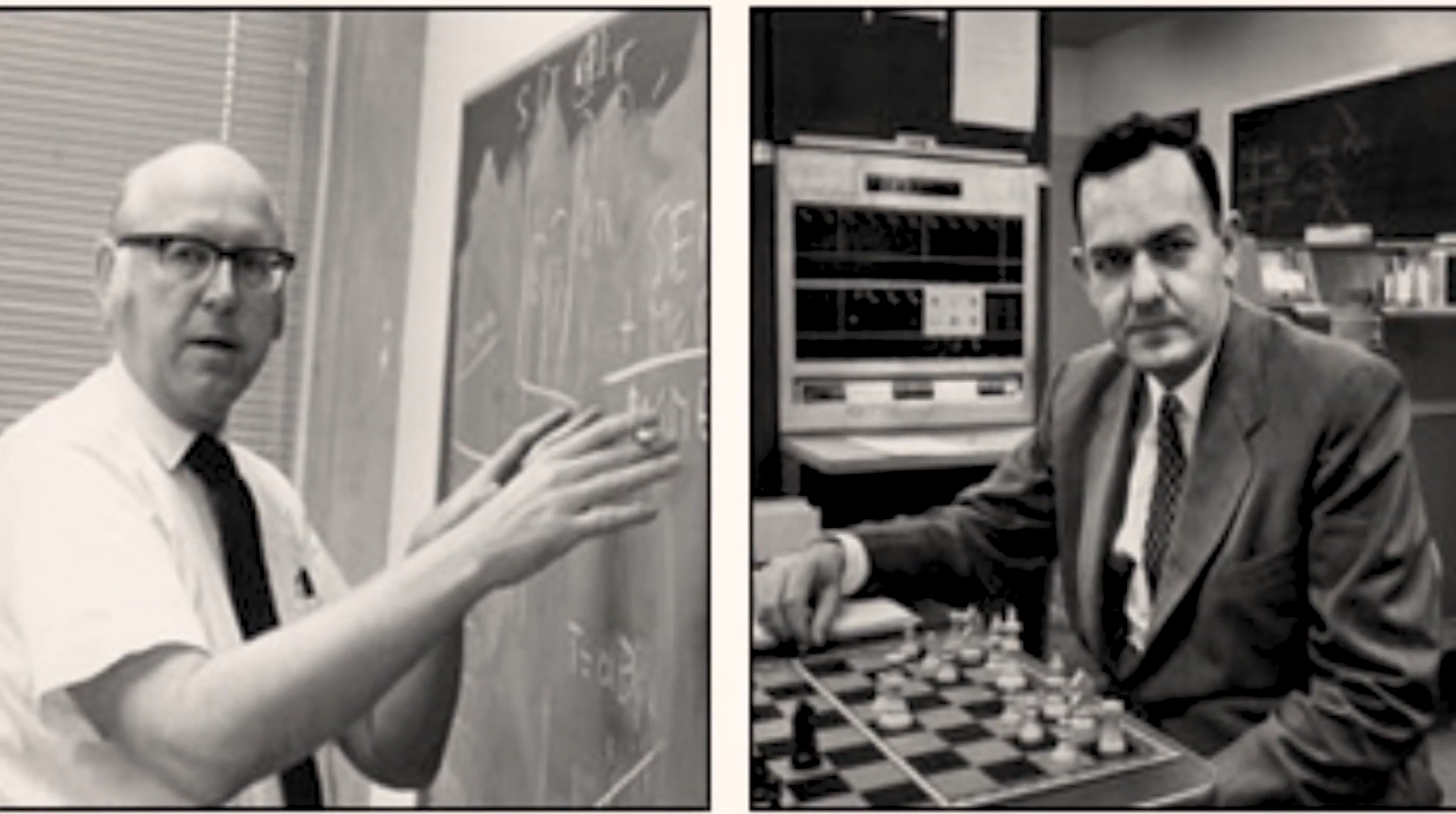
In December 1956, Herbert Simon and Allen Newell developed the Logic Theorist, which was the first AI program.
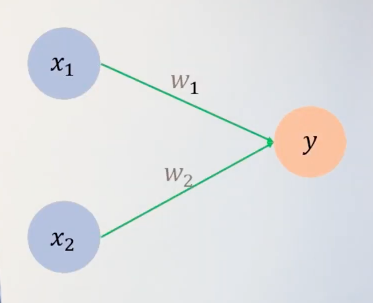
In 1957, Frank Rosenblatt developed the Perceptron, the most basic version of an Artificial Neural Network, by the way, an extension of this algorithm alone will later give rise to the field of Deep Learning.
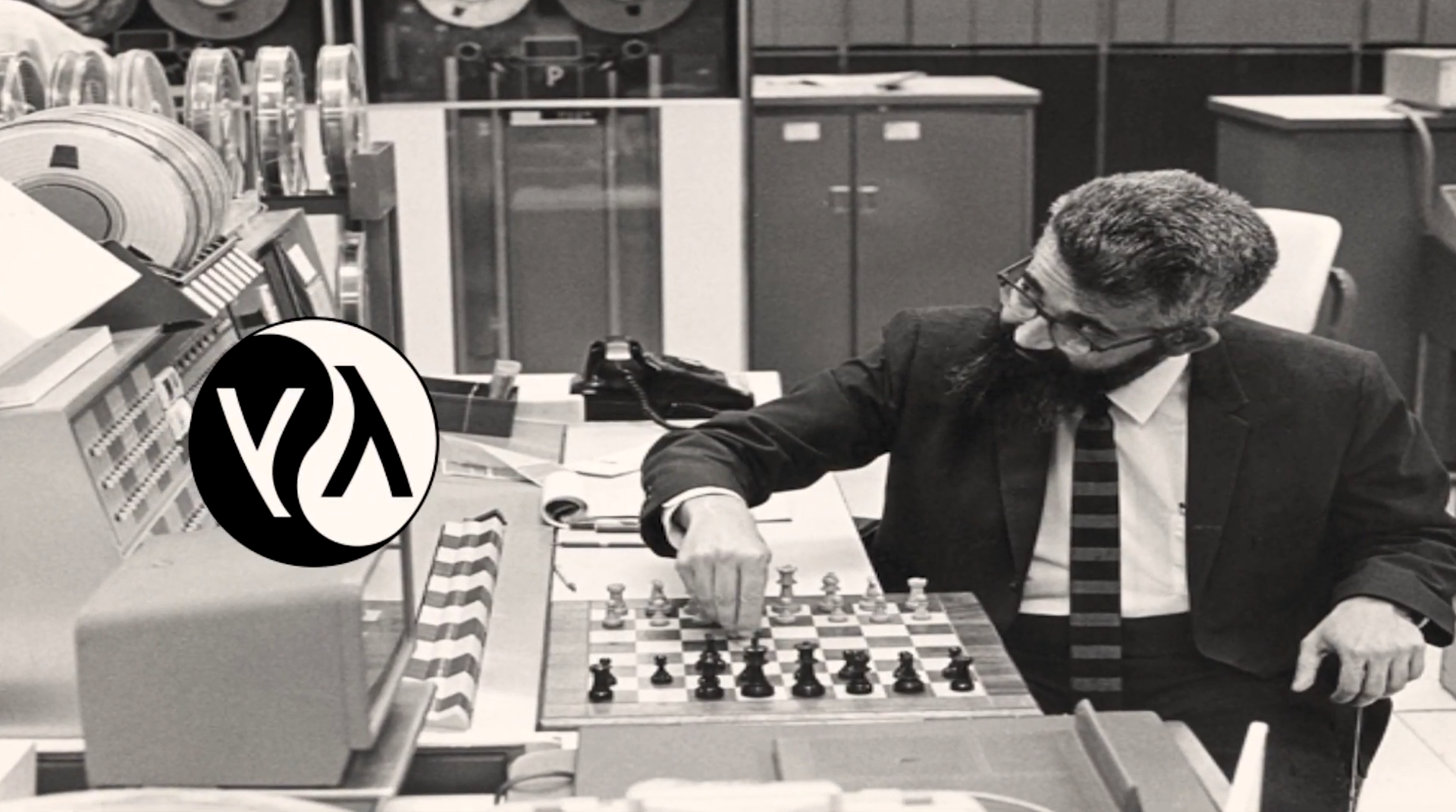
In 1958, Lisp was developed by John McCarthy and became the most popular programming language used in AI research.
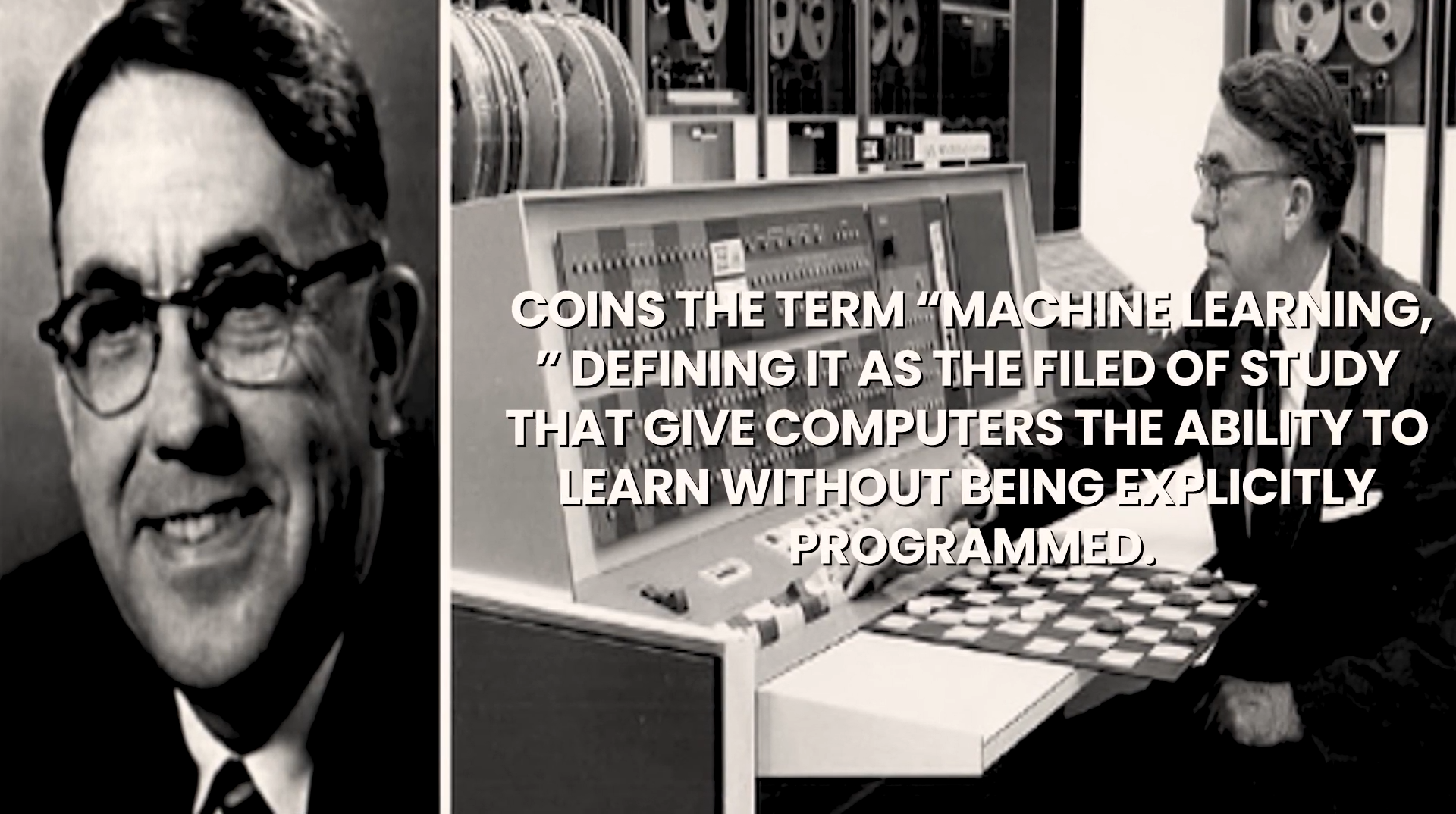
In 1959, Arthur Samuel coins the term “Machine Learning” defining it as; The field of study that gives computers the ability to learn without being explicitly programmed.
Alright At this moment, I should probably explain what Machine learning is. As the definition above is a little confusing. But First, let’s understand what traditional or classical AI is.
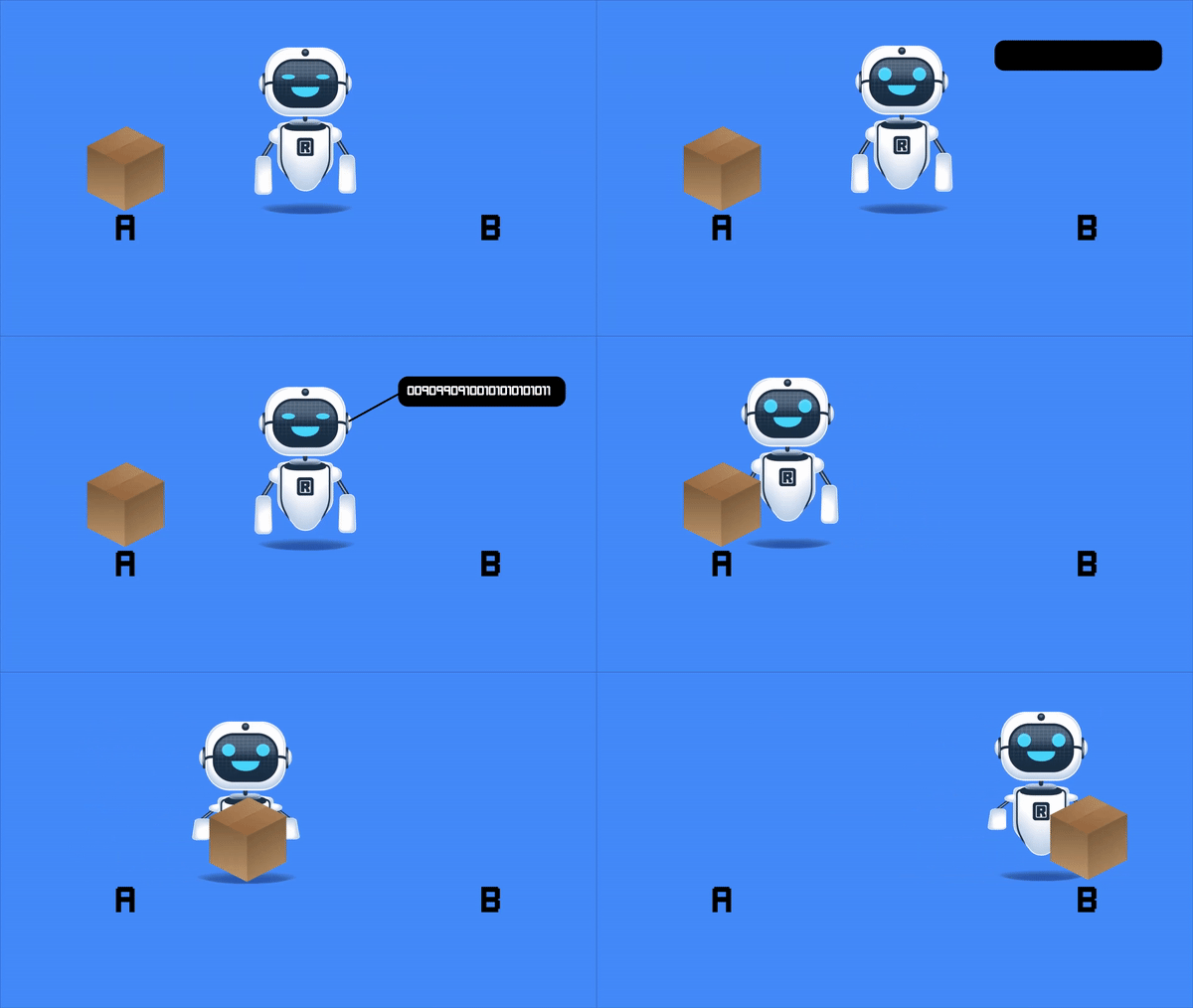
In traditional AI, programmers code a lot of instructions in a machine about the task it needs to perform. So in general, you can define AI as; “A branch of computer science that focuses on creating intelligent Systems which exhibit intellectual human-like behavior.”
Or another way to say this is; “Any program which resembles or mimics some form of human intelligence is AI.”
But this is Traditional AI, not Machine Learning. Now you may be thinking what’s the problem, why do we even need machine learning when we can manually instruct machines to exhibit human-like behavior?
Well, Traditional AI itself is great and it has provided a lot of applications in the initial years of AI, but when we started to move towards more complex applications (like self-driving cars), the traditional Rule-based AI didn’t just cut it.
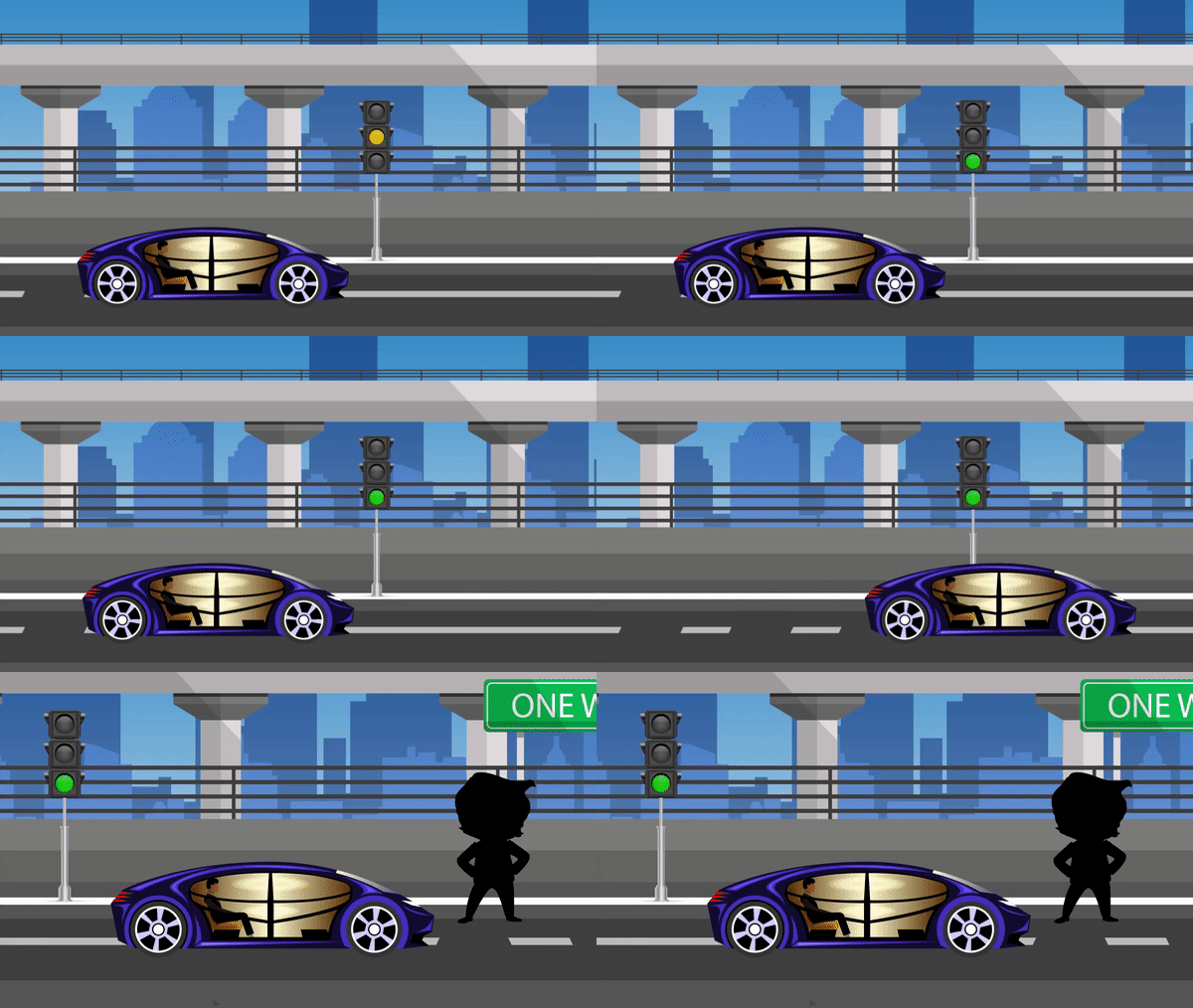
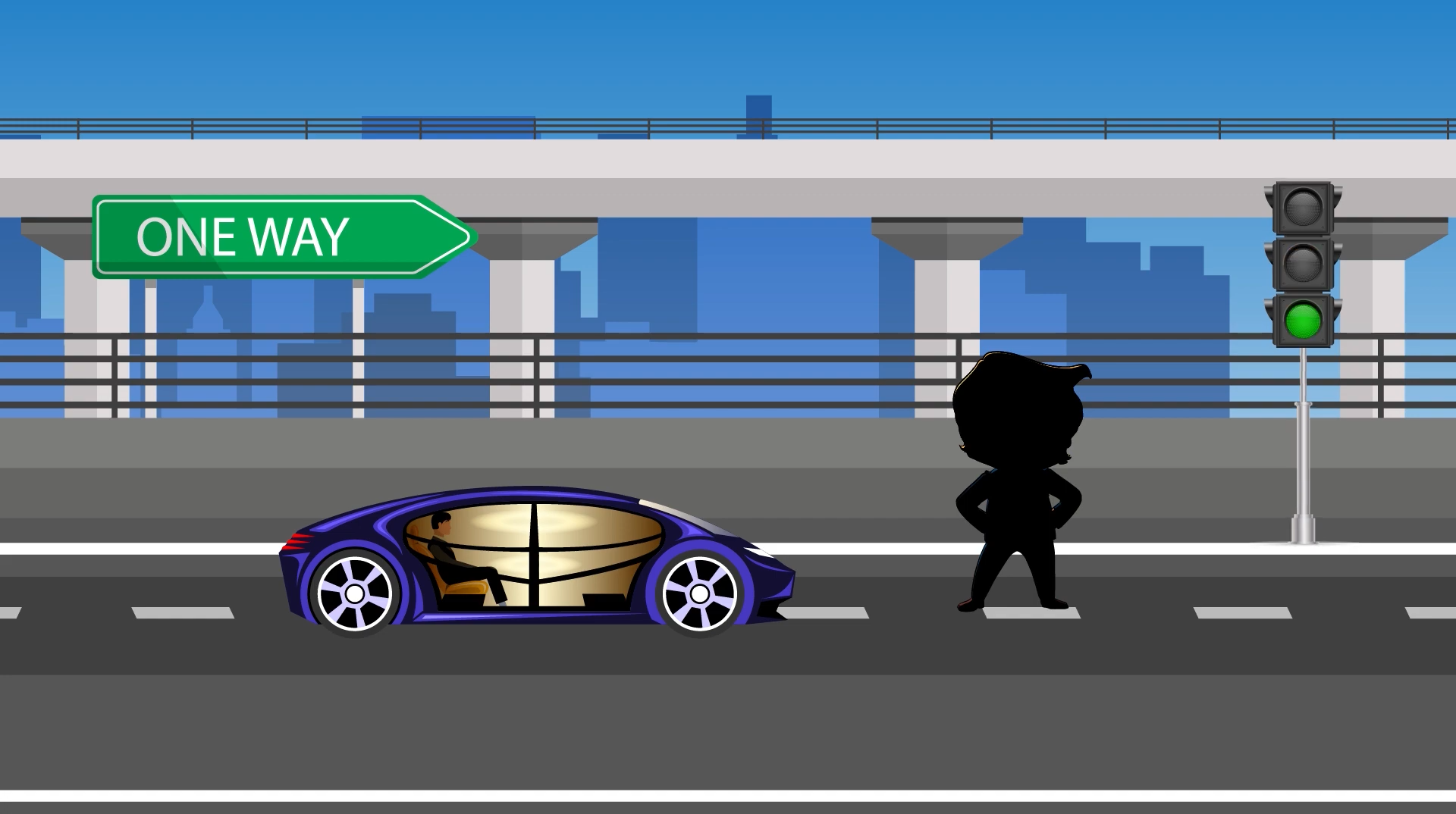
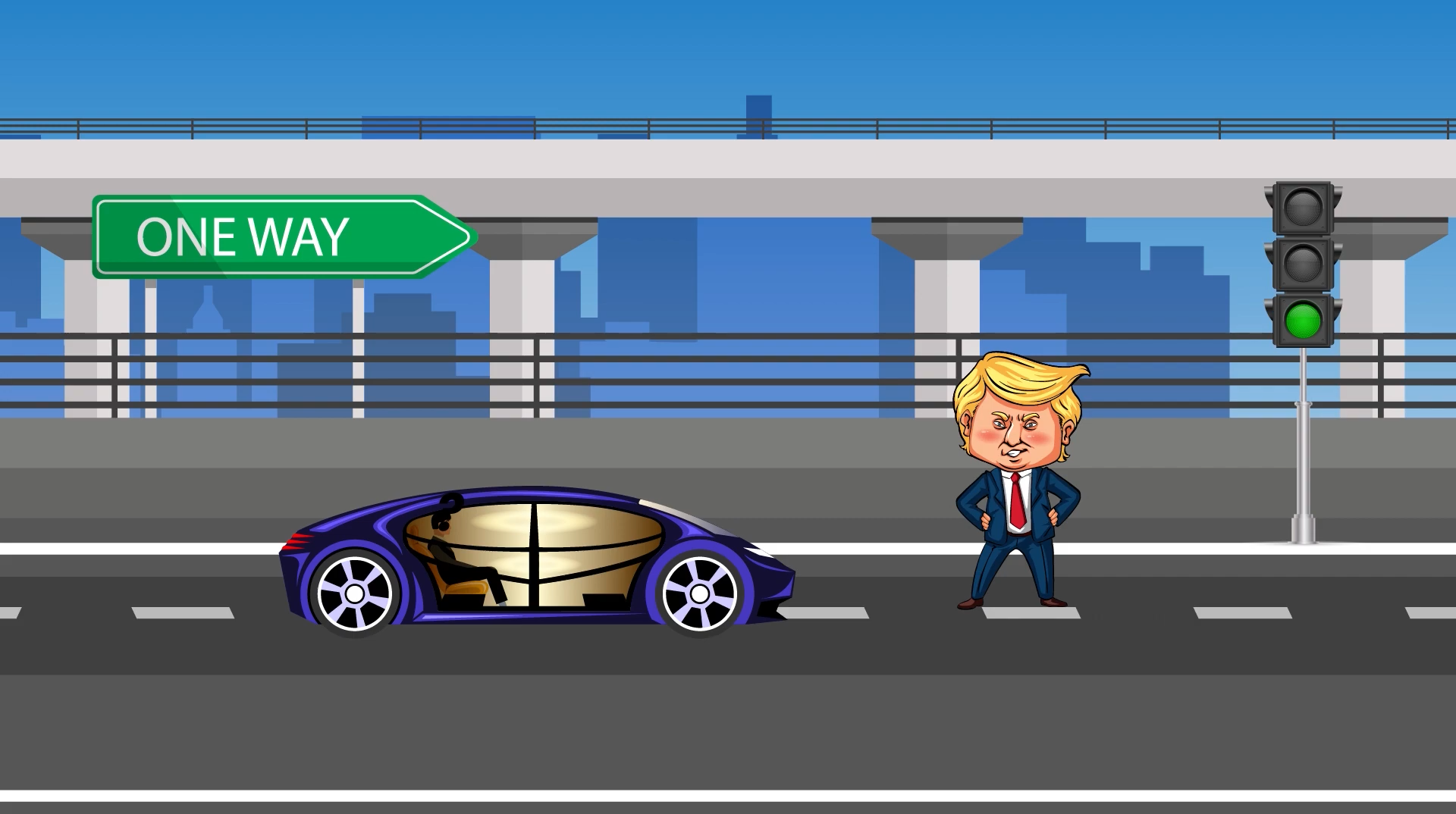
Consider e.g. you instruct a self-driving car to drive when it sees a green light and stop when it sees a pedestrian. What will happen if both events happen at the same time?
Although this is a really simple case and can be solved by checking both conditions, what if the pedestrian is Donald Trump, should you still stop? Or just drive through him.
Anyways pun aside, this should give you a brief idea about how such a simple application can quickly become complex with the increase in the number of variables and you can’t expect programmers to handle and code conditions for all types of future events.
So what’s the best approach?
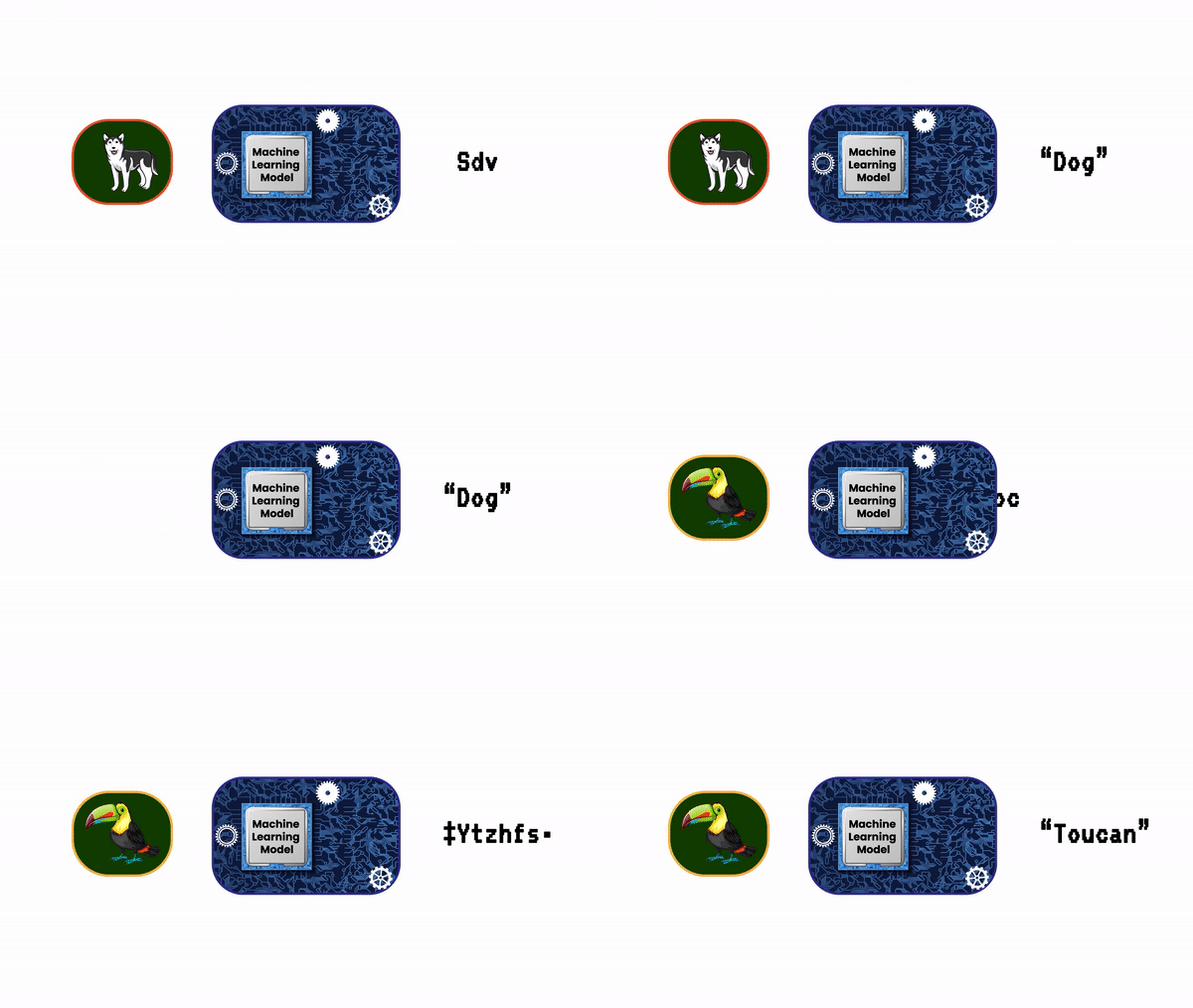
Well, how about an approach in which we show a machine lots of examples of some object. And after the machine has learned how the object looks, we show it images of the same objects it has never seen and check if it can recognize the object or not.
Similarly by showing self-driving cars thousands and thousands of hours of data on how to drive a car, makes it learn it. This is Machine learning and it’s also how we humans learn, by watching and observing things and people around us.
So in simple words; “Machine learning is just a subset of AI that consist of all those algorithms and techniques that can learn from the data, in essence, these algorithms give computers the capability to learn without being explicitly programmed”.
Alright, now let’s move on with our timeline.
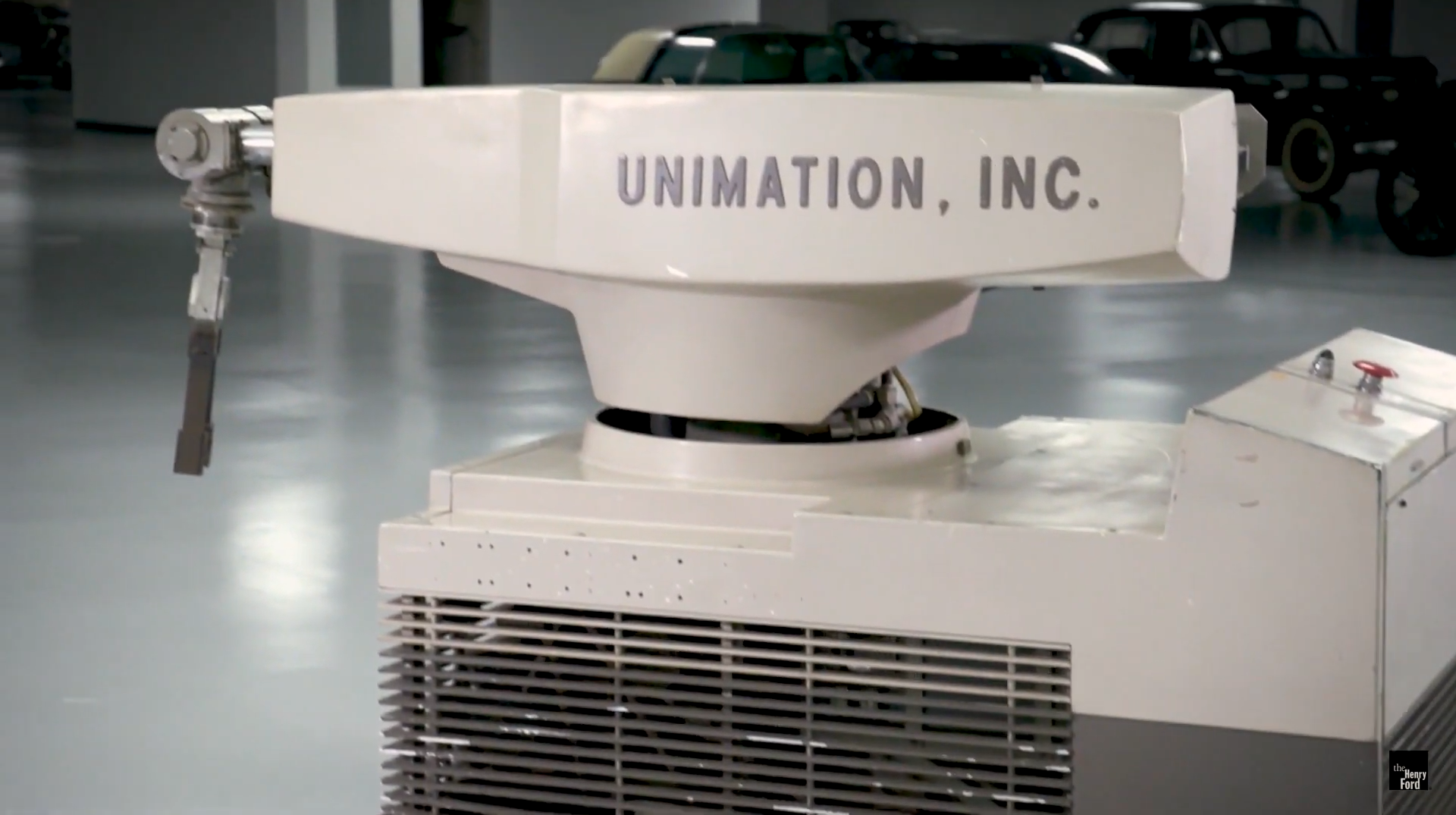
In 1961, the first industrial robot, Unimate, started working on an assembly line in a General Motors plant in New Jersey.
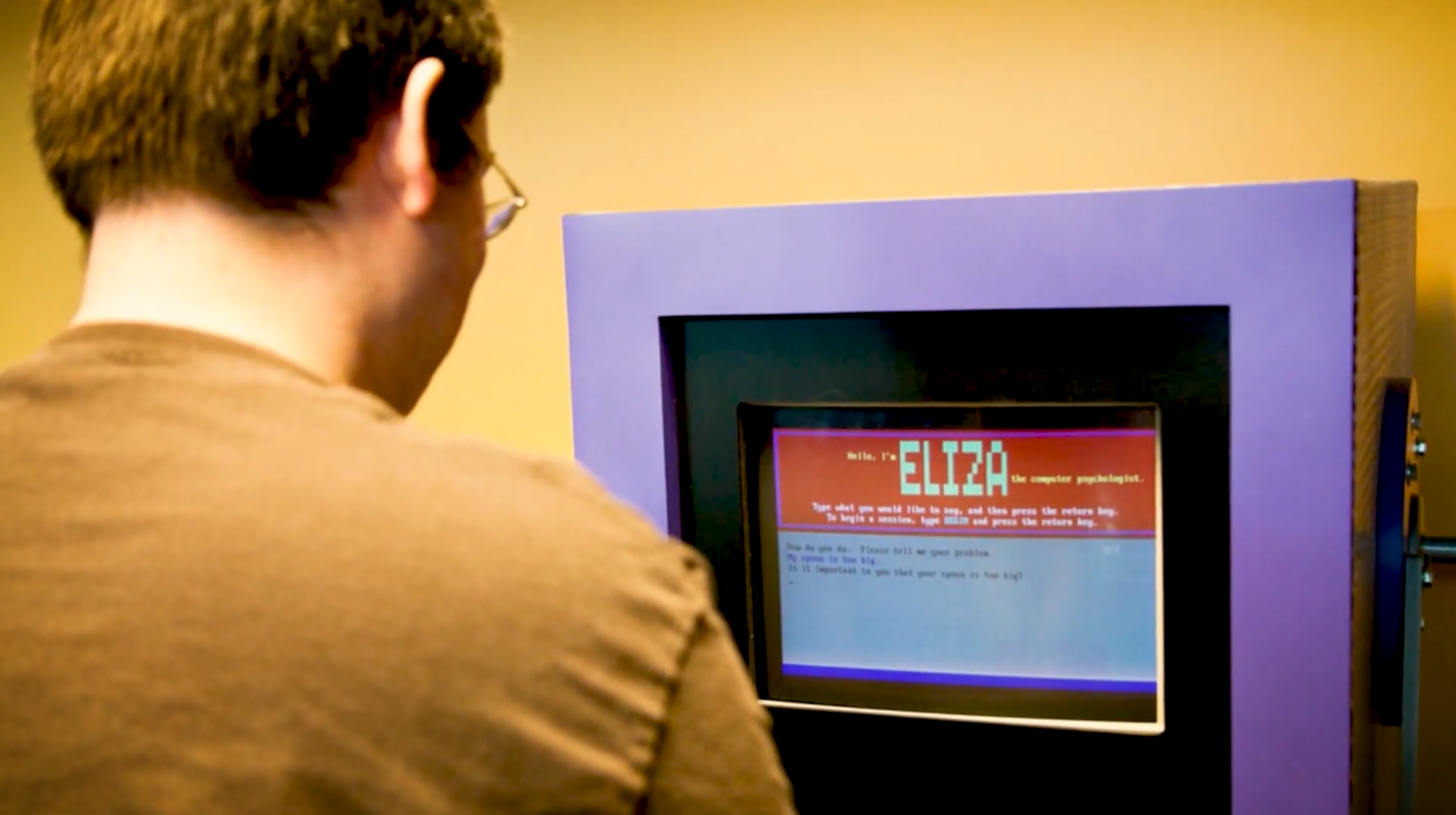
In 1965, Herbert Simon predicted that “within twenty years machines will be capable of doing any work a man can do.” Needless to say, it didn’t turn out that well, it’s 2021 and we’re still a long way from reaching there. In 1965, ELIZA, the first AI Chatbot, which could carry conversations in English on any topic was invented.
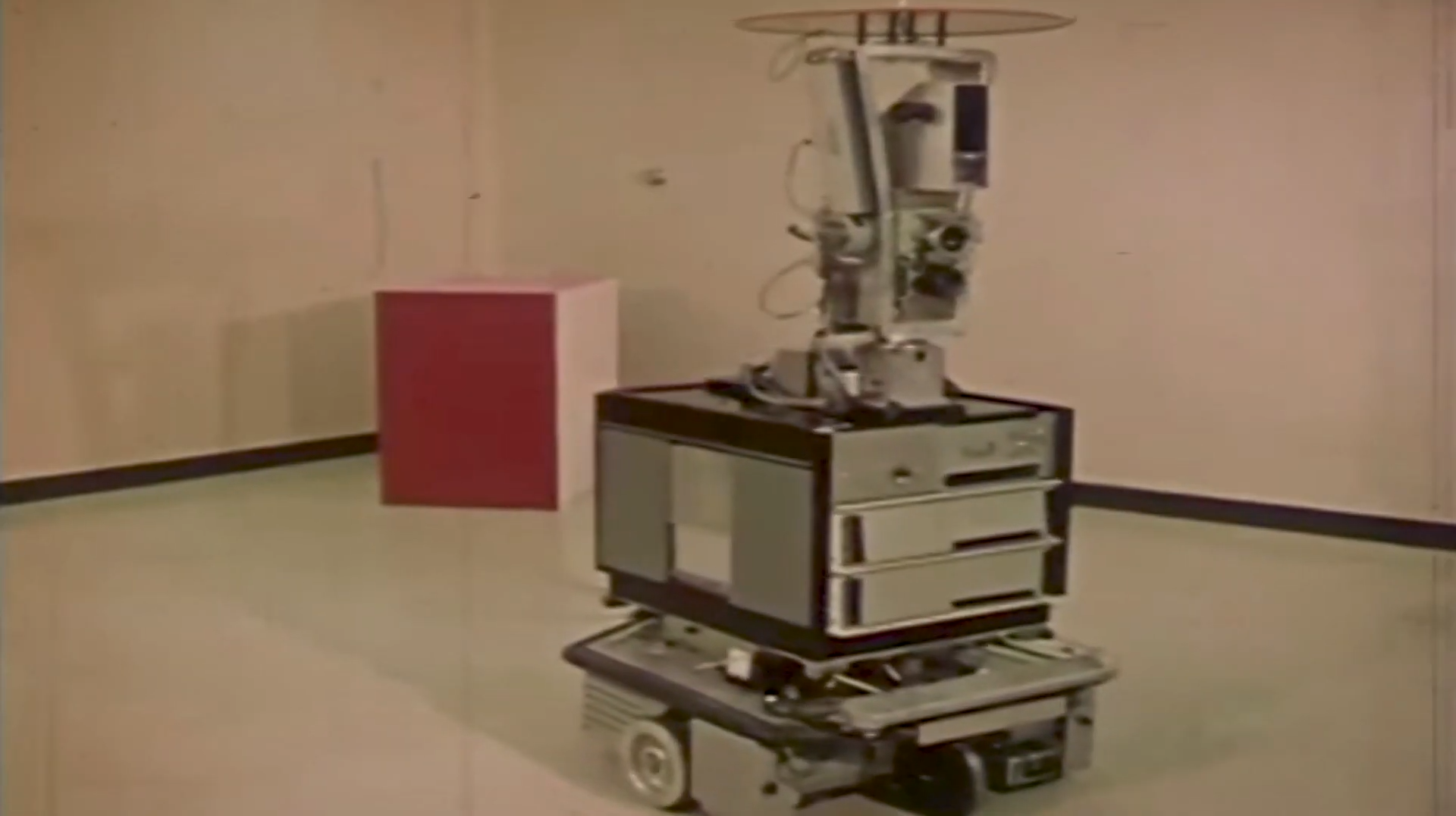
In 1966, Shakey, the first general-purpose mobile robot was created.
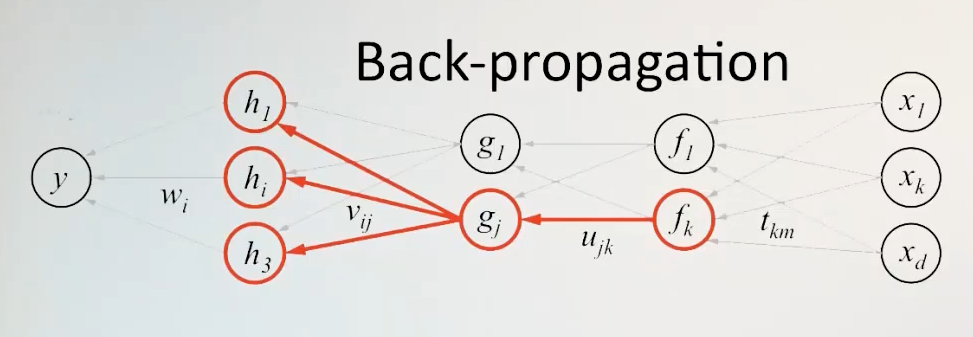
In 1969, .. …. So in 1969? …is it the moon landing? no, no, no something significantly more important happened xD. Oh yeah in 1969, the famous backpropagation algorithm was described by Arthur Bryson and Yu-Chi Ho, this is the same algorithm that has tremendously contributed to the success of deep learning applications we see today.
Around the same time, Marvin Minsky Quotes: “In from 3 to 8 years we will have a machine with the general intelligence of an average human being.” hmmm 🤔… I’m loving the confidence the AI researchers had in the last century, Props for that. Anyways, needless to say, that did not happen.
After the 50s and 60s, two decades of AI hype, the Field of AI saw its first Winter. This is defined as the period where the funding of AI research and development was cut down.
It all started in 1973, with James LighthillReport to the British Science Research Council on the state of AI research, in summary, the report concluded that; “The promises made by the field of AI initially were not delivered and that most of the techniques and algorithms only worked well on toy problems and fall flat on real-world scenarios,” This report led to a drastic halt in AI.
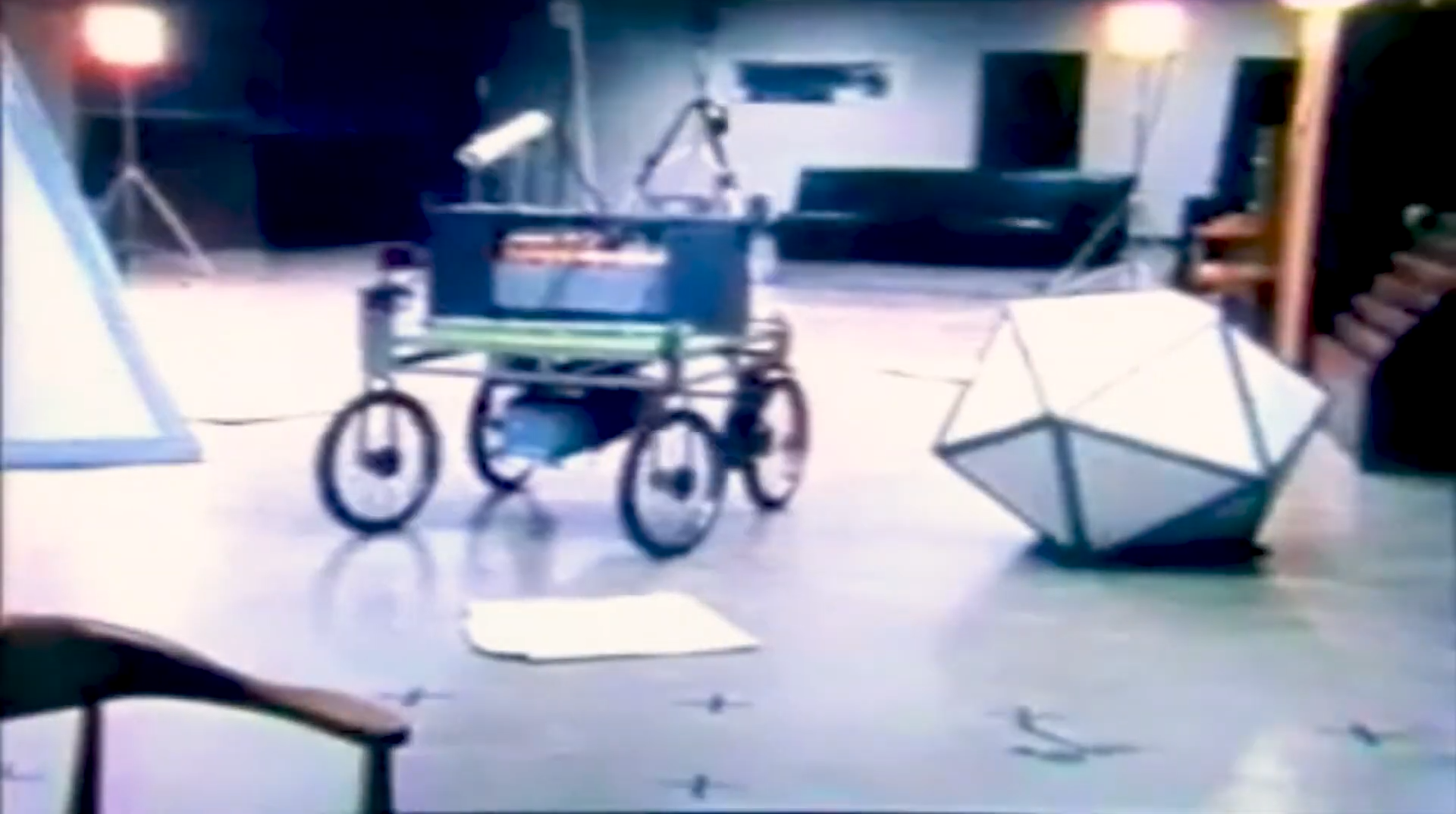
After the effects of the first AI winter faded, a new AI era emerged, and this time people were more application-focused. In 1979, the Stanford Cart successfully crossed a chair-filled room without human intervention in about five hours, becoming one of the earliest examples of an autonomous vehicle.
In 1981, the Japanese ministry invested $400 million in the Fifth Generation Computer Project. The project was aimed to develop computers that could carry on conversations, translate languages, interpret pictures, and reason like human beings.
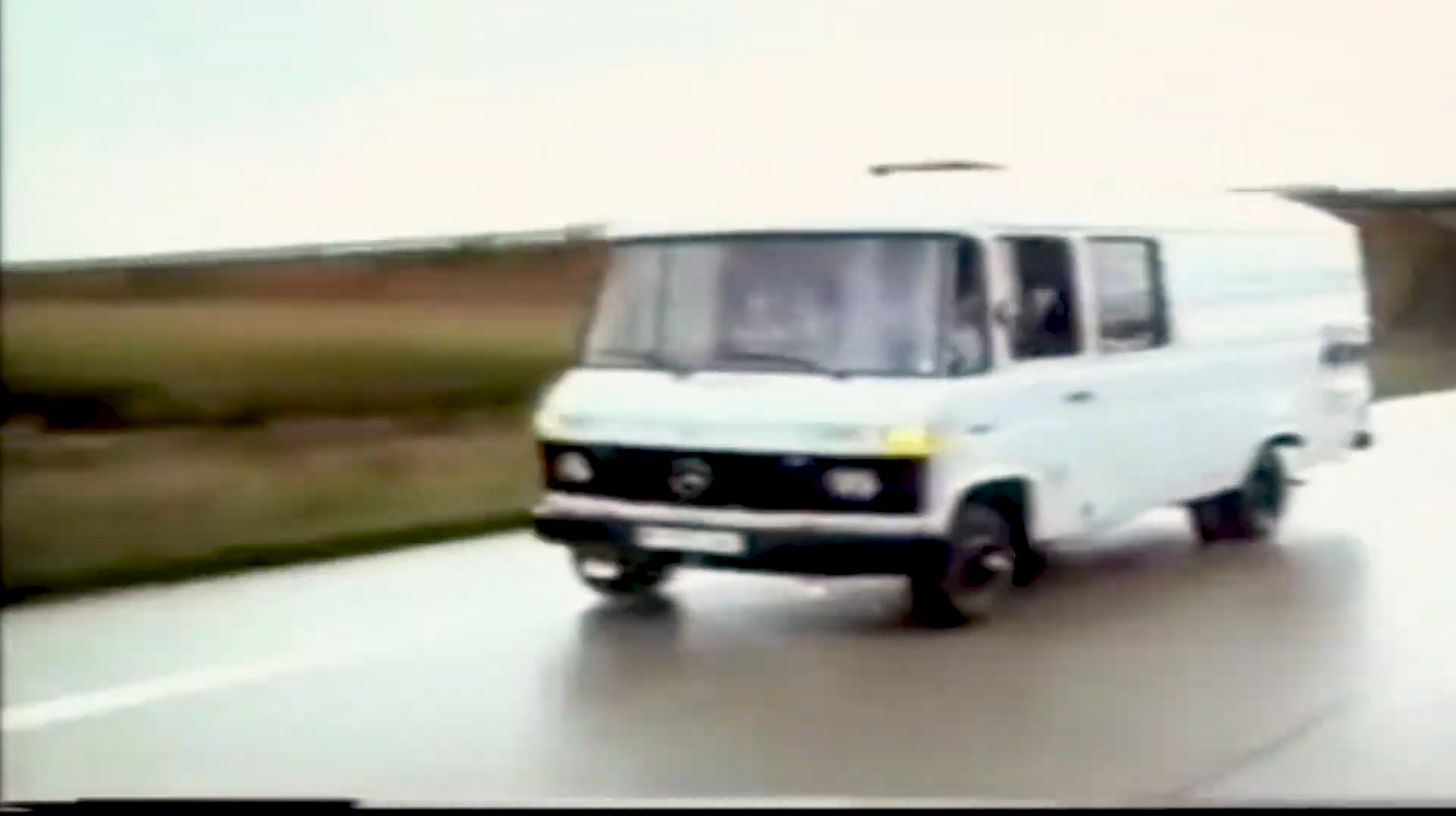
In 1986, the first driverless car, a Mercedes-Benzvan equipped with cameras and sensors, was built at Bundeswehr University in Munich under the direction of Ernst Dickmanns, which drove up to 55 mph on empty streets.
At this point I should mention that in 1984, a panel called “Dark age of AI” was held, there Marvin Minsky and some others warned of a coming “AI Winter,” predicting an imminent burst of the AI bubble which did happen three years later in 1987 and again it led to a reduction in AI investment and research funding.
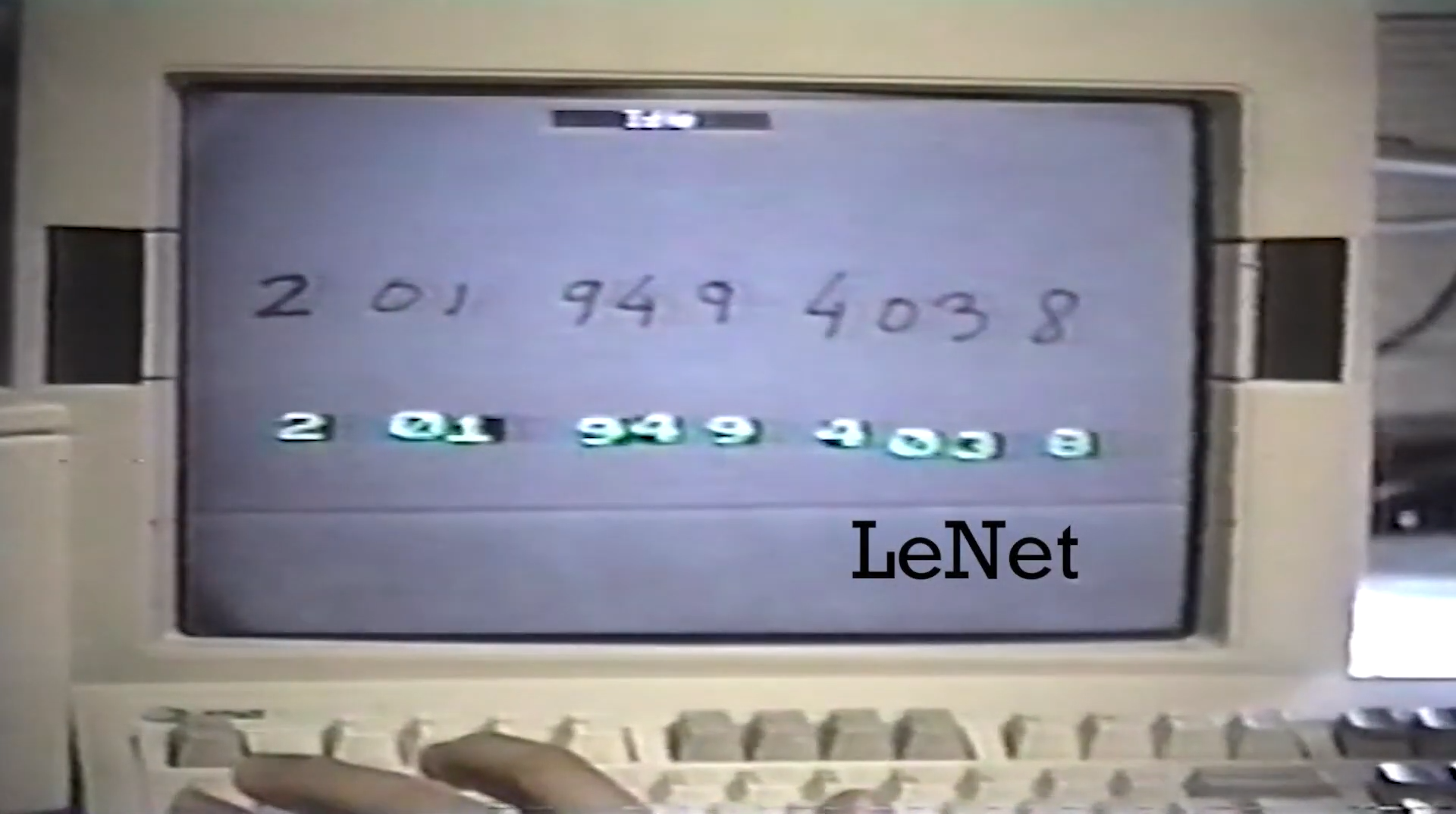
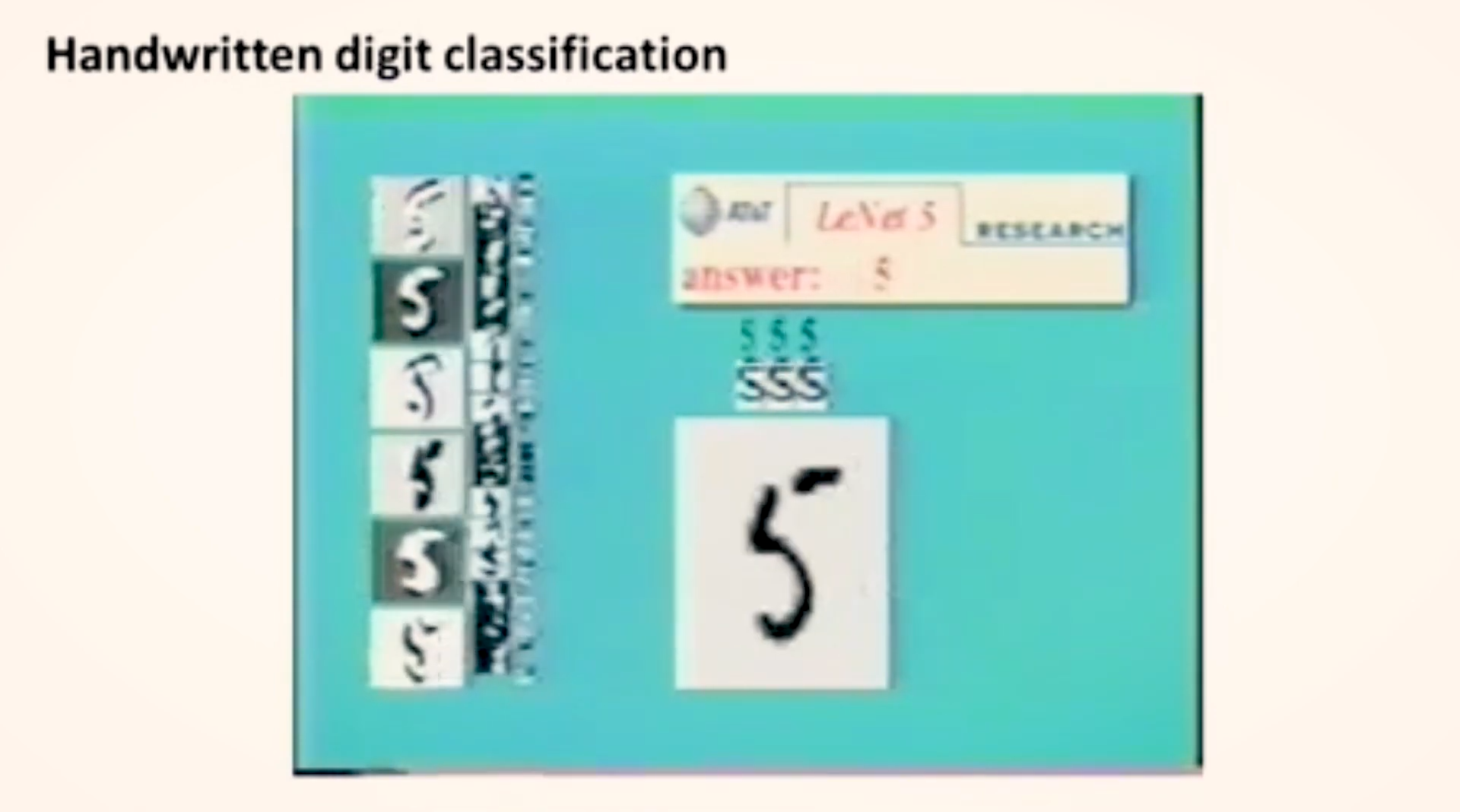
This was the second AI Winter and it went on for 6 years. Still, some researchers were working in the field. Like in 1989, Yann LeCun and other researchers at AT&T Bell Labs successfully applied the backpropagation algorithm to a multi-layer Convolutional Neural Network called Lenet which could recognize handwritten ZIP codes.
This was the first practical demonstration of deep learning, although the term ‘Deep Learning’ was coined later in 2006 by Geoffery Hinton. Speaking of Deep Learning, let’s understand what it is.
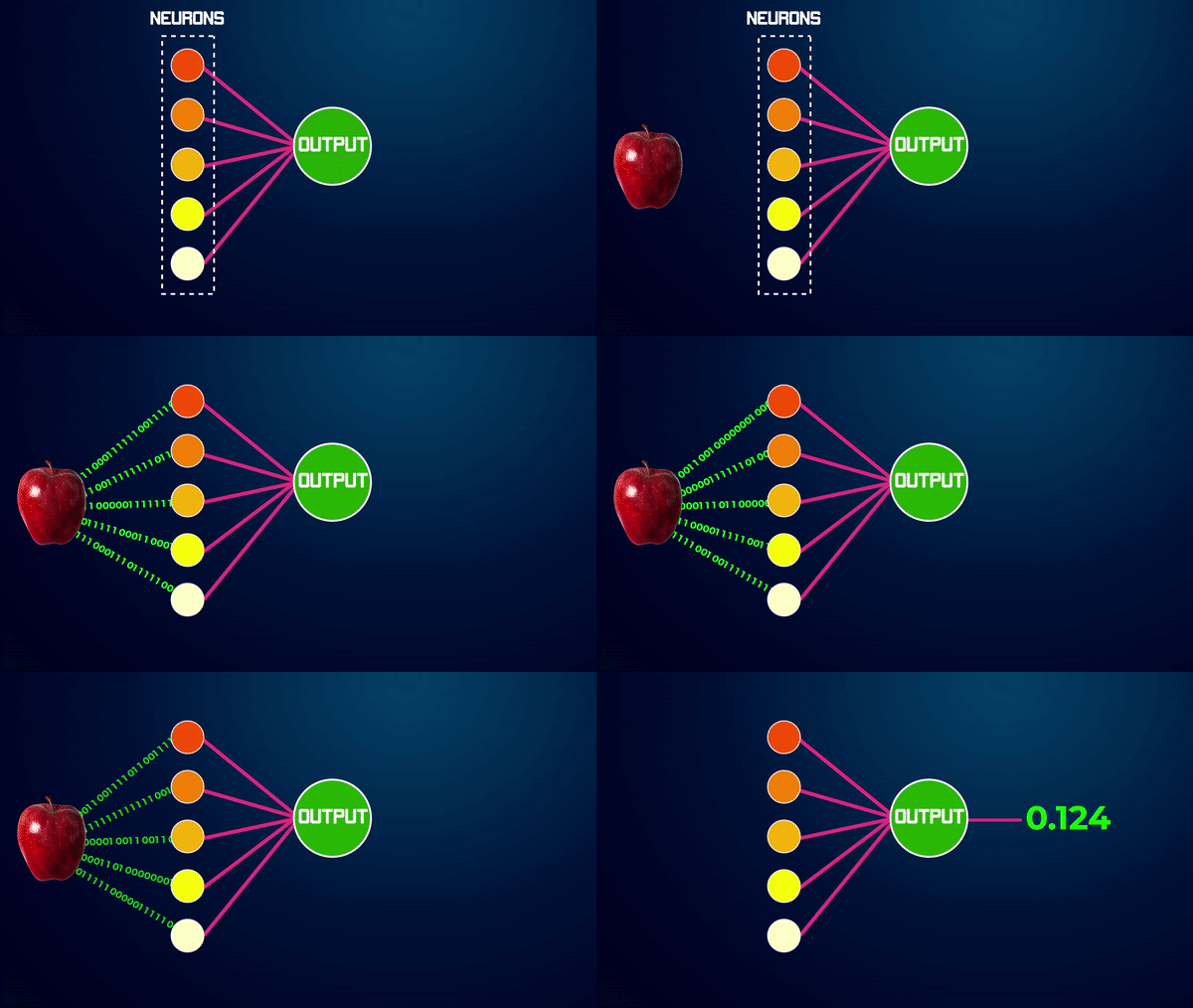
So remember when I explained machine learning is a set of algorithms that learns from the data. Well among those machine learning algorithms, there is an algorithm called “Perceptron”, also called an artificial neural network, which is inspired by the working of our brain. Now a perceptron contains a single layer, this layer contains nodes called Neurons.
Each neuron can remember information about the data, as it passes through it
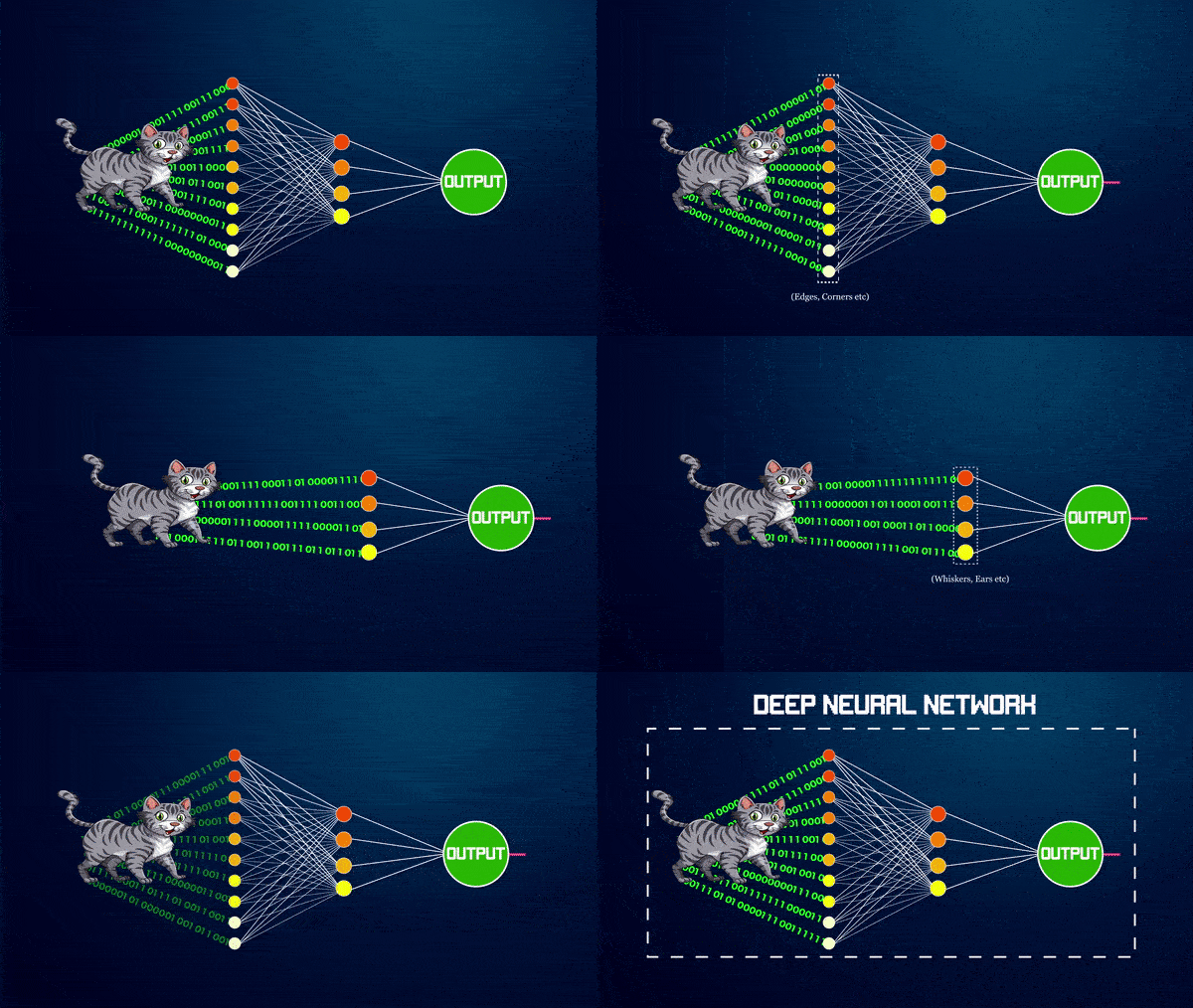
so the greater the number of neurons, the greater the ability of the network to remember the data, similarly you can also add more layers to the network to increase its learning ability, each new layer can extract more information or features from the input data.
Not only that but each new layer builds on knowledge learned from previous layers, this way if you’re trying to build a network that can recognize cats, then the earlier layers will learn to recognize low-level features like, what are edges, or corners, etc. The later layers will learn high-level concepts like recognizing whiskers, ears, a cat’s tail, etc.
This network composed of multiple layers is called a deep neural network, and whenever you’re using Deep Neural networks or DNN’s for short, then it’s called Deep Learning.
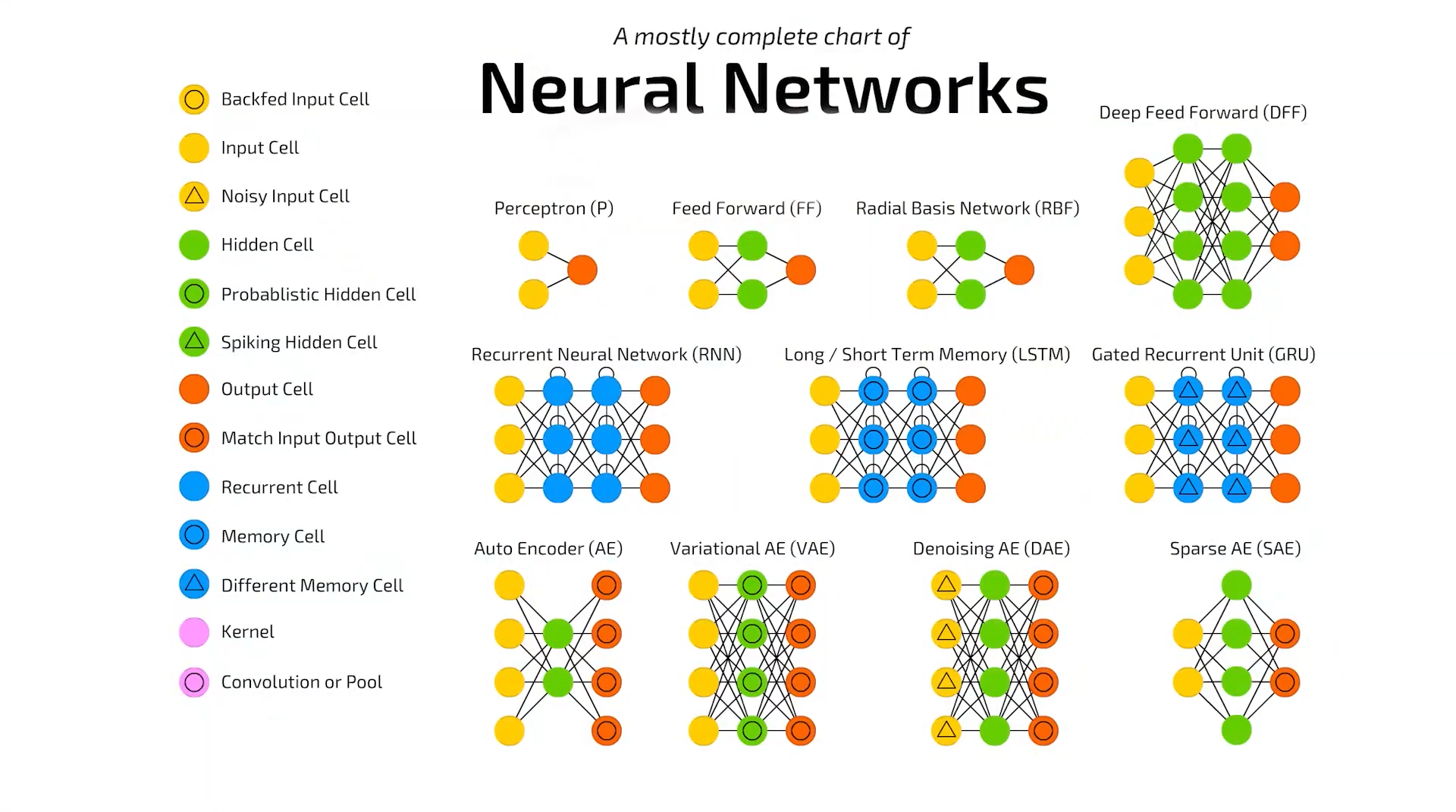
The example I just showed you was of a Feed-Forward network and there are lots of other types of neural networks like a Convolutional Neural Network (CNN) or a Long Short Term Memory (LSTM) network and many others.
Alright, here’s a great definition of Deep learning by Youshua Bengio: One of the pioneers of modern AI. I’ve modified this definition to make it simpler.
“Deep learning is a collection of methods or models that learn hierarchies of features, at each subsequent layer in the model some features are learned, the knowledge gained in lower-level layers is used by high-level layers to learn/build abstract high-level concepts. This way the model can learn features from raw data at multiple levels of abstraction without the need of depending upon human crafted features.”
If this definition sounds complicated then I would recommend reading it again, it’s describing the same hierarchical learning system which I just explained.
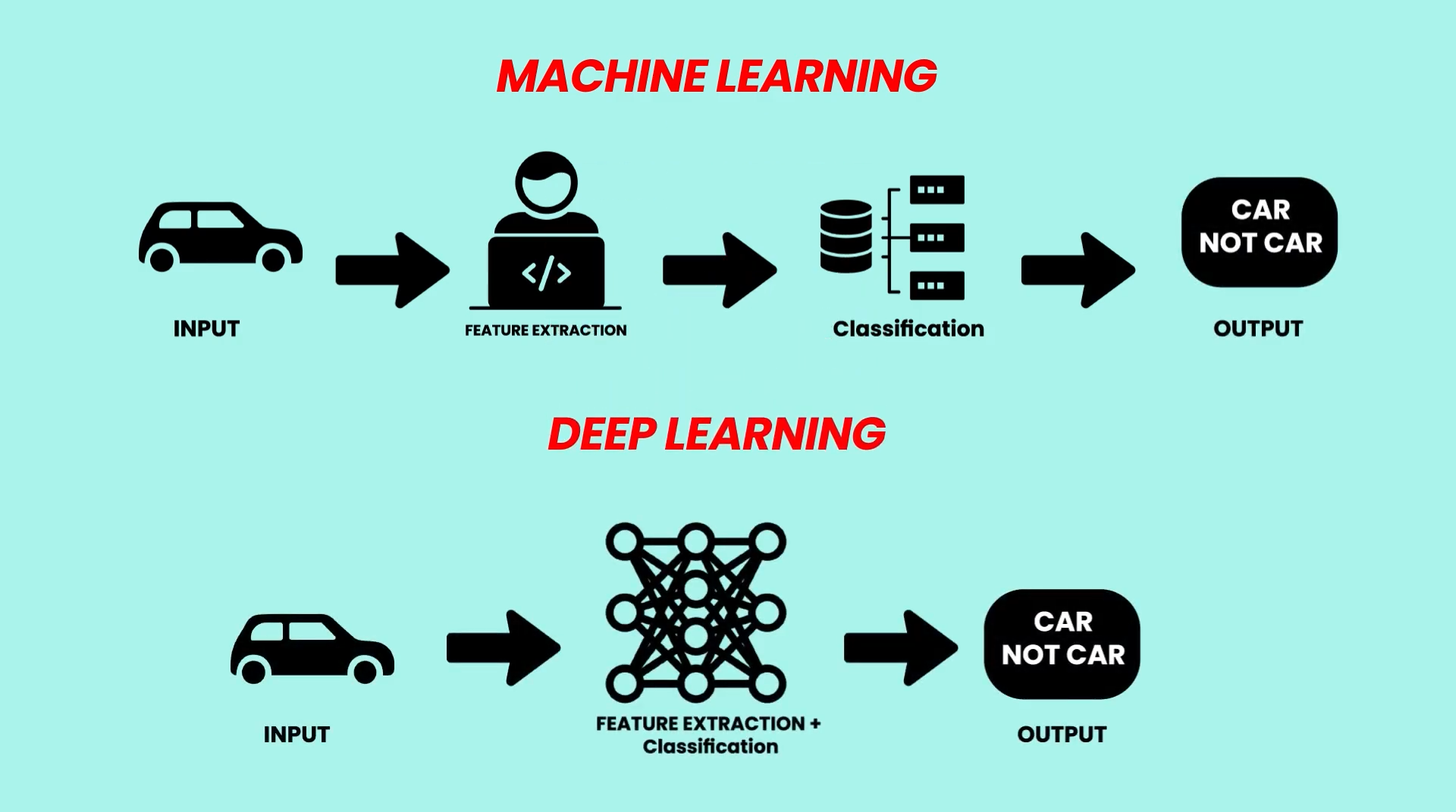
Coming back to the definition, notice the last part in which I mentioned that we don’t need human crafted features, this is the main advantage of deep learning over machine learning.
In machine learning, oftentimes human engineers need to do something called feature engineering to make it easier for the model to learn but in deep learning, you don’t need to do that.
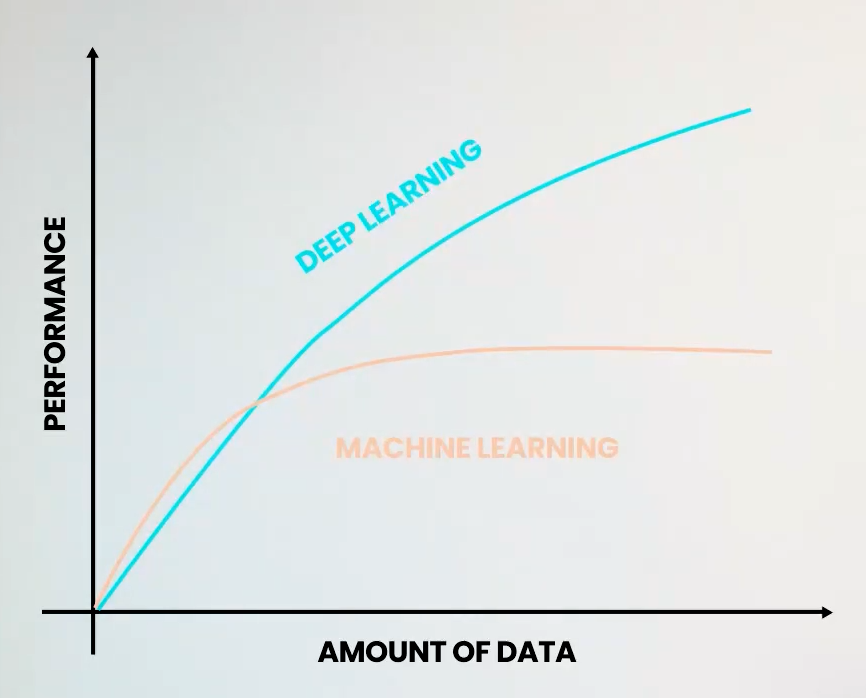
Another major advantage of deep learning is that as the amount of data increases, deep learning models get better and better, but in machine learning, after a certain point the performance plateaus. This is because most machine learning models are not complex enough to utilize and learn from all that data.
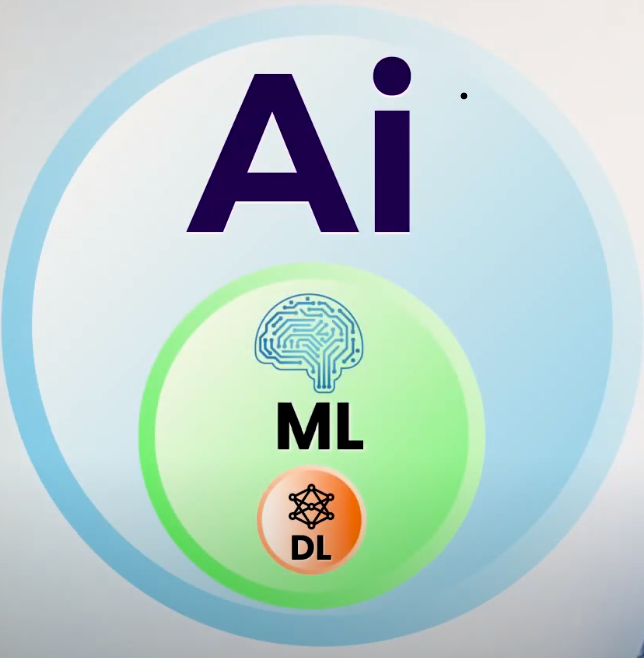
Alright, So below is an illustration of how AI, Machine Learning, and deep learning are related.
Even though Deep Learning had great promises, it didn’t take off in the 1990s, this is because at the time we didn’t have much data. The GPUs were not powerful enough. And the models and algorithms themselves had some limitations.
Now Let’s continue with our timeline.
In October 1996: Taha Anwar was born xD… Well you never know, I might create or do something man.
Anyways let’s move on.
In 1997, 2nd AI winter ended and progress in AI again Started, Sepp Hochreiter and Jürgen Schmidhuber proposed the Long Short-Term Memory (LSTM) model, a very popular type of neural network used to learn sequences of data.
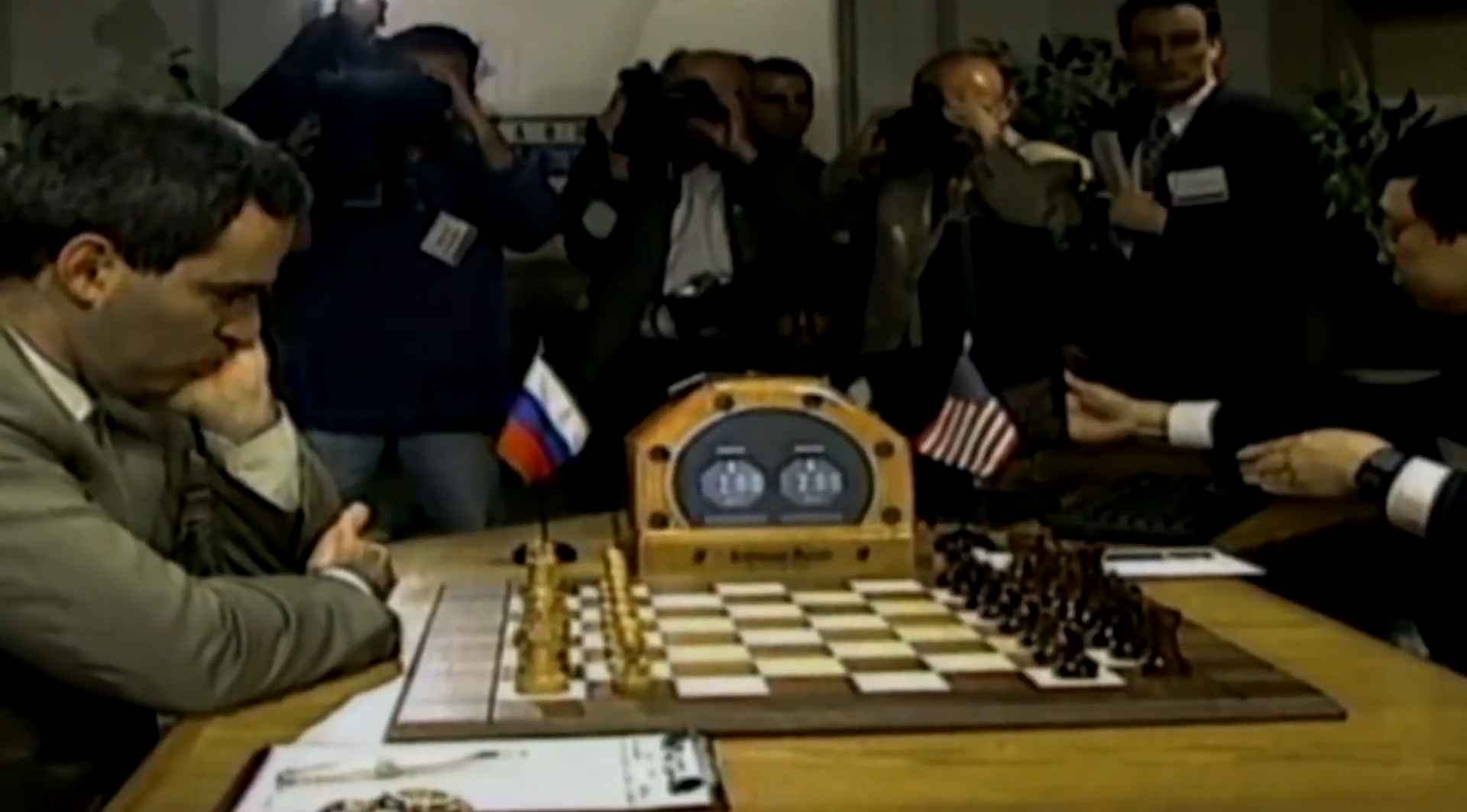
In the same year, Deep Blue became the first computer chess-playing program to beat a reigning world chess champion, Garry Kasparov.
In 1998, Yann LeCun and Yoshua Bengio published papers on Neural Network applications on handwriting recognition and optimizing backpropagation.
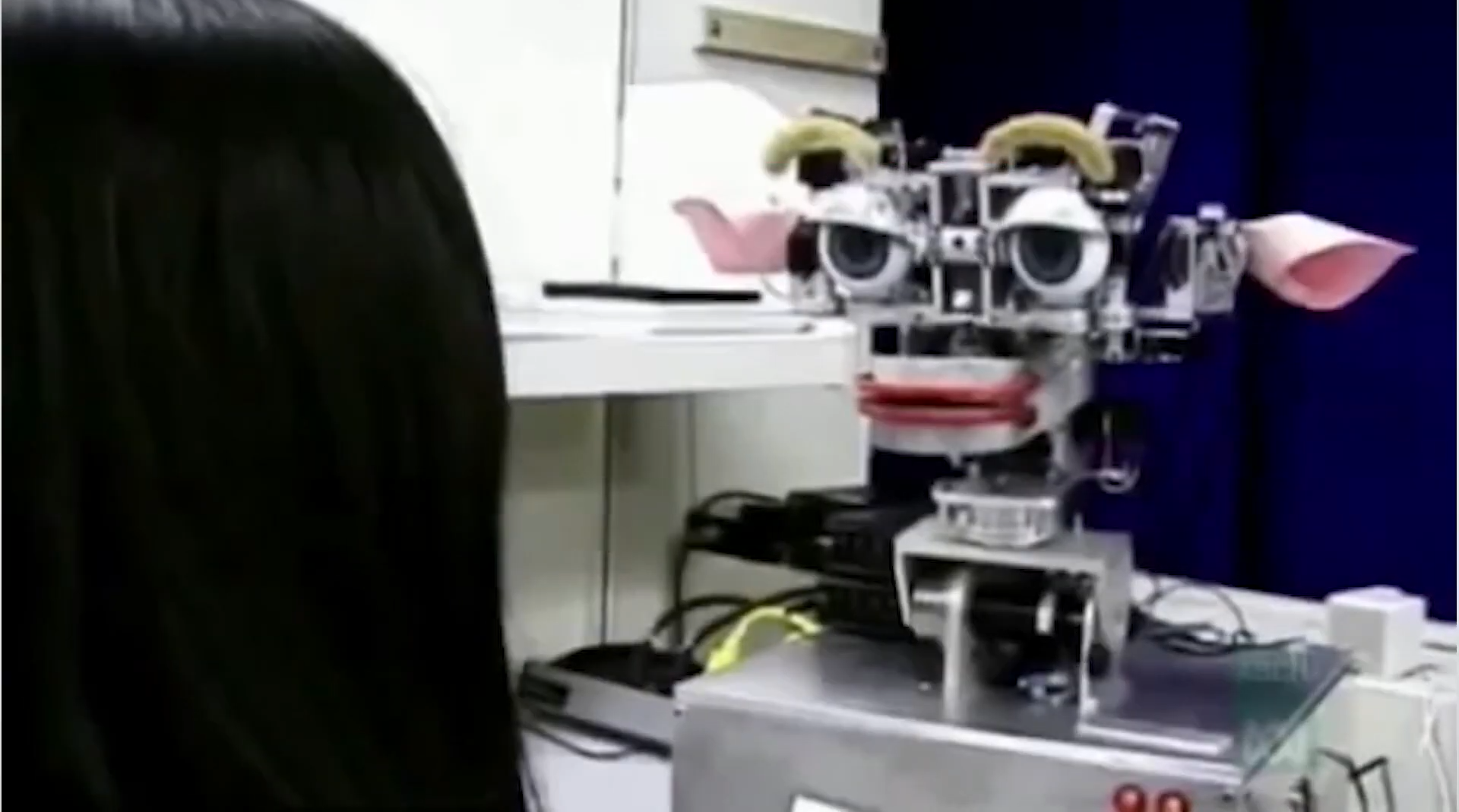
In 2000, MIT’s Ph.D. Student Cynthia developed Kismet, a robot structured like a human face with eyes, lips, and everything. And it could recognize and simulate emotions.
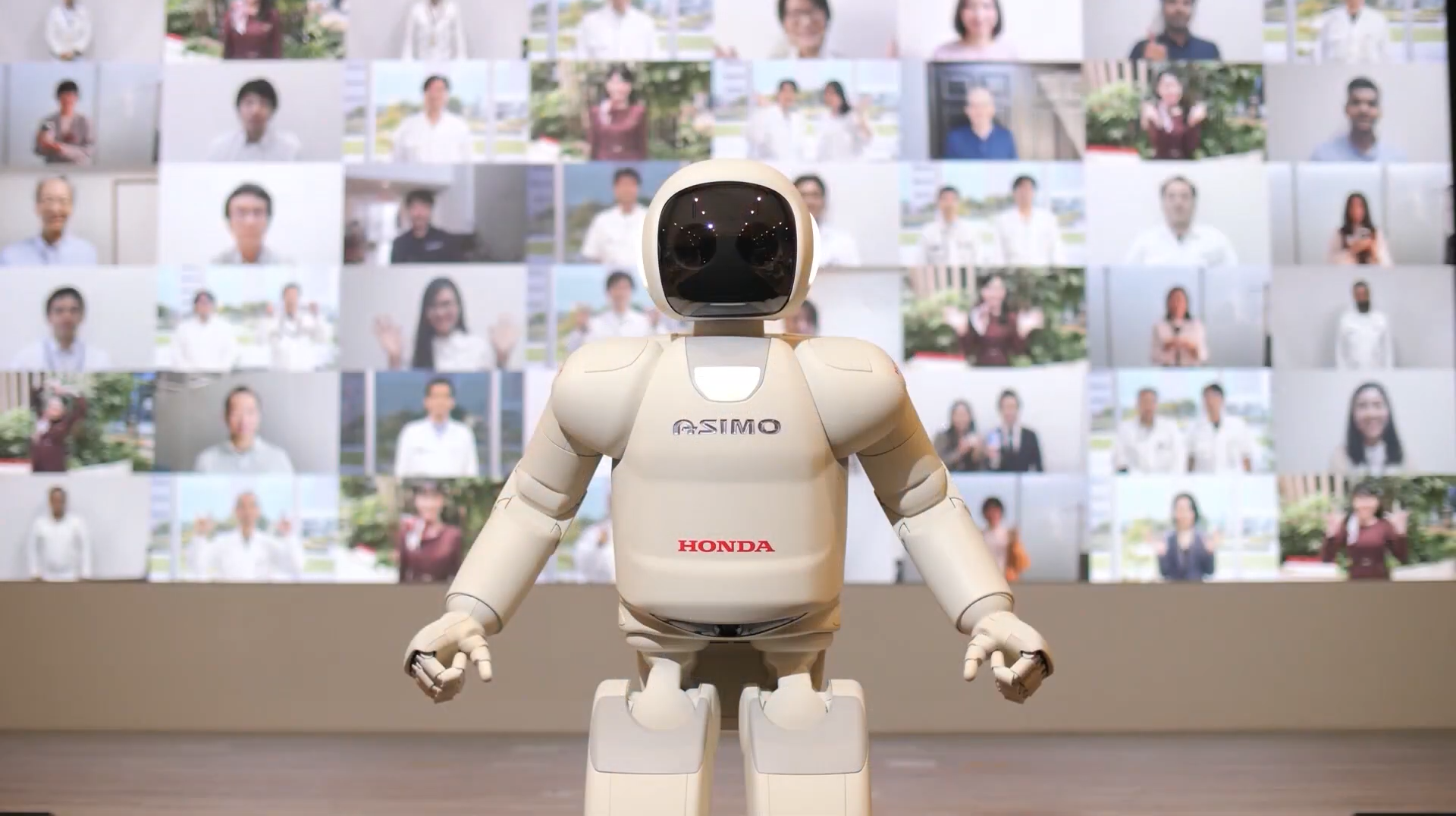
In the same year, Honda introduced the ASIMO robot, the first humanoid robot to walk as fast as a human, delivering trays to customers in a restaurant setting.
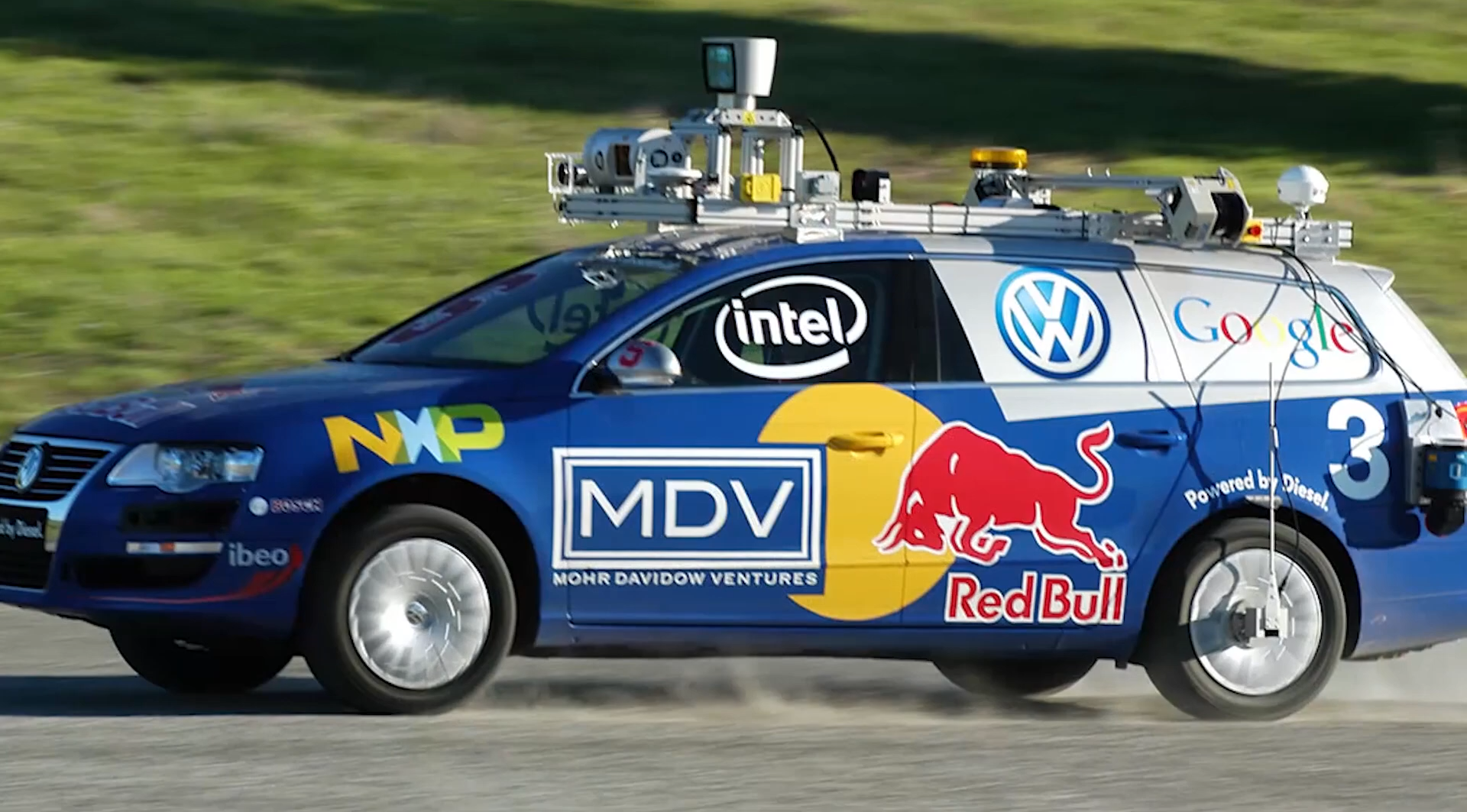
In 2005, Stanley, the first autonomous vehicle won the DARPA Grand Challenge, this event greatly fuels the interest in self-driving cars.
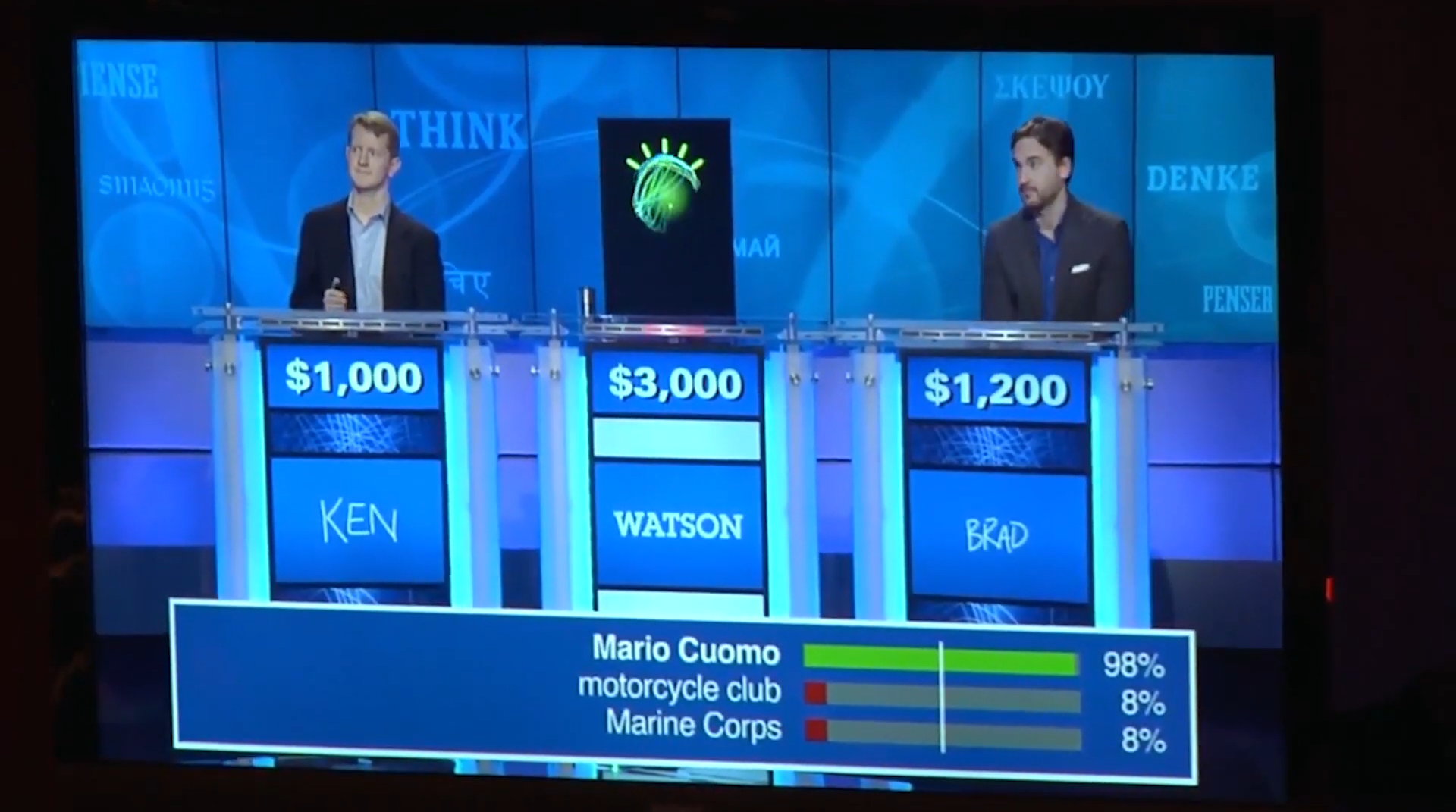
In 2007, Fei Fei Li and colleagues at Princeton University started to assemble ImageNet, the world’s largest database for annotated images. In 2010, ImageNet Large Scale Visual Recognition Challenge was launched, which was an annual AI object recognition competition. In 2011, Watson,a natural language bot created by IBM, defeated two Jeopardy Champions.
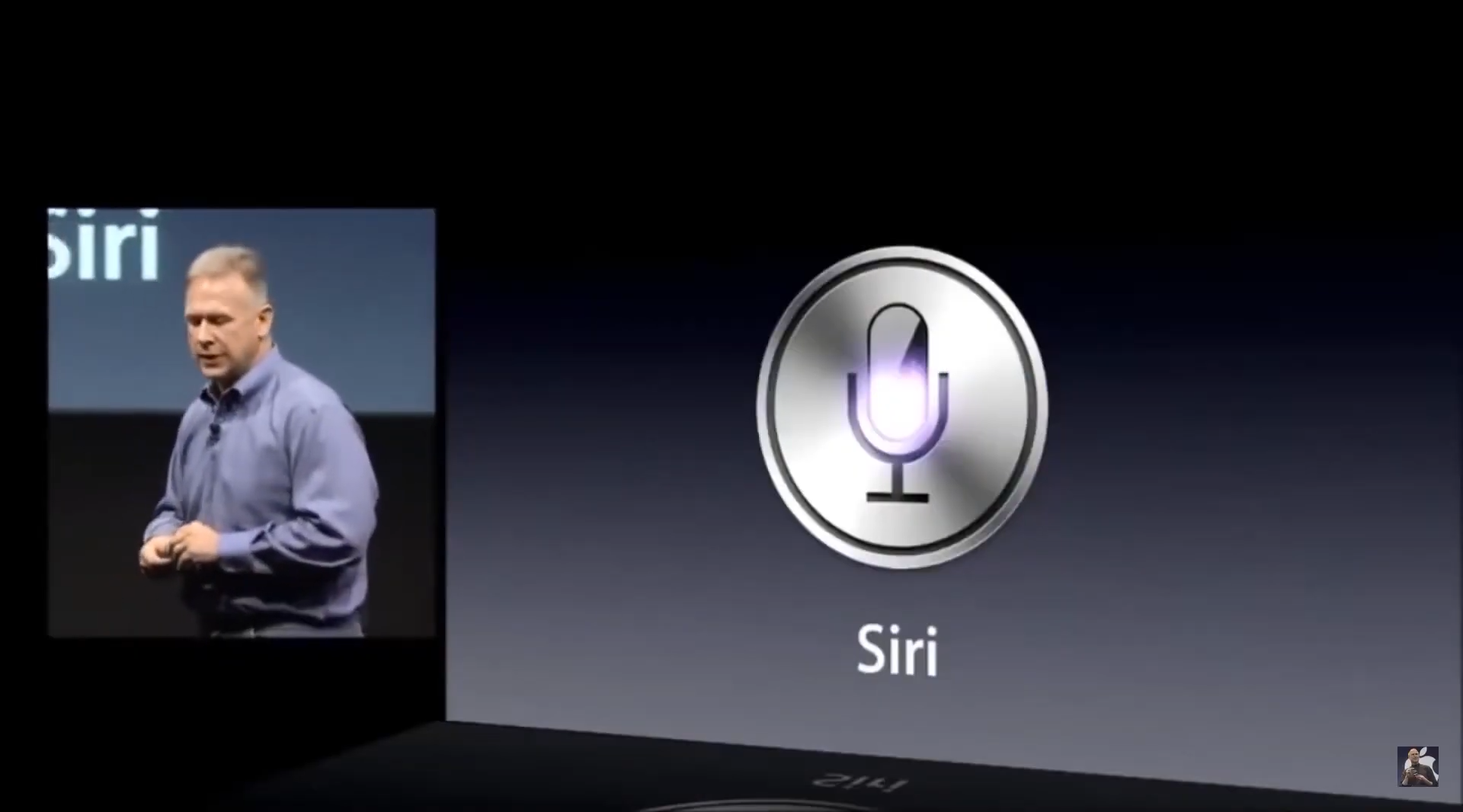
And in the same year, Apple released Siri, a virtual assistant capable of answering questions in natural language communication.
Now let’s discuss the ImageNet challenge again. This competition ran from 2010 till 2017 and was responsible for some great architectural innovations in modern AI algorithms.
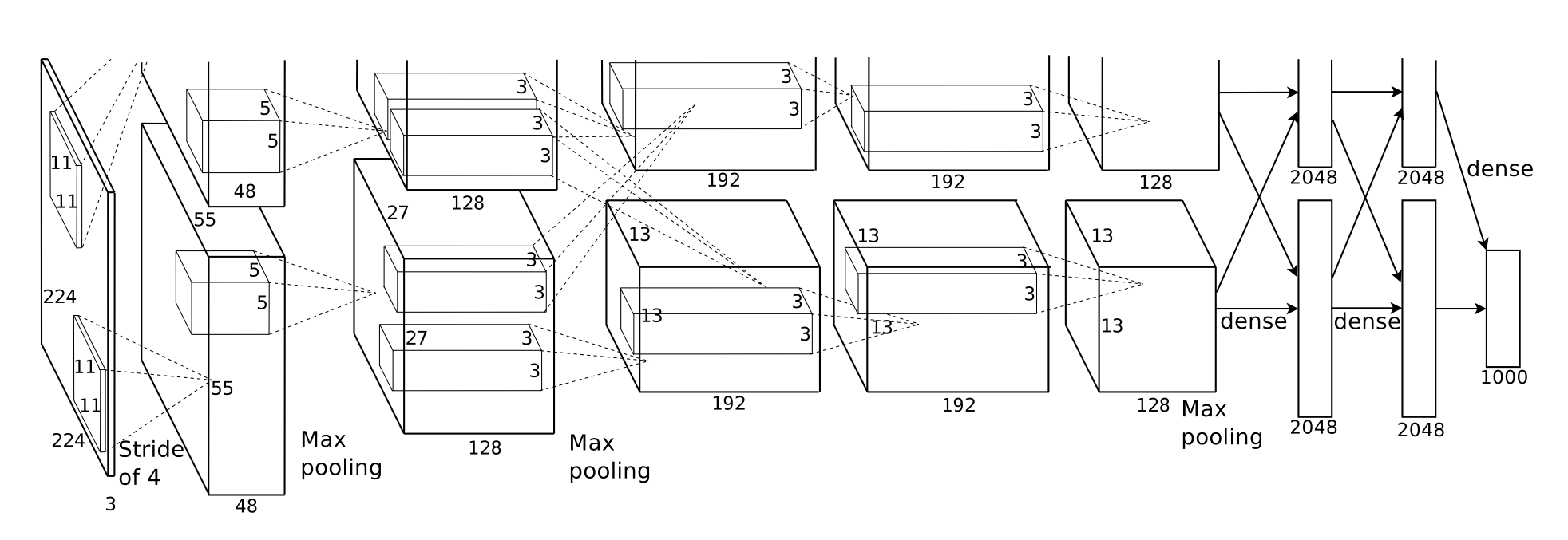
Perhaps the most revolutionizing year for this competition and a landmark year in AI was 2012 when a team under Geoffery Hinton presented AlexNet (a type of Convolutional Neural Network) in the competition.
Now this Deep Neural Network was cooked up just right by Geoffery Hinton, Alex Krizhevsky, and their team. The timing was perfect, in 2012 we had all the required ingredients to finally make deep learning work.
We had the required Data (ImageNet) with millions of high-resolution images, the Computation Power (as 2012 offered a lot of Great high-powered GPUs), and we also had made tremendous strides in the Architectural improvement of neural networks.
And when they combined all these elements at the right time, AlexNet was born.
A network that got only a 16% error rate on ImageNet competition, a 25% improvement from the year before.
This was a huge milestone. In the next year, all winning entries were using Deep learning models and finally, Deep Learning had taken OFF.
What followed in the years after, was innovation upon innovation in AI using deep learning approaches. Not only in research but we saw AI being successfully applied to almost every other industry.
Every year billions of dollars are being pumped by investors in AI. hundreds of promising new AI Startups are appearing and thousands of papers are being published in AI each year.
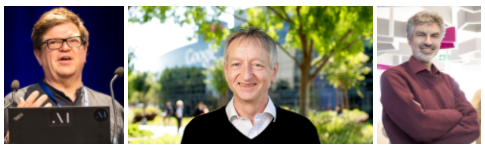
And a lot of initial success in AI can be attributed to 3 people which are also known as the Pioneers of Modern AI. They are; Yann Lecun, Geoffrey Hinton, and Yoshio Bengio.
Summary
In this episode of the CVFE course, we discussed the history of AI and how it became one of the most promising fields along with the winters it faced in the past, and what exactly terms like Machine Learning and Deep Learning mean.
Now one question you might have is….Will there be a 3rd AI Winter? And to be honest, the answer is no!
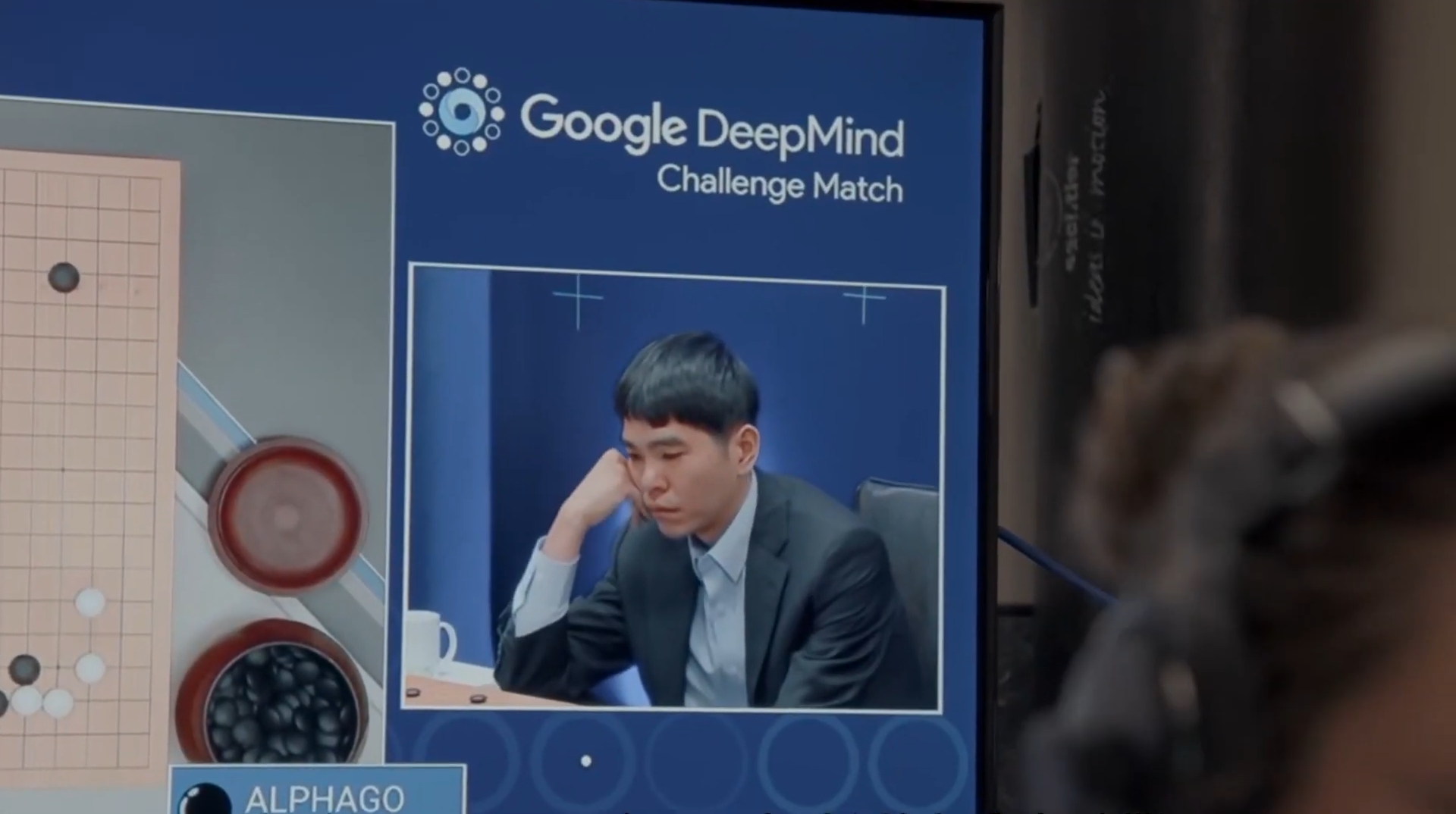
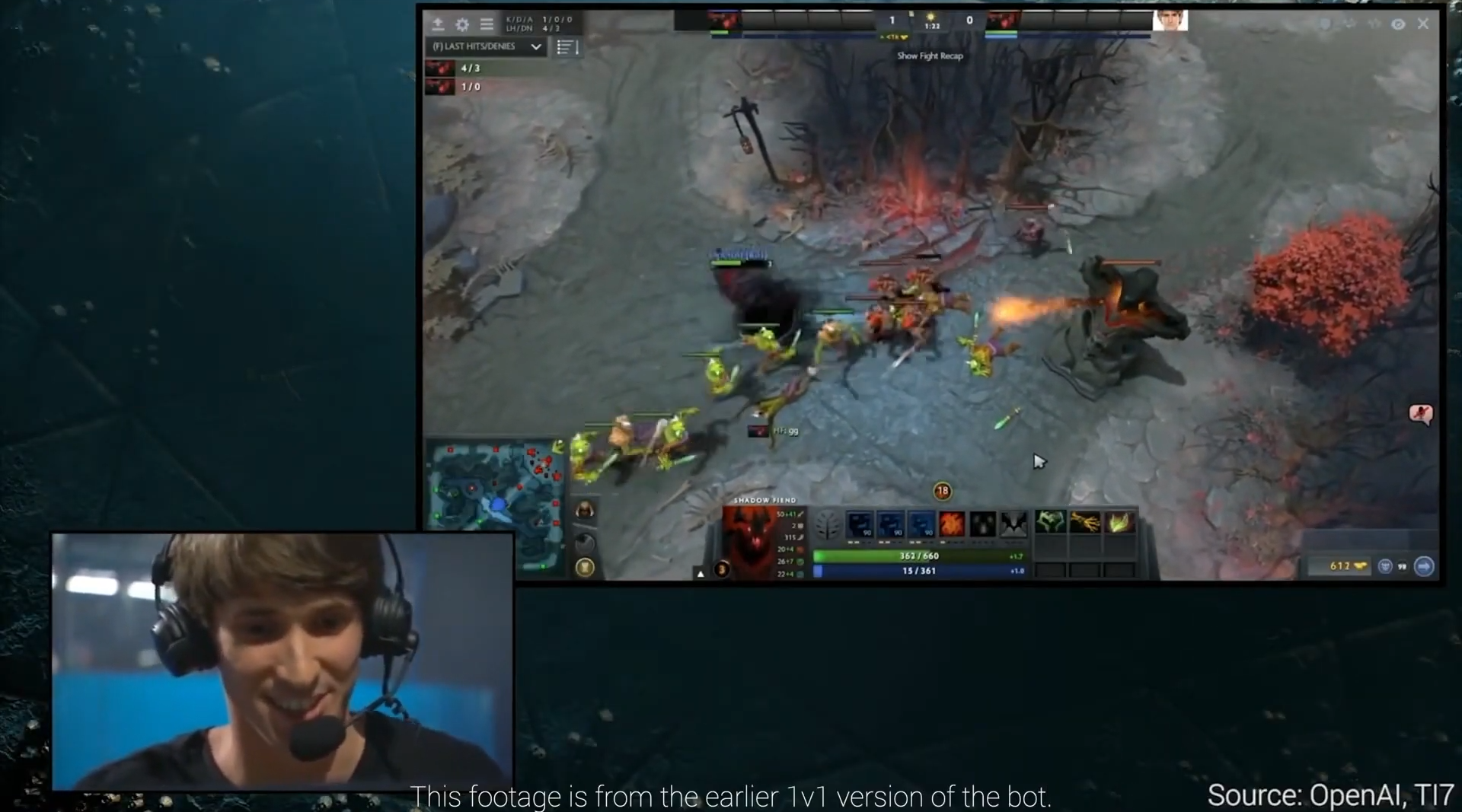
In 2016, DeepMind’s AlphaGo defeated the World Go champion, a very difficult feat. In 2019, OpenAI Five beats Dota 2 experts, a game that requires a lot of skill to master.
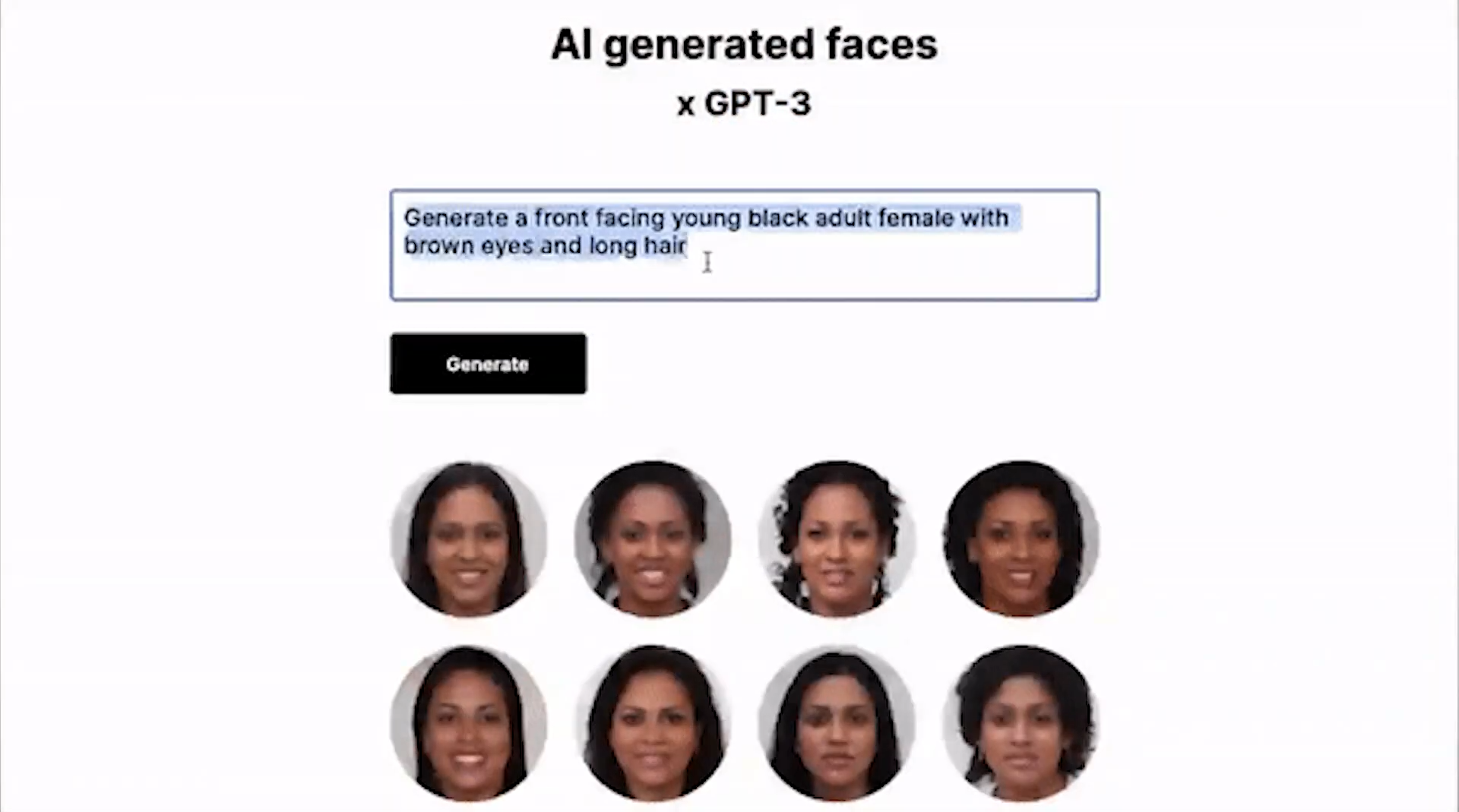
In 2020,language models like OpenAI’s GPT 3, stunned the world with their abilities.
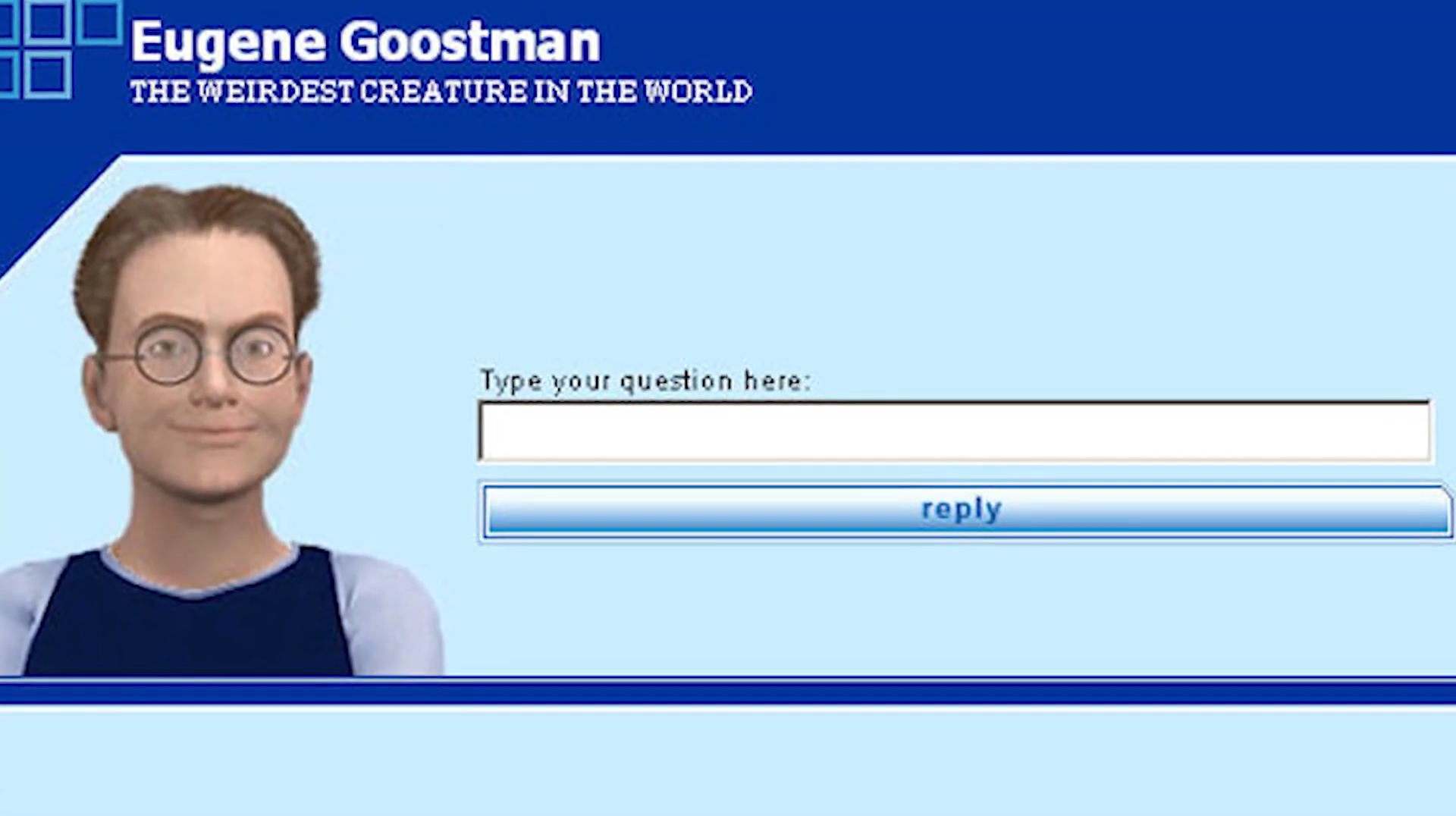
So no, the next AI winter is not coming anytime soon as; AI is seeing its best years. Just in 2020,Eugene became the first AI machine to pass the Turing Test by convincing 33 judges that it was a 13-year-old Ukrainian boy.
How Cool and equally frightening is that?
With this I conclude part 2, in the next episode of this series, I’ll go into more detail and discuss different branches of Machine learning.
In case you have any questions, please feel free to ask in the comment section and share the post with your colleagues if you have found it useful.
You can reach out to me personally for a 1 on 1 consultation session in AI/computer vision regarding your project. Our talented team of vision engineers will help you every step of the way. Get on a call with me directlyhere.
Ready to seriously dive into State of the Art AI & Computer Vision? Then Sign up for these premium Courses by Bleed AI
Make sure to check out part 1 of the series and Subscribe to the Bleed AI YouTube channel to be notified when new videos are released.
In the previous episode of the Computer Vision For Everyone (CVFE) course, we had discussed the history of AI in detail, covering almost all major events so far from 1950 along with the winters AI faced and their causes. And I had also explained what exactly the terms AI, Machine Learning and Deep Learning mean, in the simplest manner possible.
Now today in this episode, we’ll go a little deeper into machine learning and take a look at different branches of machine learning in detail with their examples.
This is the 3rd part of our 4-parts series on AI. I have witnessed many experienced practitioners that have been working in the field for years but do not know the basic fundamentals of AI which is quite surprising as a solid foundation in the theoretical concepts of AI/ML plays a major role in working with AI/ML algorithms efficiently.
So through this series of tutorials, I’m trying to provide a thorough understanding of the Artificial Intelligence field for everyone, with an increase in technicality and depth on each subsequent tutorial.
Alright, so without further ado, let’s get started.
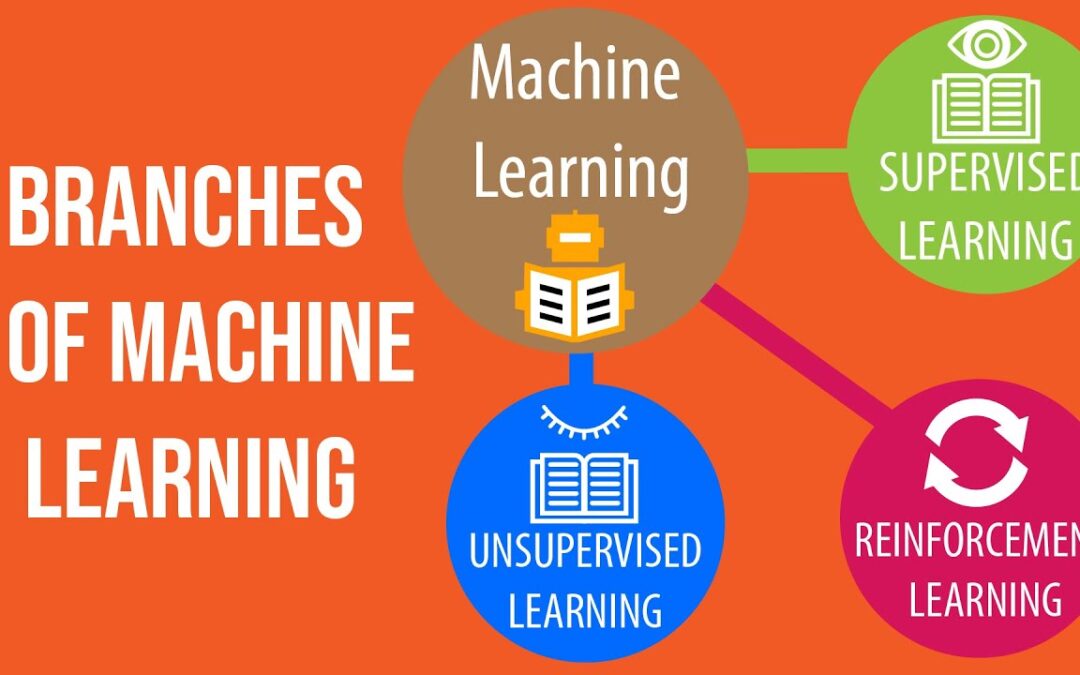
Machine Learning can be further divided into three different branches i.e., Supervised Learning, Unsupervised Learning, and Reinforcement Learning. Other than these three, there are also some hybrid branches too but we’ll learn about them in the next episode.
For now let’s look at each of these three core ML branches, one by one.
Supervised Learning.
Unsupervised Learning.
Reinforcement Learning.
Supervised Learning
Supervised Learning is the most common branch of machine learning, in fact, most of the applications you see these days are examples of supervised learning.
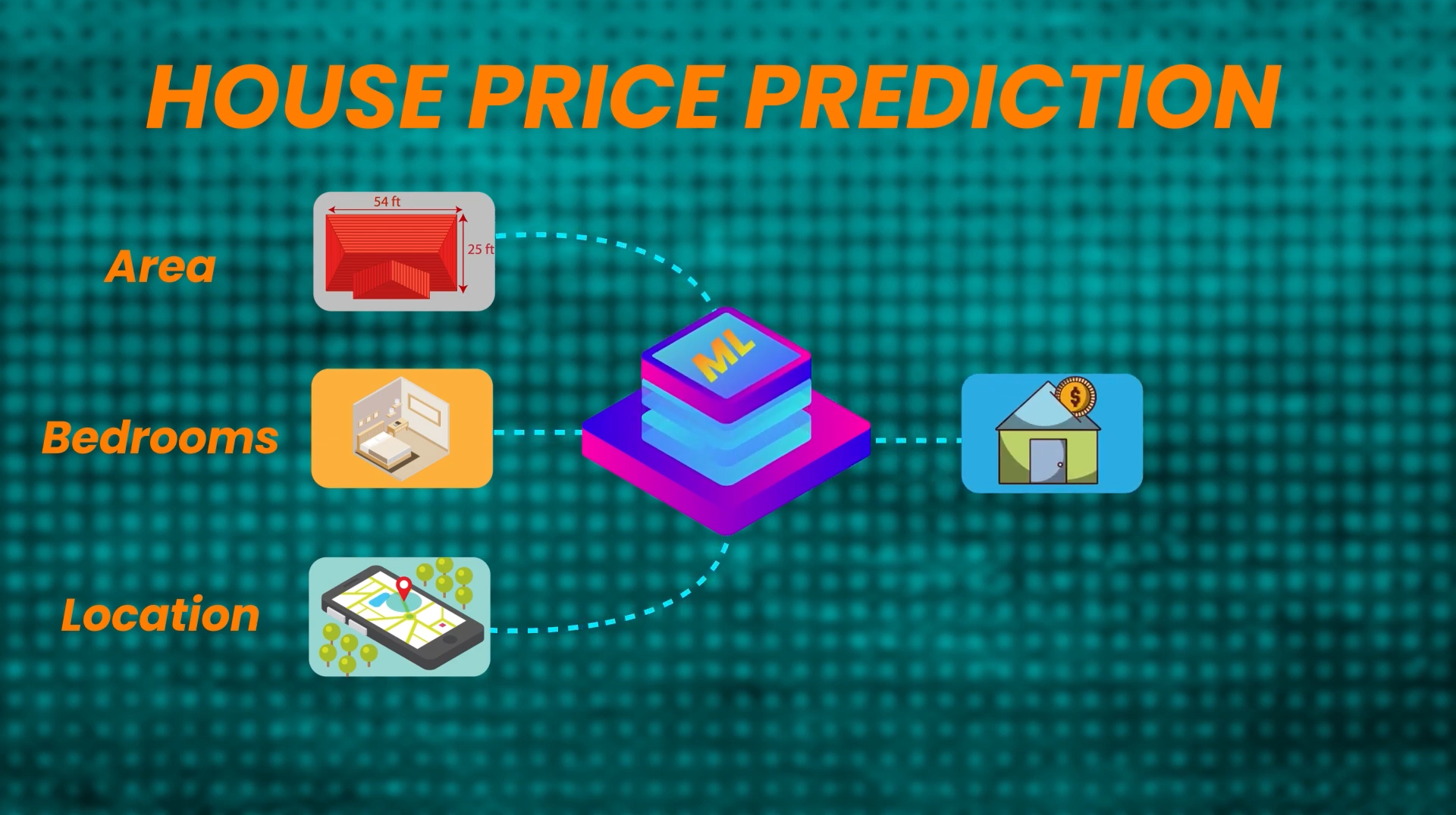
For example, a House Price Prediction System is a popular supervised machine learning problem, where a Machine Learning model predicts the price of a house by looking at some features of the house like house area, the number of bedrooms it has and its location, etc.
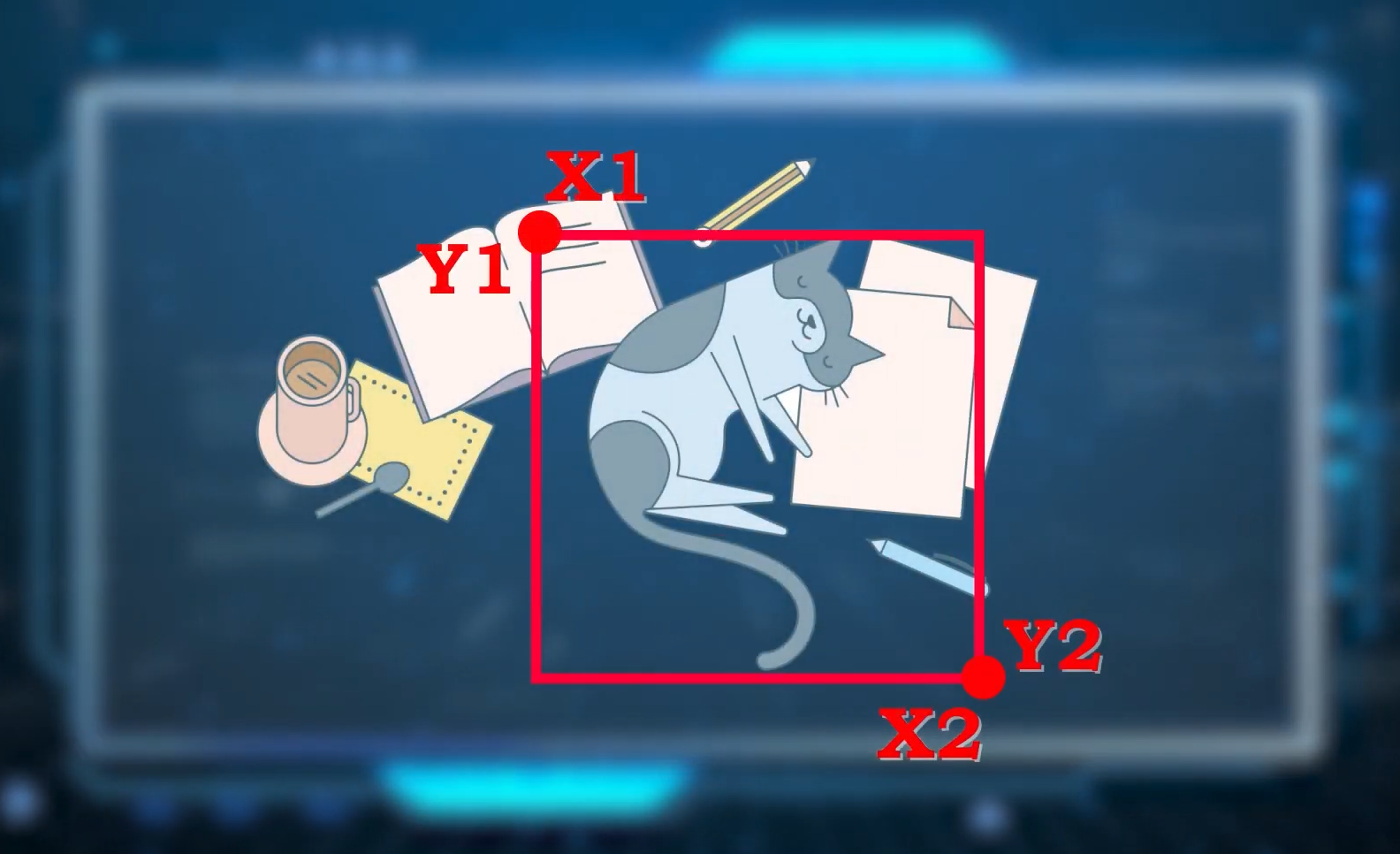
Also, it is worth noting that when a Machine Learning model predicts a number, then it’s also called a Regression Problem and it has many types. For example, localizing an object in images/videos using an object detector is also a regression problem, as in this scenario the output i.e., the coordinates (x1, y1, x2, and y2) of a bounding box enclosing the object are numbers.
Another example for Supervised Learning would be a machine learning model looking at an image or a video and predicting a category/label of the object in it.
And whenever a machine learning model predicts a class label that is normally based on some features of the object in the image/video, the process is called a Classification Taskor Problem. So both Classification & Regression fall in supervised learning.
But what exactly is this Supervised Learning? We have looked at its examples but how do we define this? Well, it’s pretty simple;
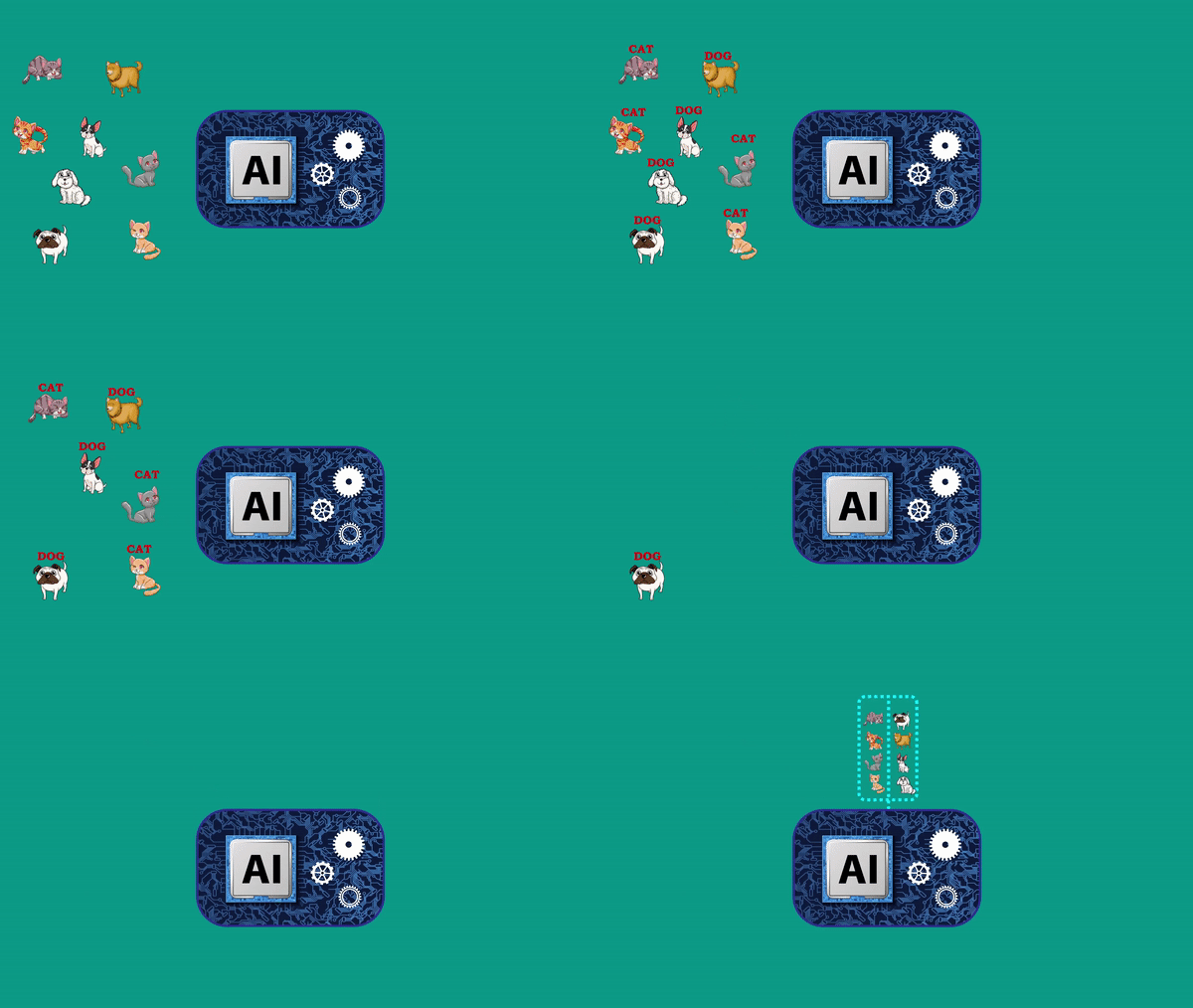
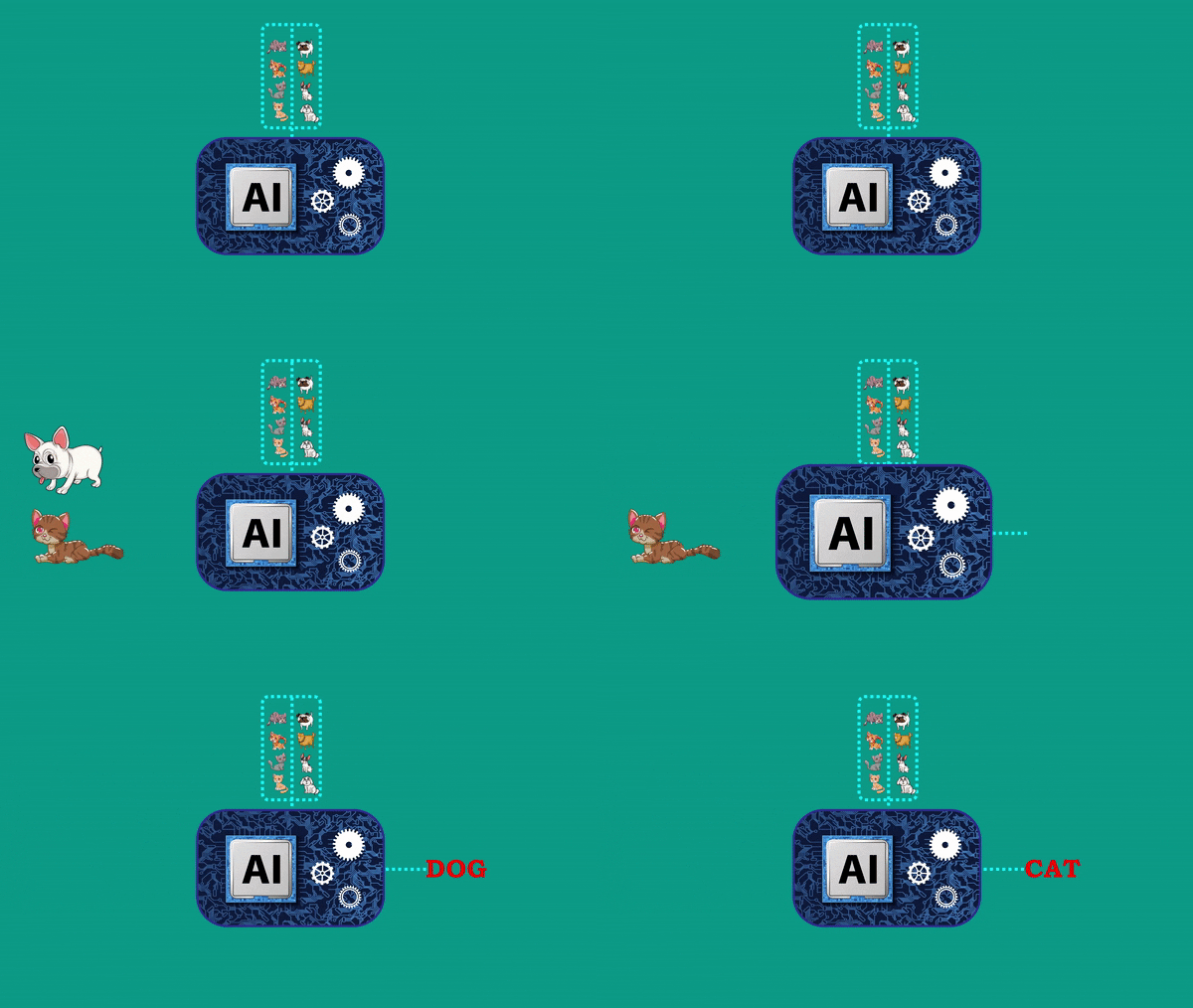
In Supervised Learning, you first have to label all the training examples. Like, suppose if you’re doing something like a Cat & Dog Classification, you’ll first label all training images or videos with either cat or dog. Then you feed all the training examples to the machine learning model, and the model then trains or learns from these examples.
And after it has been trained, we can then show the model some test images or videos that it hasn’t seen before to get the predictions on the test examples and evaluate the model’s performance by verifying the results.
This Whole process is called Supervised Machine Learning. Now let’s check its definition in technical terms.
In Supervised Learning, we take feature (x), which can be anything from pixel values to extracted house features, and map them to an output (y) which can be anything from labels like cat/dog to a regression number like house prices.
And this X and Y is an input-output pair and with an increase in the training examples, these input-output pairs also increase, and the machine learning model (whose job is to learn this input-output pair relationship during the training process) will be more accurate.
So essentially when we train a model, ideally it learns a function, capable of mapping any unseen input example to an appropriate output. And this is supervised learning, although supervised learning is responsible for most of the AI applications we see today. But the biggest issue with this approach is that it takes a lot of time and human effort to create the required input-output pairs for training the model.
So for example, if you had 10,000 images of cats and dogs then you’ll first have to go and label each with either a cat or a dog label, which is a very time-consuming and tedious process.
Unsupervised Learning
Let’s take a look at another machine learning approach called Unsupervised Learning where you don’t have to label anything.
So you have an input (x) but don’t have to map it to output (y), the goal of the machine learning model here is to learn the internal structures, distributions, or patterns in the data.
But how is this useful? Well, let’s discuss Clustering to find out, which is a type of unsupervised learning problem.
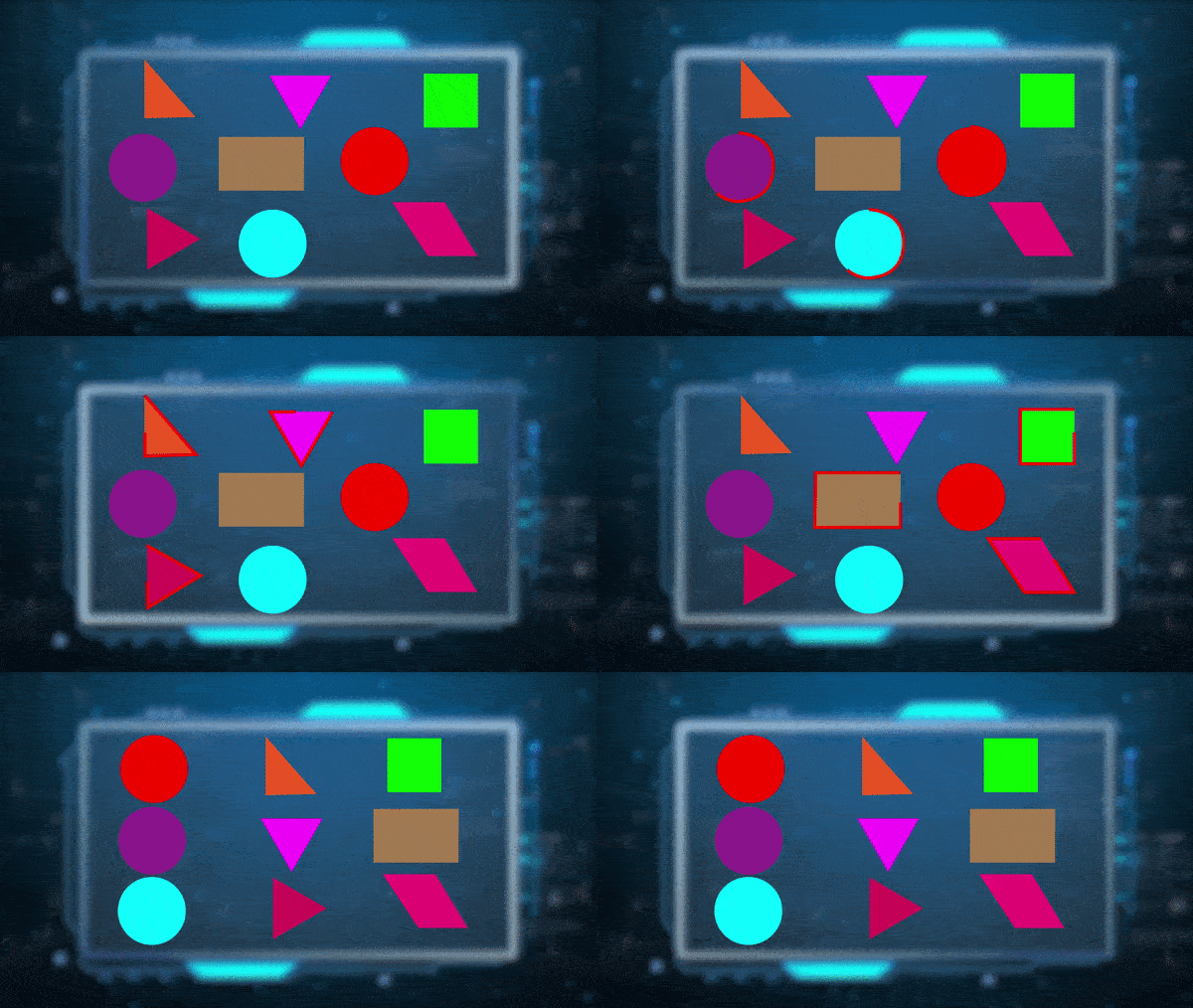
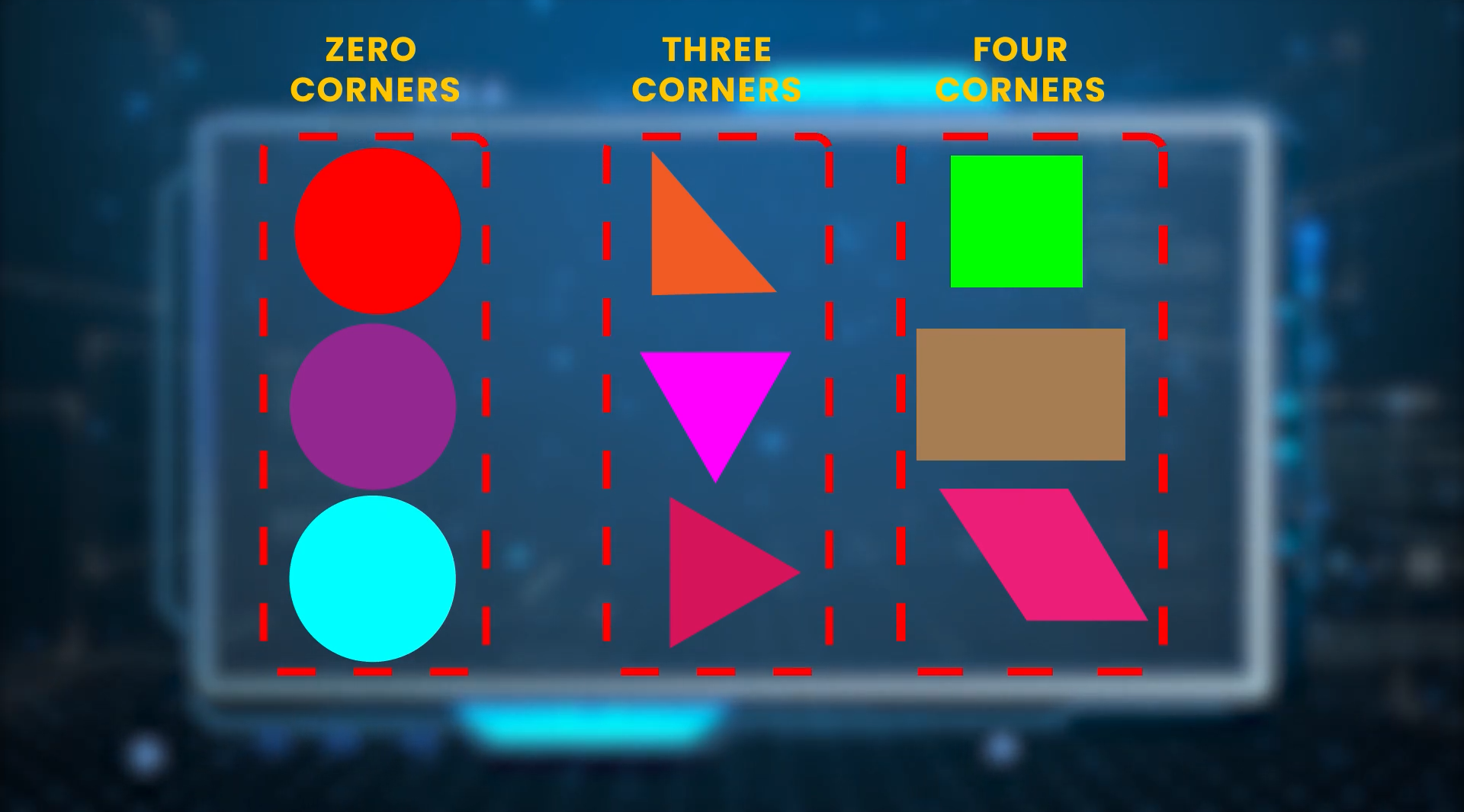
Suppose you have lots of unlabeled images of 3 simple shapes like circles, rectangles, and triangles, and all these images are mixed up. So what you can do is show all these examples to an unsupervised machine learning model.
The model will learn the common patterns and will group them based on similarity like for e.g if just one feature or pattern i.e., the number of corners is considered then the model will cluster the images into 3 different groups i.e., of course, Circle, Triangle, and Rectangle.
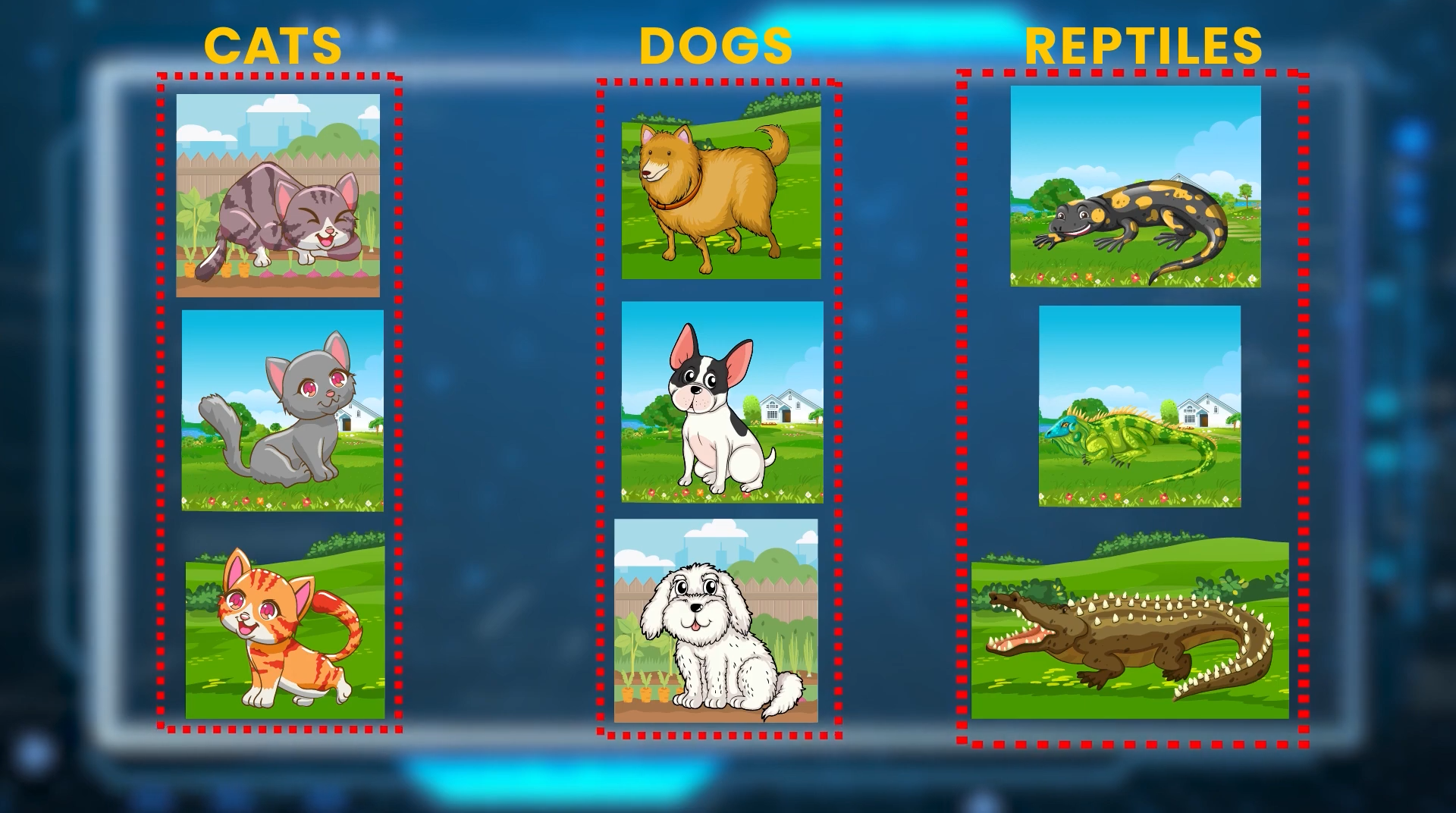
And Immediately you’ll recognize the actual class and label these three clusters and this will save the effort of labeling each image separately but this is a very basic example and it isn’t always this simple. Suppose if instead of shapes you had 3 classes of animals like cats, dogs, and reptiles.
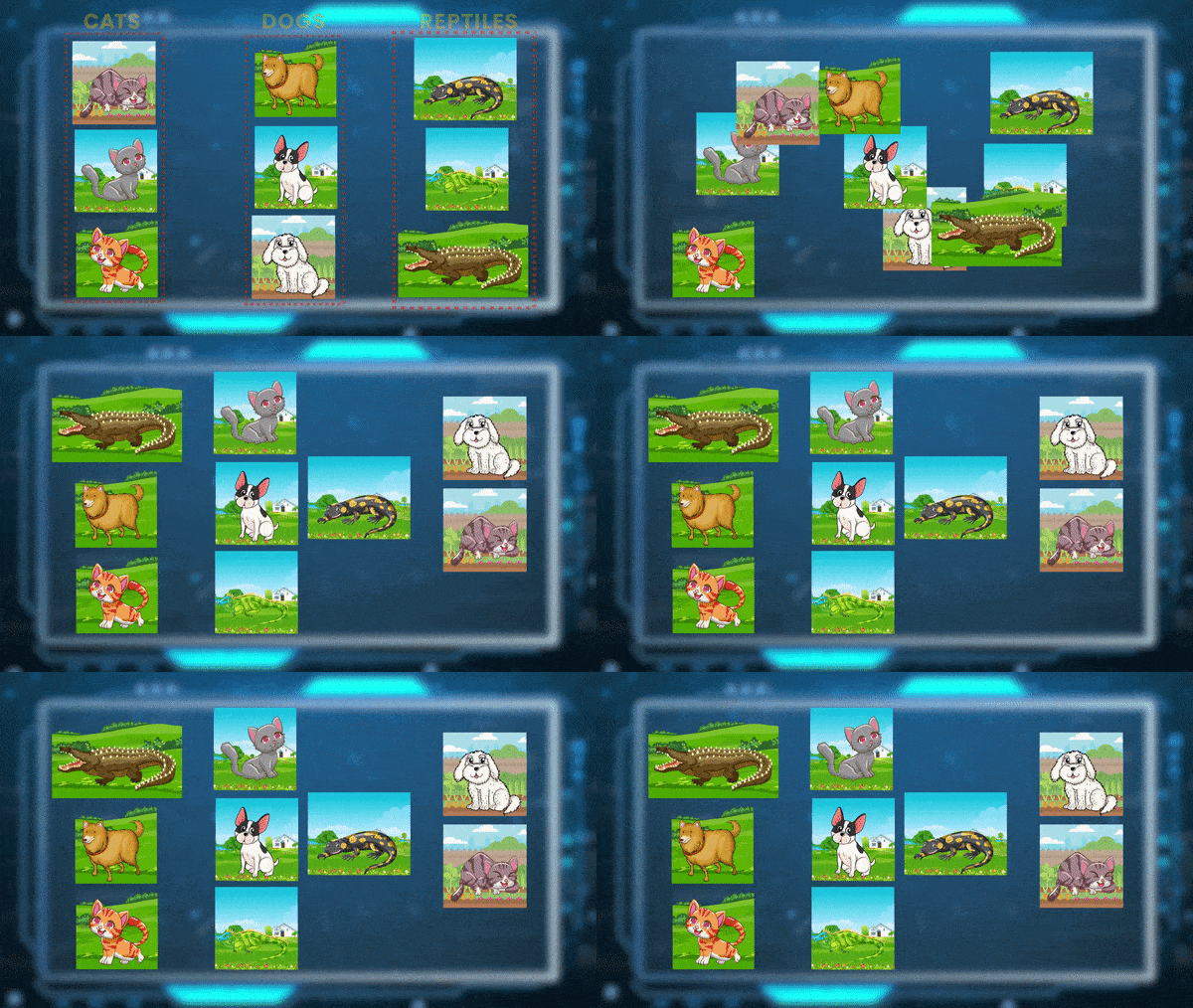
Then ideally the clustering algorithm should give you 3 clusters of images with each cluster having images of only one class but this doesn’t happen in reality because clustering just based on raw pixels is not meaningful, the algorithm may cluster images with similar backgrounds or some other thing.
So what we can do here is extract some meaningful features and then cluster data based on those features. And in the end, you can use some metrics to determine if the clusters generated by the algorithm are meaningful or not.
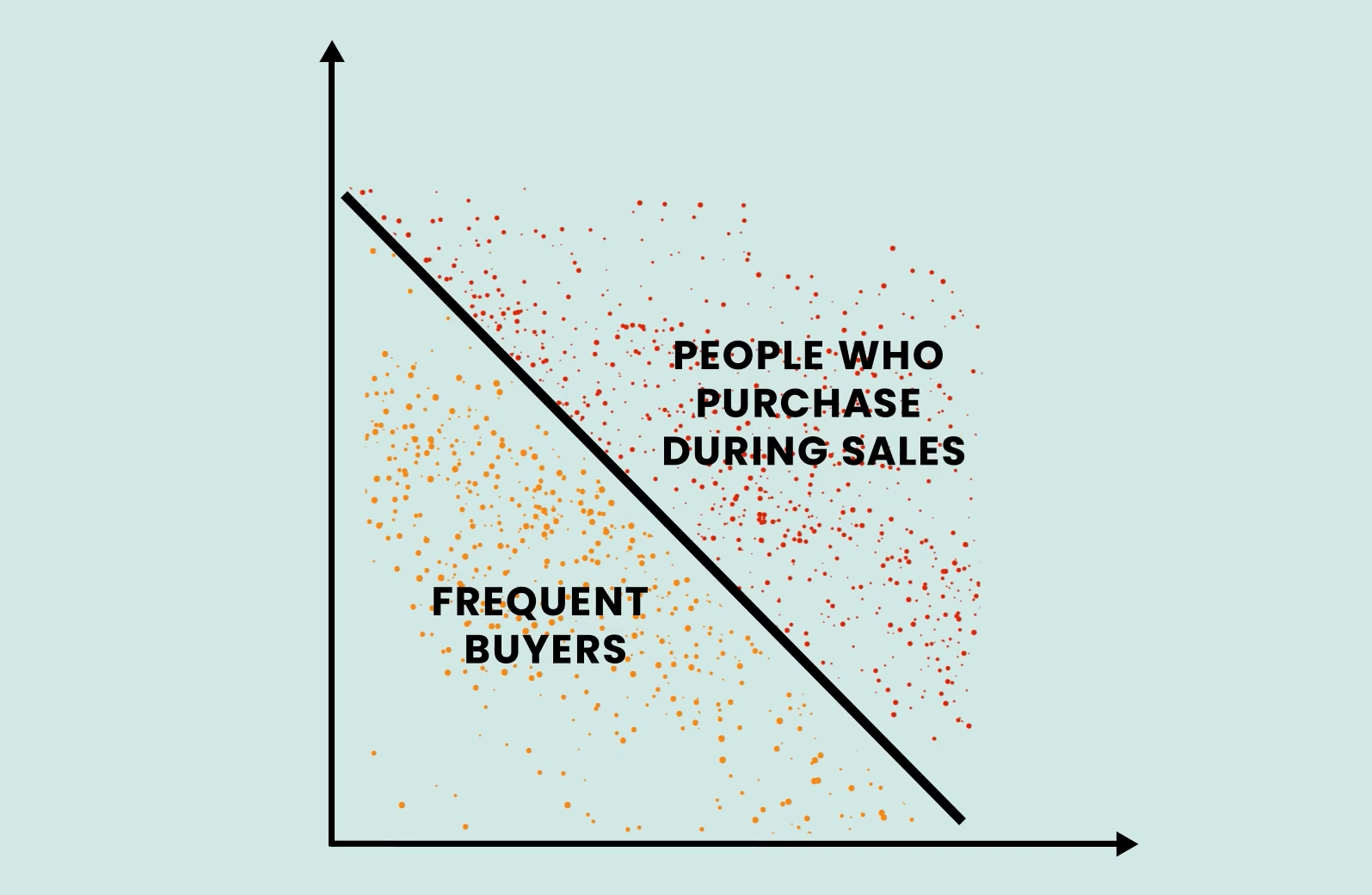
Clustering is popularly used in the e-commerce Industry to cluster customers into different segments like frequent buyers, or people who purchase during Sales, etc.
This helps a lot in designing customized marketing campaigns. Another type of Unsupervised problem is called Association.
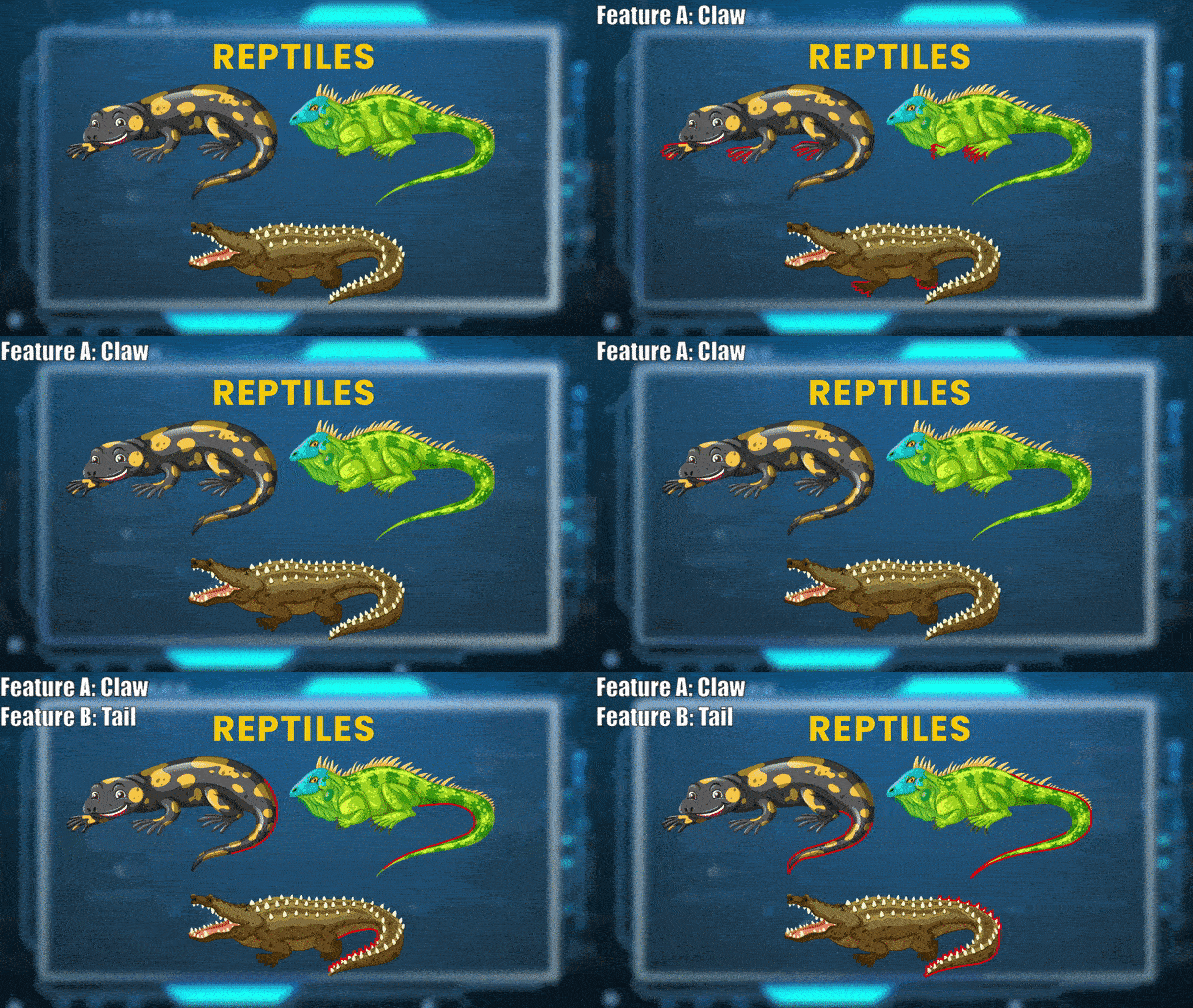
In this technique, we analyze data and discover rules that describe groups of data, for example, we can find patterns like if a certain data group contains Feature A, then there is a high probability it will contain Feature B too.
So Association models help in associating one variable with a data group. Let’s check an example. If we train an association algorithm on customer purchases then it may tell us things like, Customers who bought Item ‘A’ also bought item “B and C”. So if a buyer buys a fan, he may see some excellent recommendations like a rope xD.
[Insert cliparts of fan and rope]
So when you see recommendations in online stores while shopping, it happens due to association algorithms running in the background on your data.
Reinforcement Learning
Alright, we have looked at Supervised Learning & Unsupervised Learning. Now let’s talk about Reinforcement Learning which is something totally different.
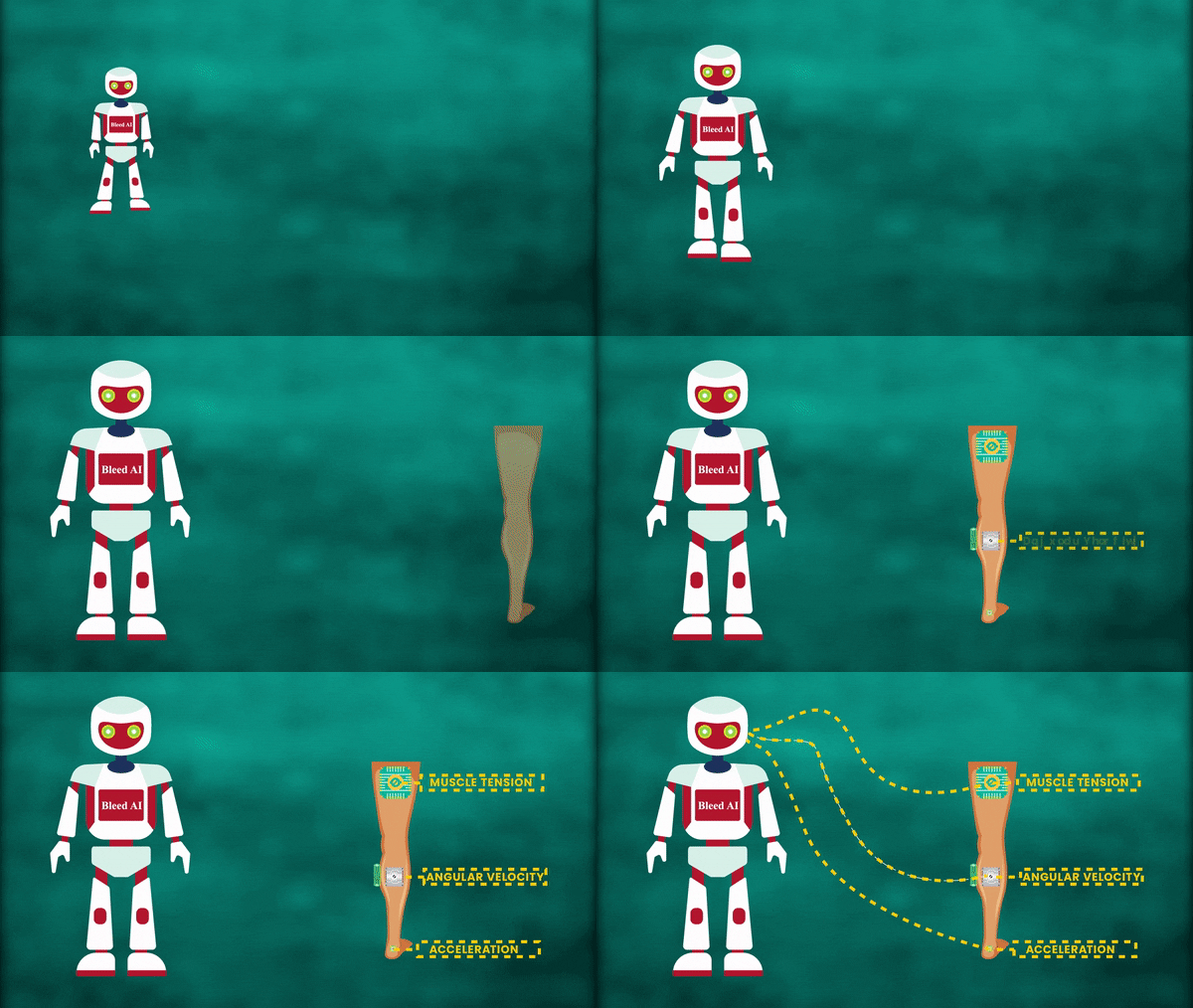
Now before we get into Reinforcement Learning, I first want to discuss the necessity for it. So consider, if you wanted to train an AI to walk then what you could do is attach a ton of sensors to someone’s legs, and capture things like angular velocity, acceleration, muscle tension, and whatnot. Then feed all these data points to a supervised algorithm and try to train it so it learns to walk.
But here’s the thing, this approach will not prove to be much effective because it’s really hard to describe how to walk or what particular features to capture or study in order to learn to walk.
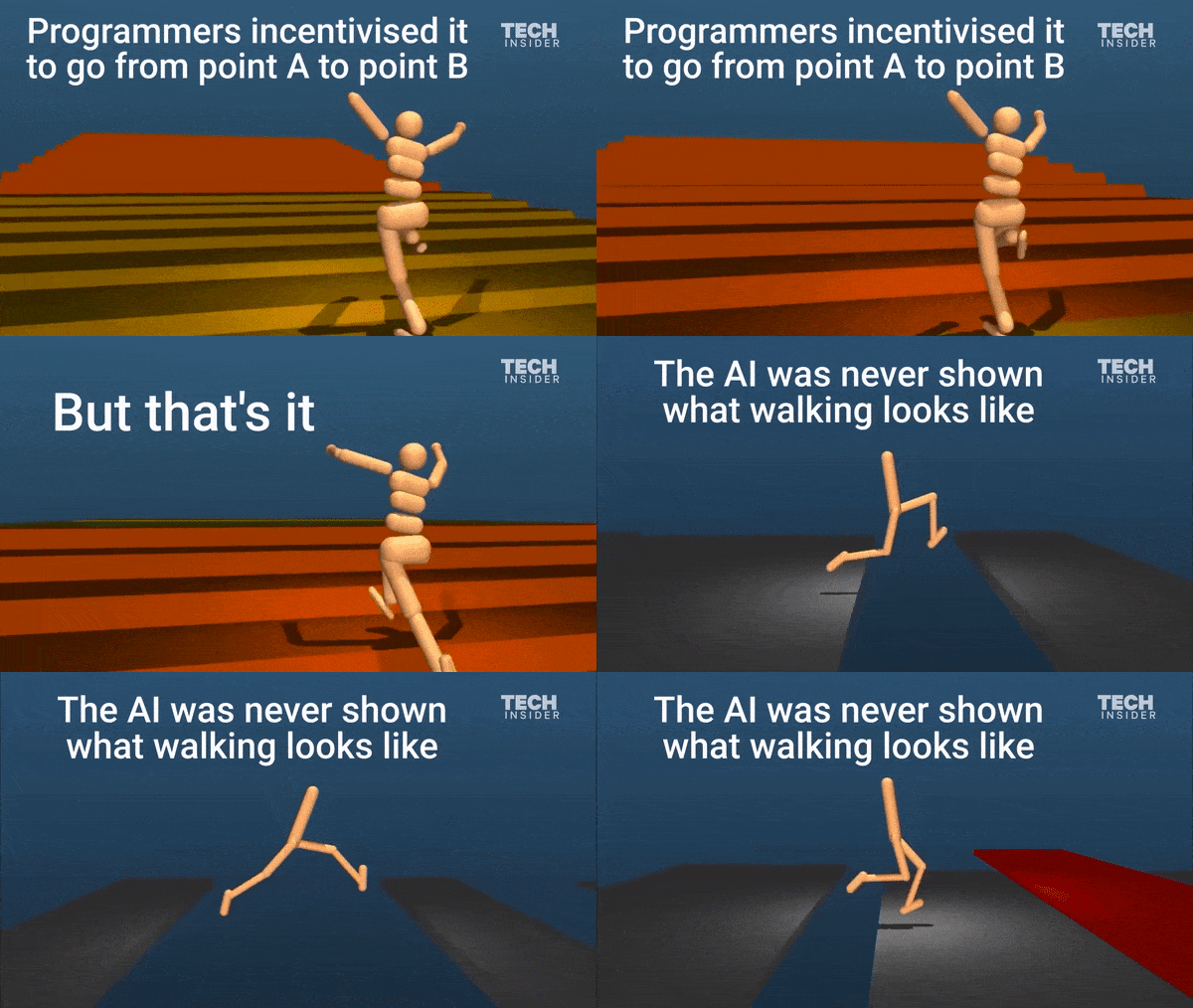
So a much better approach would be learning to walk by trial and error and this is what Reinforcement Learning is. It is used whenever we’re faced with a problem that is hard to describe. Google’s Deepmind got some really interesting results when they trained AI to walk using reinforcement learning.
In Reinforcement learning, you have an agent, which has to interact with some given environment in order to reach its goal.
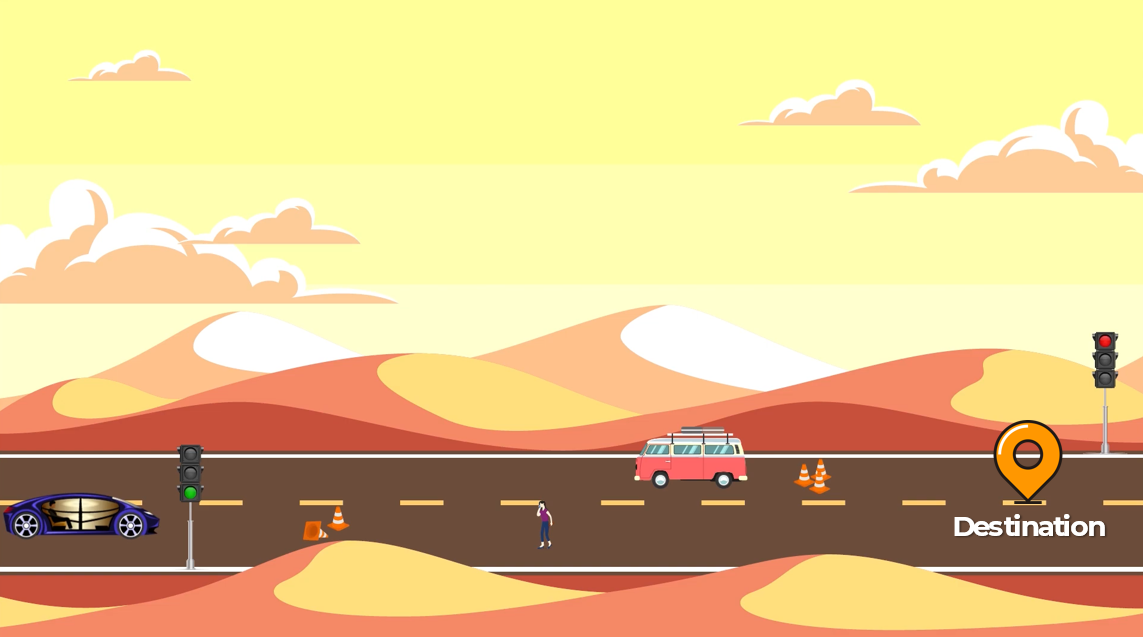
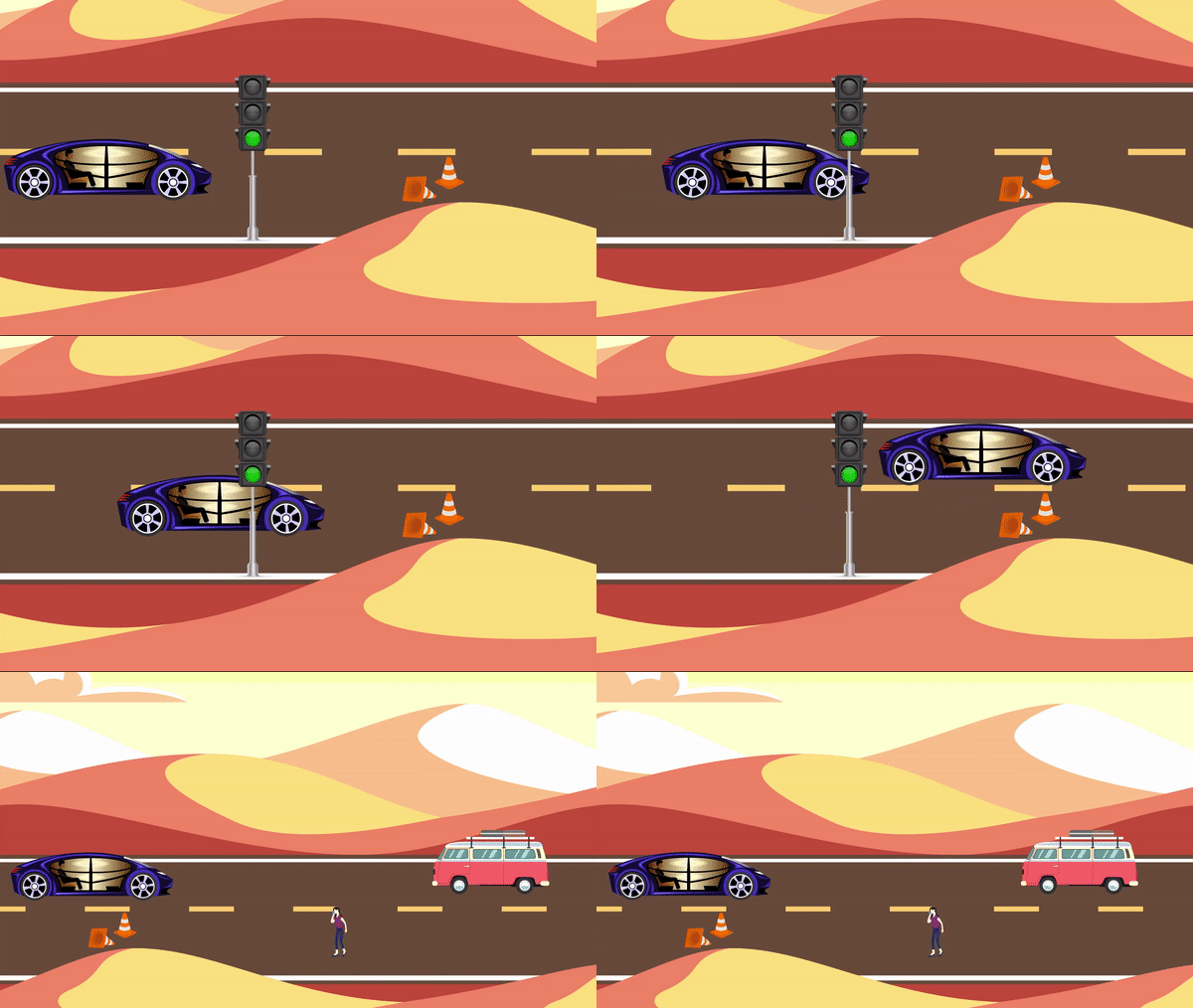
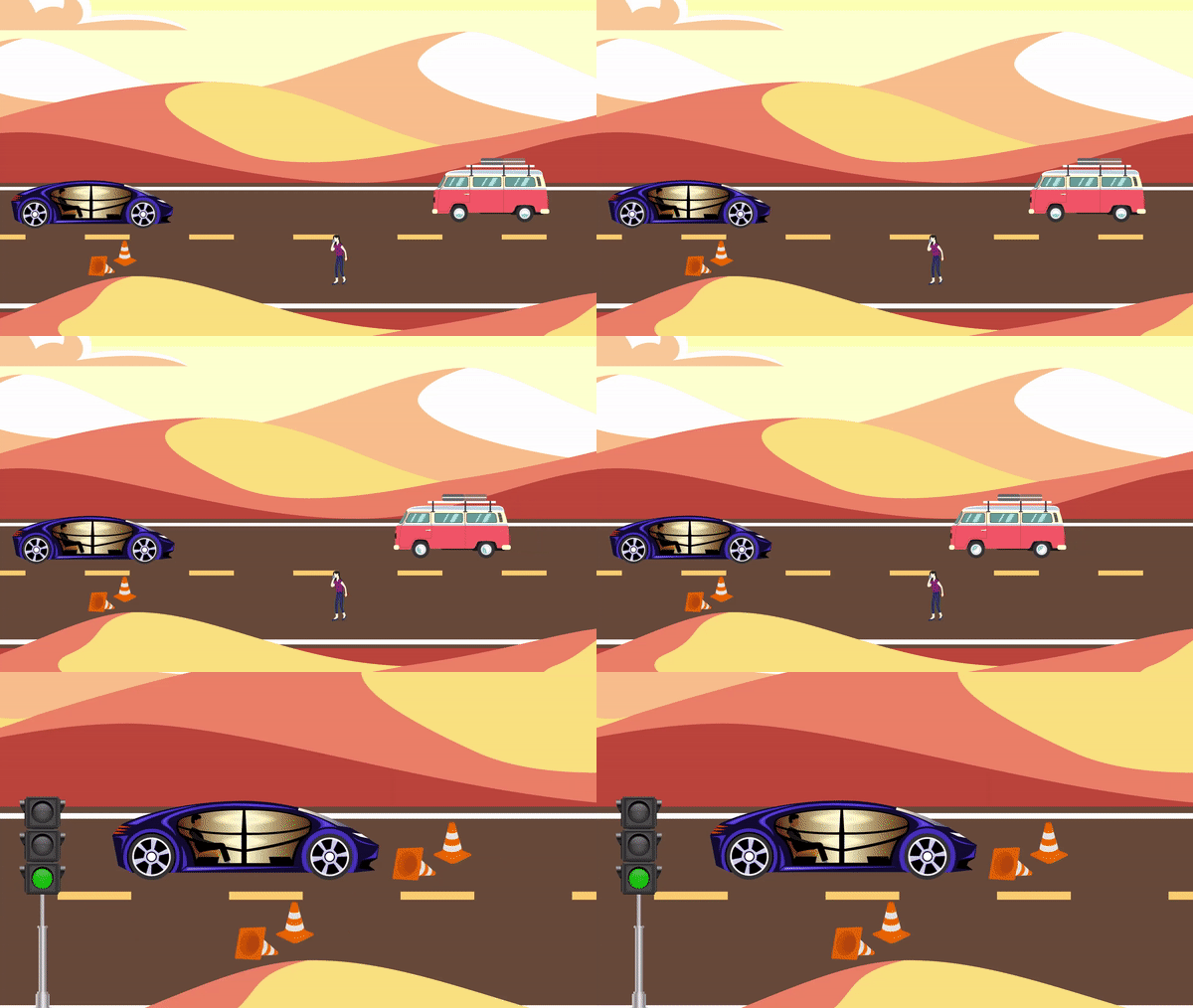
Consider the example of a self-driving car, where the agent is the car and the environment can be the roads, people, or any obstacles that the car has to deal with. The objective of this agent i.e., a car is to reach its goal or destination while avoiding any obstacles in the way.
Now what happens during the training phase is that the agent tries to reach the goal by taking actions, these actions are like moving the car forward, backward, taking turns, slowing down, etc.
And the environment has a state that changes as cars can move towards the agent, an obstacle might block the agent, or anything can happen in the environment.
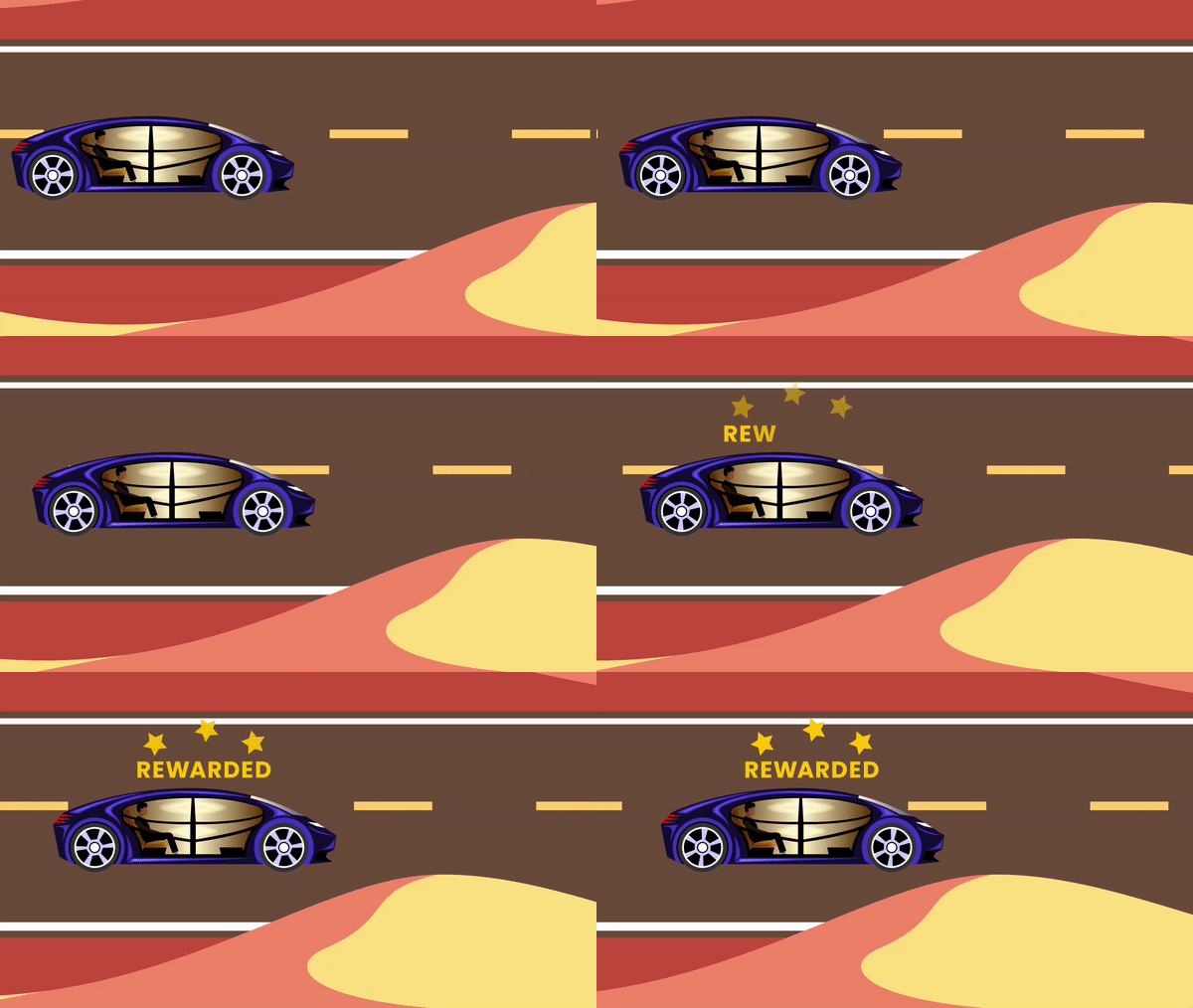
As the agent gets closer and closer to the goal, it gets rewarded, this way the agent knows that the actions it took were correct as it was rewarded.
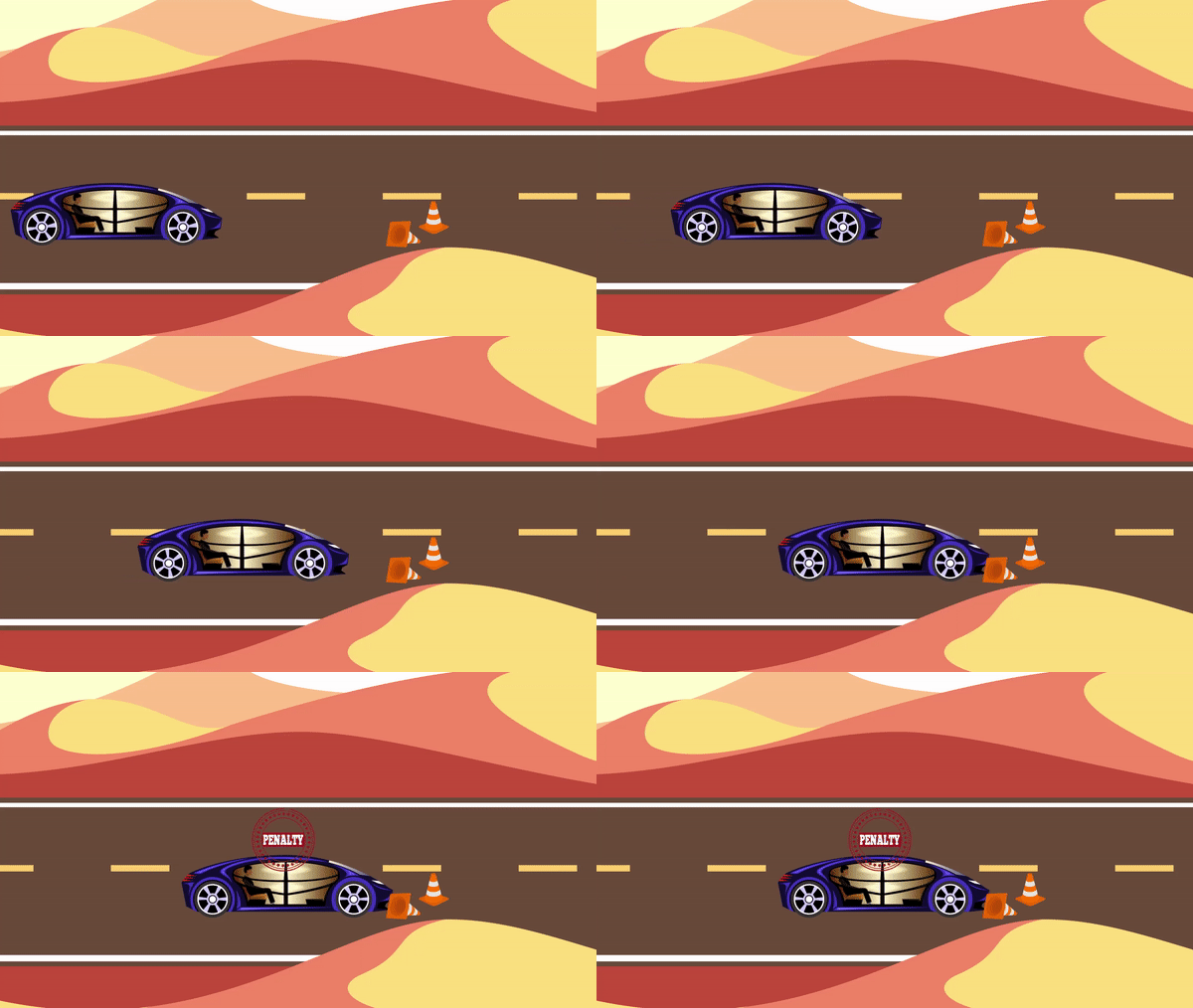
And similarly, if the agent makes mistakes it’s punished with a penalty and this tells the agent that the actions it took were bad.
This whole process is repeated in a loop over and over during the training until the agent learns to avoid mistakes and reach the goal using an effective approach.
Also when it comes to AI playing games, reinforcement learning is the go-to approach. In fact, OpenAI’s popular 2016 victory against the World Go champion was built on Deep Reinforcement Learning.
Summary
In this episode of CVFE, we learned about the three primary Paradigms in machine learning i.e., Supervised Learning, Unsupervised Learning,and Reinforcement Learning in-depth with examples.
Now you have learned the pros and cons of all three and the approach that you should use totally depends on the problem that you are trying to solve. If you are still confused about the approach best suited for your project you can ask me in the comments section.
You can reach out to me personally for a 1 on 1 consultation session in AI/computer vision regarding your project. Our talented team of vision engineers will help you every step of the way. Get on a call with me directlyhere.
Ready to seriously dive into State of the Art AI & Computer Vision? Then Sign up for these premium Courses by Bleed AI
With this I conclude this episode, in the next and final part of this series, I’ll go deeper and discuss the hybrid fields of AI, applied fields, AI industries, AI applications and finally we’ll connect everything we have discussed together and show you how everything relates with each other. Share the post with your colleagues if you have found it useful. Also, make sure to check out part 1 and part 2 of the series and Subscribe to the Bleed AI YouTube channel to be notified when new videos are released.
In this tutorial, you will learn to create a Python + OpenCV script that will generate the Squid Game memes automatically without using photoshop or other editors.
If you’re not living in the Stone Age, then I’m willing to bet you must have witnessed the hype of the NetFlix latest hit TV show called the Squid Game. Nowadays every other post on the internet is about it and feels like a storm that has taken over the internet, now if you haven’t watched that show already then I will definitely recommend you to check it out! Otherwise, society may not accept you 😂 … just kidding!
Also, I’m not going to be revealing any spoilers for the show, so don’t worry 🙂.
So in the last couple of weeks, I’ve been seeing a lot of memes related to this show, and have found some of the memes absolutely hilarious like this one:
You need context to get this but as promised I won’t be giving any spoilers but just to summarize the characters had to carve out shapes from the candy above, the more difficult the shapes the harder this challenge was. Now people online have been replacing the original umbrella with all sorts of things.
And I thought why not embed the Bleed AIlogo here using photoshop and post it on my Facebook page, but then I got an even better idea, why not create a python script capable of generating a new meme automatically, given this meme template and any logo. Something like this:
And I ended up creating this tutorial that will teach you to automatically generate these Squid Game memes in a step-by-step manner with each step explained in detail using just OpenCV and Python.
So to start learning just press the green button in the image above … or keep reading 😏.
We will start by importing the required libraries.
import cv2
import numpy as np
import matplotlib.pyplot as plt
Read an Image
Now we will use the function cv2.imread() to read a sample image and then display the image using the matplotlib library, after converting it into RGB from BGR format.
# Read the input image from the specified path.
input_image = cv2.imread('media/Dalgona Candy.png')

# Specify a size of the figure.
plt.figure(figsize = [10, 10])

# Display the input image, also convert BGR to RGB for display.
plt.title("Input Image");plt.axis('off');plt.imshow(input_image[:,:,::-1]);plt.show()
Retrieve the Candy ROI
Now we will simply crop the candy ROI from the input image we read and then display the ROI using the matplotlib library.
# Retrieve the height and width of the input image.
image_height, image_width, _ = input_image.shape

# Perform array slicing to retrieve the candy ROI from the input image.
candy_image = input_image[:,image_width//2:]

# Display the cropped candy image, also convert BGR to RGB for display.
plt.figure(figsize=[5,5]);plt.title("Candy Image");plt.axis('off');plt.imshow(candy_image[:,:,::-1]);plt.show()
Remove the Umbrella Design from the Candy
Now that we have the required ROI, we will smoothen out the umbrella design from it using cv2.medianBlur() function. For this, we will perform:
Canny Edge Detection to detect the umbrella design regions, using the function cv2.Canny().
Dilation to increase size of the detected design edges, using the function cv2.dilate().
And get a mask image of the ROI, with pixel values 255 at the indexes where the umbrella design is present and pixel values 0 at the remaining indexes, which we will utilize to smoothen out only the exact regions where the umbrella design is present in the candy ROI. So we will get rid of the umbrella design while retaining the candy texture.
# Retrieve the height and width of the candy image.
candy_height, candy_width, _ = candy_image.shape

# Create copies of the candy image.
clear_candy = candy_image.copy()
clear_candy_wm = candy_image.copy()

# Perform array slicing to retrieve the umbrella ROI from the candy image.
umbrella = candy_image[int(candy_height/3):int(candy_height/1.12),int(candy_width/5):int(candy_width/1.35)].copy()

# Blur the image to smoothen out the umbrella design.
blurred = cv2.medianBlur(umbrella, 31).copy()

# Perform canny edge detection on the umbrella image to create a mask of the umbrella design.
edges = cv2.Canny(image=umbrella, threshold1=40, threshold2=210)

# Apply Dilation on the output of the canny edge detection with an iteration of 4.
mask = cv2.dilate(edges, np.ones((7, 7), np.uint8), iterations = 4)

# Overlay the blurred umbrella image over the umbrella design in the candy image, only at the indexes,
# where the umbrella is present utilizing the umbrella mask.
umbrella[mask!=0] = blurred[mask!=0]

# Update the copy of the candy image with resultant ROI having the exact umbrella region blurred utilizing the umbrella mask.
clear_candy[int(candy_height/3):int(candy_height/1.12),int(candy_width/5):int(candy_width/1.35)] = umbrella

# Update the copy of the candy image with resultant ROI having the whole umbrella ROI blurred without using mask.
clear_candy_wm[int(candy_height/3):int(candy_height/1.12),int(candy_width/5):int(candy_width/1.35)]  = blurred

# Display the mask image, cleared candy image without mask, and cleared candy image using mask.
plt.figure(figsize=[15,15])
plt.subplot(131);plt.title("Mask");plt.axis('off');plt.imshow(mask, cmap ='gray')
plt.subplot(132);plt.title("Cleared Candy Image without Mask");plt.axis('off');plt.imshow(clear_candy_wm[:,:,::-1])
plt.subplot(133);plt.title("Cleared Candy Image using Mask");plt.axis('off');plt.imshow(clear_candy[:,:,::-1]);plt.show()
After clearing the previous design from the candy, our next step will be to embed a new one on the candy to create the meme we want.
Read and Preprocess the Design Image
But For this purpose, we will first have to load the new design image from the disk and perform the required preprocessing on it. We will perform:
Resizing the design image to an appropriate size, using the function cv2.resize()
Canny Edge Detection on the resized image, to get the design edges, using the function cv2.Canny().
Dilation to increase size of the detected design edges, using the function cv2.dilate().
Median Blur to smoothen the detected design edges, using the function cv2.medianBlur().
To get a preprocessed mask of the design image that we will need to create that original umbrella-like effect on the candy.
# Read the design image from the specified path.
design_image = cv2.imread('media/Bleedai.png')
# design_image = cv2.imread('media/batman.png')
# design_image = cv2.imread('media/android.png')
# design_image = cv2.imread('media/trump.png')

# Retrieve the height and width of the design image.
design_height, design_width, _ = design_image.shape

# Perform the required preprocessings on the design image.
#############################################################################################################################

# Resize the design image to the 1/2th width of the candy image while keeping the aspect ratio constant.
design_image = cv2.resize(design_image, (candy_width//2, int(((candy_width//2) / design_width) * design_height)))

# Perform Canny Edge Detection on the design image.
design_mask = cv2.Canny(image=design_image, threshold1=100, threshold2=200)

# Apply Dilation on the output of the canny edge detection with an iteration of 1.
design_mask = cv2.dilate(design_mask, np.ones((3,3),np.uint8),iterations = 1)

# Perform median blur to smoothen the edges of the design.
design_mask = cv2.medianBlur(design_mask,5)

# Invert the design mask image.
# This will replace the pixel values that are 255 with 0,
# And the pixel values that are 0 with 255.
design_mask = ~design_mask

#############################################################################################################################

# Display the original design image, and the preprocessed design image.
plt.figure(figsize=[10,10])
plt.subplot(121);plt.imshow(design_image[:,:,::-1]);plt.title("Original Design");plt.axis('off');
plt.subplot(122);plt.imshow(design_mask, cmap='gray');plt.title("Preprocessed Design");plt.axis('off');
Embed the new Design Image
Now we will overlay this preprocessed design over the region of interest of the cleared candy image. For this, we will first retrieve the ROI using the array slicing technique, and then we will modify the ROI by replacing some pixels values with the processed design pixel values, utilizing the mask of the design to find the indexes of the pixels to replace. And then, we will use the function cv2.addWeighted() to perform the weighted addition between the modified and the original ROI to get a transparency effect for the new design.
Note:The processed design is a one-channel image, so we will have to convert it into a three-channel image by merging that one-channel image three times using the function cv2.merge(), to overlay it over the three-channel candy image.
# Create a copy of the cleared candy image.
output_candy = clear_candy.copy()

# Retrieve the height and width of the resized design image.
design_height, design_width, _ = design_image.shape

# Retrieve the region of interest of the copy of the cleared candy image where the design image will be embedded.
ROI = output_candy[(candy_height//2-design_height//2): (candy_height//2-design_height//2)+design_height,
                   (candy_width//2-design_width//2): (candy_width//2-design_width//2)+design_width].copy()

# Create a copy of the retrieved region of interest.
modified_ROI = ROI.copy()

# Convert the one channel design image mask into a three channel image.
design_mask_3 = cv2.merge((design_mask,design_mask,design_mask))

# Overlay the design by updating the pixel values of the copy of the retrieved region of interest
# at the required indexes i.e., where the design mask image has pixel values 0.
modified_ROI[design_mask==0] = design_mask_3[design_mask==0]

# Perform weighted addition between the modified and the original ROI to get a transparency effect.
resultant_image = cv2.addWeighted(ROI, 0.8, modified_ROI, 0.2, 0)

# Display the original region of interest, modified region of interest, and the resultant image of the weighted addition.
plt.figure(figsize=[10,10])
plt.subplot(131);plt.imshow(ROI[:,:,::-1]);plt.title("ROI");plt.axis('off');
plt.subplot(132);plt.imshow(modified_ROI[:,:,::-1]);plt.title("Modified ROI");plt.axis('off');
plt.subplot(133);plt.imshow(resultant_image[:,:,::-1]);plt.title("Resultant Image");plt.axis('off');
Display and Save the Output Image
Now we will put together all of the resultant ROIs to get the output meme image, and then we will save it into the disk using the cv2.imwrite() function, and display it using the matplotlib library, after converting it into RGB from BGR format.
# Update the copy of the cleared candy image with the resultant ROI which has the design overlayed.
output_candy[(candy_height//2-design_height//2): (candy_height//2-design_height//2)+design_height,
             (candy_width//2-design_width//2): (candy_width//2-design_width//2)+design_width] = resultant_image

# Create a copy of the input image.
output_image = input_image.copy()

# Update the candy region of the copy of the input image from the umbrella design to the bleed AI logo design.
output_image[:,image_width//2:] = output_candy

# Save the output image to a specified path.
cv2.imwrite('media/Output Image.png', output_image)

# Display the output image, also convert BGR to RGB for display.
plt.figure(figsize=[10,10]);plt.title("Output Image");plt.axis('off');plt.imshow(output_image[:,:,::-1]);plt.show()
Looks cool, right? With this, we have completed the script to automatically generate squid game dalgona candy memes for any design we want.
Join My Course Computer Vision For Building Cutting Edge Applications Course
The only course out there that goes beyond basic AI Applications and teaches you how to create next-level apps that utilize physics, deep learning, classical image processing, hand and body gestures. Don’t miss your chance to level up and take your career to new heights
You’ll Learn about:
Creating GUI interfaces for python AI scripts.
Creating .exe DL applications
Using a Physics library in Python & integrating it with AI
Advance Image Processing Skills
Advance Gesture Recognition with Mediapipe
Task Automation with AI & CV
Training an SVM machine Learning Model.
Creating & Cleaning an ML dataset from scratch.
Training DL models & how to use CNN’s & LSTMS.
Creating 10 Advance AI/CV Applications
& More
Whether you’re a seasoned AI professional or someone just looking to start out in AI, this is the course that will teach you, how to Architect & Build complex, real world and thrilling AI applications
In this tutorial, we learned to automatically generate the Squid Game memes just by using OpenCV and Python and while doing so we learned a couple of useful image processing techniques like Canny Edge Detection, Dilation, and Median Blurring, etc now you can try to improve the output further by tuning the parameters if you want.
Or you can try to generate a different meme using the concepts you have learned in this tutorial and share the results with me. It is always tempting to see you guys build on top of what you learn here at Bleed AI, so make sure to post the links to your memes in the comments
You can reach out to me personally for a 1 on 1 consultation session in AI/computer vision regarding your project. Our talented team of vision engineers will help you every step of the way. Get on a call with me directlyhere.
Ready to seriously dive into State of the Art AI & Computer Vision? Then Sign up for these premium Courses by Bleed AI